File Not Found Reports Error: Unable to Log Error to Access Analyzer
Symptom
When the report grid settings are configured for a non-interactive grid on the AD Group Members View table of the report, and you are attempting to download an exported report as a CSV file, the system generates the following error message:
(File not found error)

Unable to log error to Access Analyzer: Object doesn't support property or method 'LogJSMessage'.

Cause
This error message is caused by setting the report grid configuration to Non Interactive grid.
Resolution
To resolve this error, refer to the following steps:
-
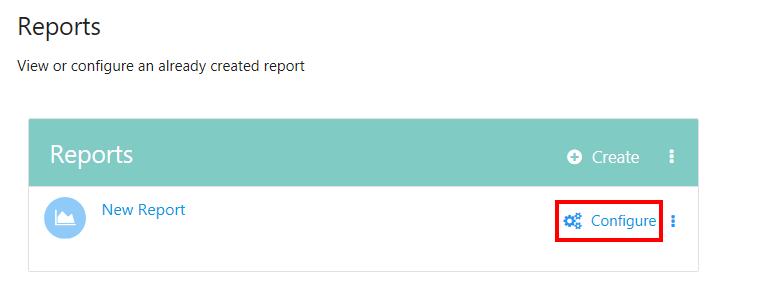
Click Configure to access the report settings.
-
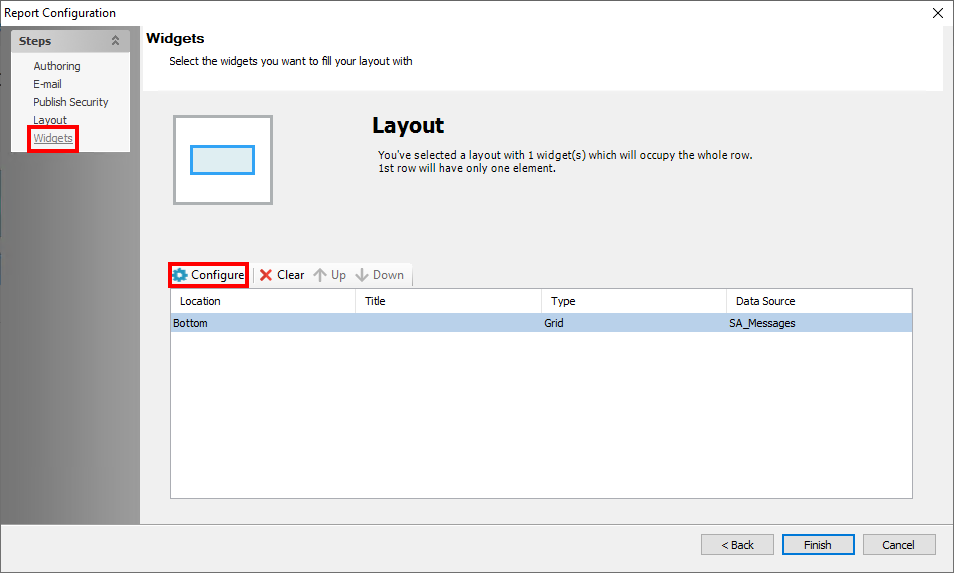
Navigate to the Widgets node and select Configure on the layout location of the report.
-
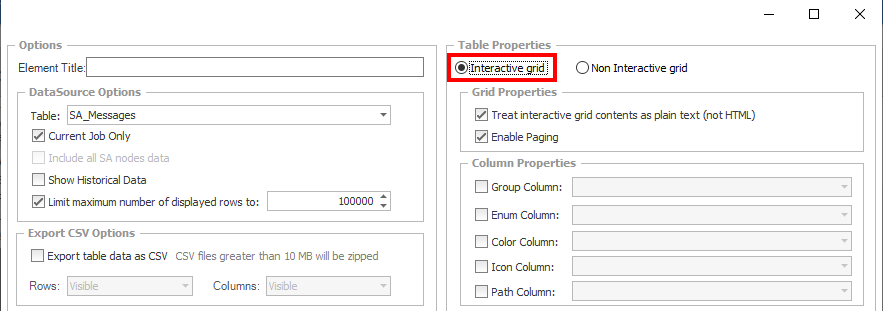
After clicking Configure, select the Interactive grid option in the top-right corner under Table Properties.
-
Ensure that you have the Export table data as CSV box checked.

-
Confirm that the error has been resolved using either of the following methods:
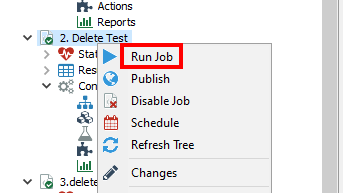
- Right-click the Job itself and select Run Job.
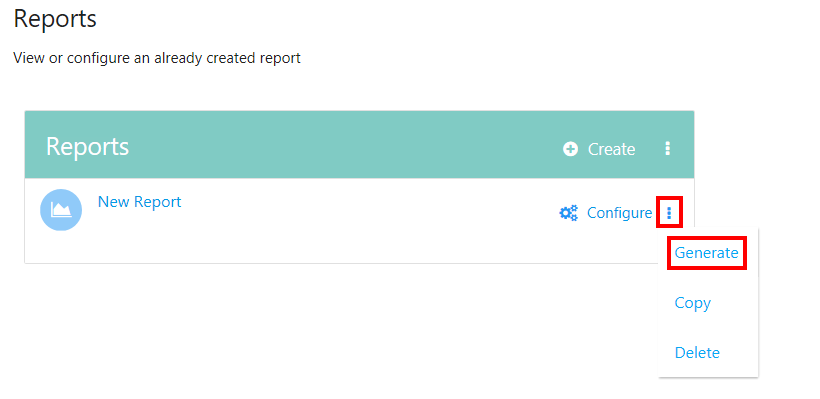
- In the Reports pane, click the Kebab menu (three vertical dots) next to Configure and select Generate.
- Right-click the Job itself and select Run Job.