How to migrate Netwrix Inactive Users Tracker to other servers
How do I migrate Netwrix Inactive Users Tracker to other servers?
On Netwrix Auditor Versions 9.0 and Newer, Inactive Users Tracker is installed alongside the Netwrix Auditor installation.
- Install Netwrix Auditor on a new server.
- Copy the following files to the same location on the new server:
- Contents of
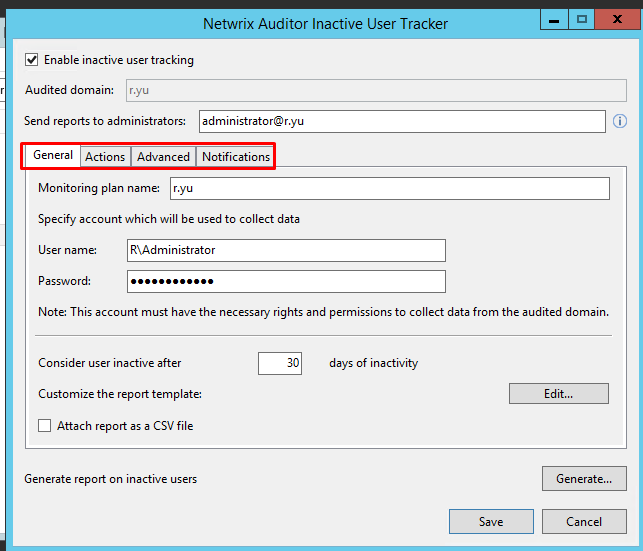
C:\ProgramData\Netwrix Auditor\Inactive Users Tracker - Screenshot all four tabs of the Inactive Users Tracker interface for configuration
- Contents of
- Paste the contents of original
C:\ProgramData\Netwrix Auditor\Inactive Users Trackerfolder to theC:\ProgramData\Netwrix Auditor\Inactive Users Trackerfolder on the new server - Reconfigure Inactive Users Tracker using the screenshots you captured
- Apply your Netwrix Auditor License to the new instance of Netwrix Auditor.