Migrate Netwrix Password Reset to a Different Server
Question
How to migrate Netwrix Password Reset to a different server?
Answer
In Netwrix Auditor versions 9.0 and newer, Netwrix Password Reset is installed alongside the Netwrix Auditor installation.
- Install Netwrix Auditor on a new server.
- Copy the following data from the old server to the new server:
- Templates folder from
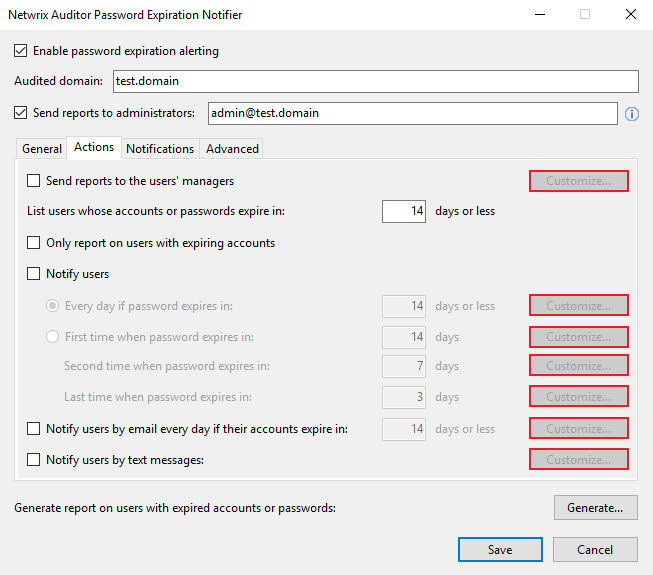
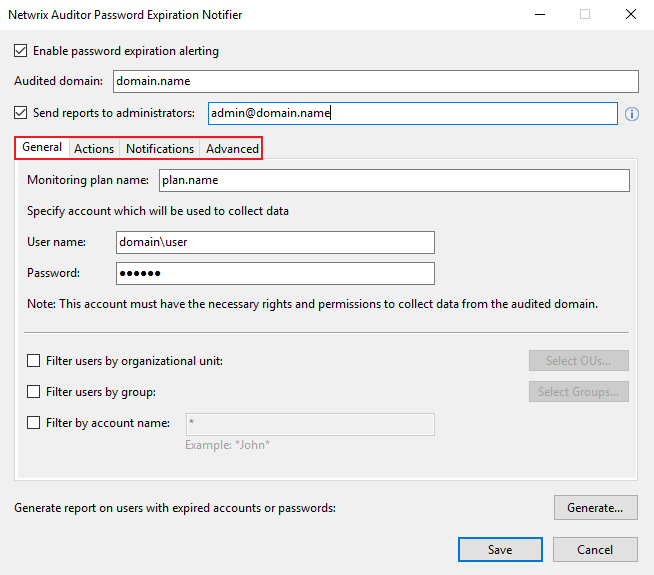
C:\Program Files (x86)\Netwrix Auditor\Password Expiration Alerting\Templates. - Screenshot all four tabs of the Netwrix Password Reset interface for configuration details.
- Templates folder from
- Reconfigure Netwrix Password Reset according to the screenshots you captured.
- Apply your Netwrix Auditor License to the new instance of Netwrix Auditor.
NOTE
Message templates customized via the Netwrix Password Reset UI should be transferred manually — make sure to copy the contents of the Actions tab reports highlighted in the screenshot.