Enabling Baseline Events on Monitored Folders
Overview
This example uses the Netwrix Change Tracker File Integrity Monitoring (FIM) tracker. All paths listed as a tracked folder within a configuration template are baselined.
Enabling the Send baseline events option on the FIM tracker (or any tracker that supports it) causes the agent to send an event to the hub when a baseline scan completes. The event lets you see the files and folders captured as part of the baseline and the state of each file or folder (that is, its attributes).
Instructions
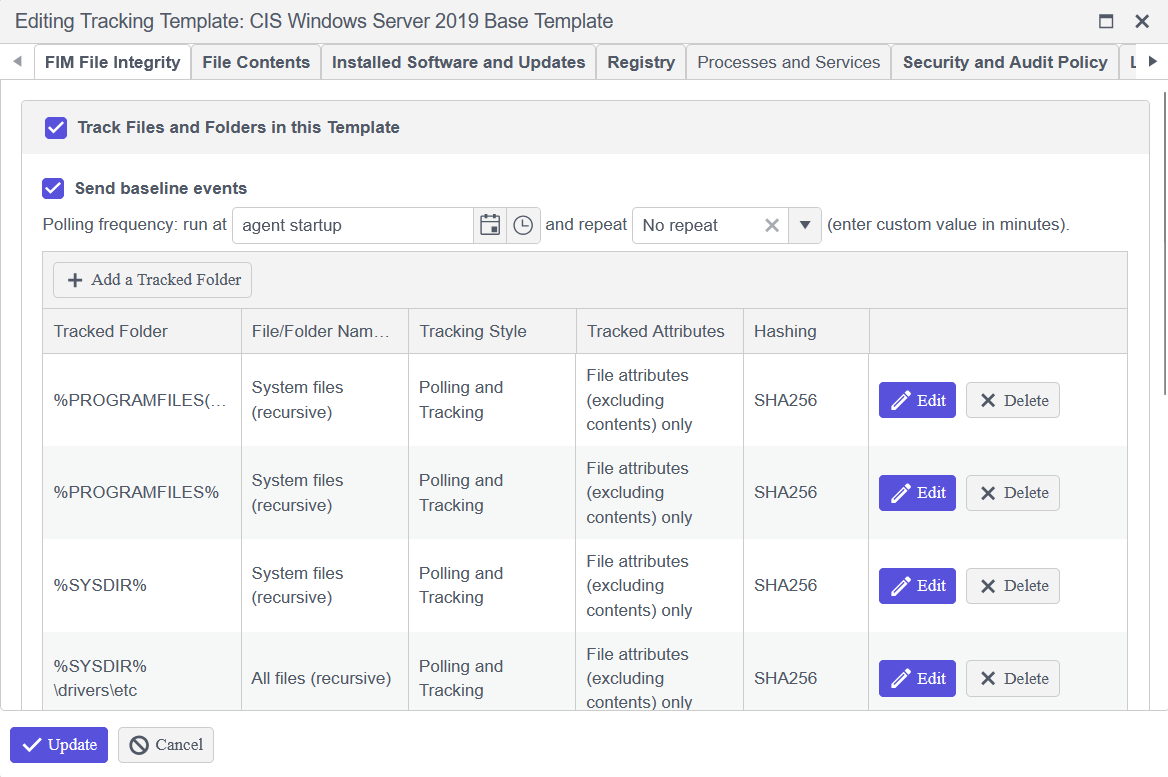
Enable Send Baseline Events
- In the configuration template, open the FIM tracker.
- Enable the Send baseline events option for the tracked folder.
Reviewing Baseline Events
After baselining completes, the agent sends baseline events to the hub, which you can review to see what the baseline captured.
-
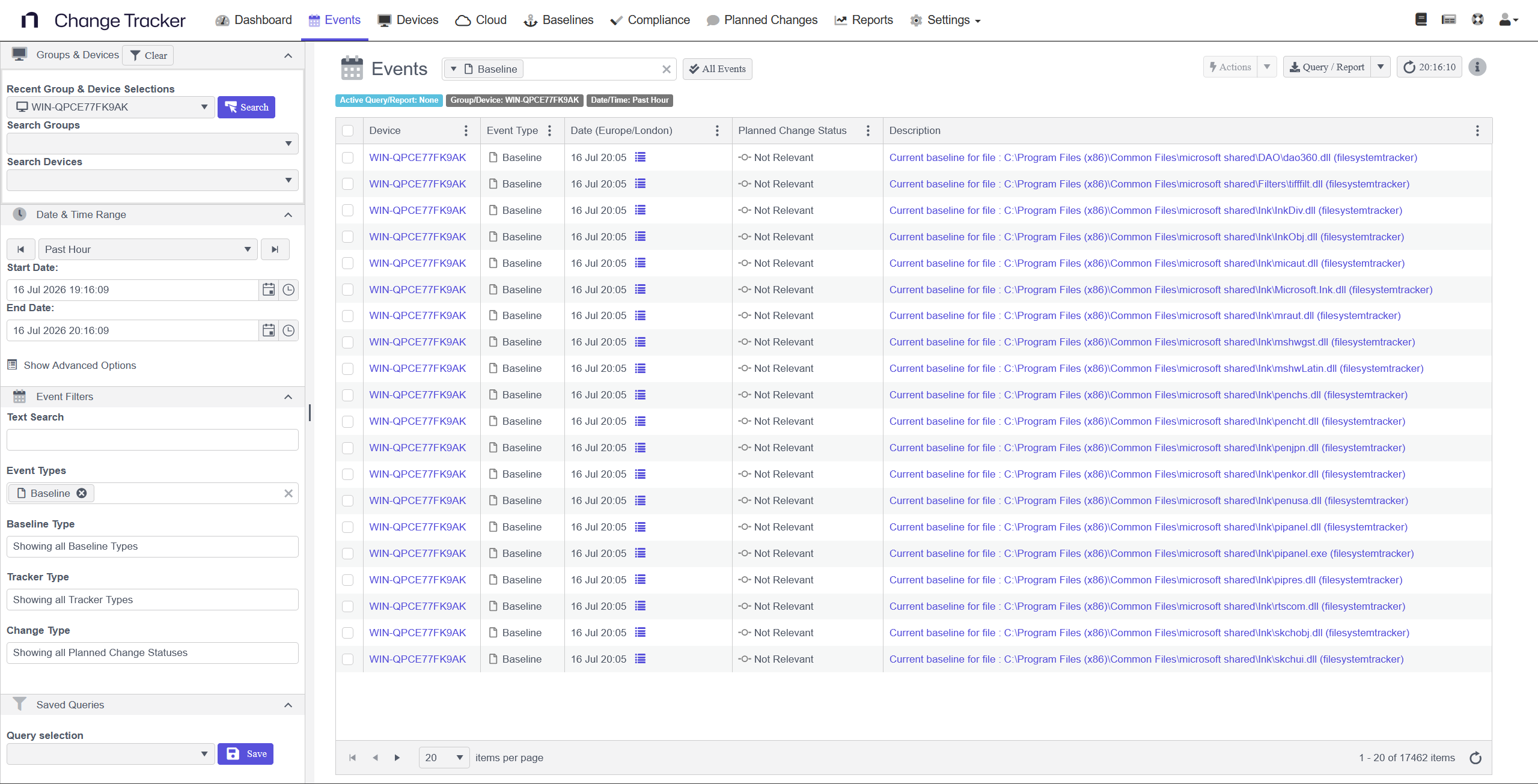
Event list: The hub's event list shows baseline events for the monitored device once baselining completes.
-
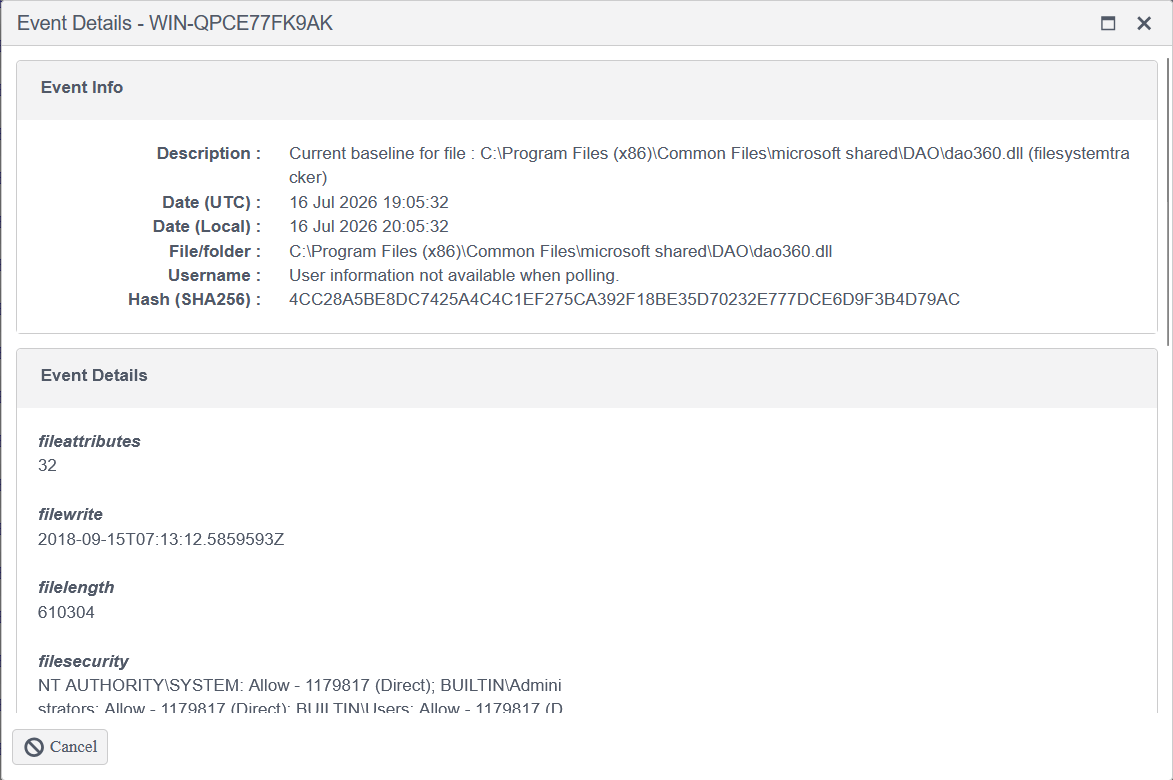
File attributes: Opening a baseline event shows the attributes captured for that file, such as size, timestamps, and security details.
-
Historical and current baselines: Whenever changes occur to the files or folders, the baseline updates and sends additional baseline events. These events show the original baseline as Historical and the updated baseline as Current.