Applying a Compliance Template to a Group for Automated Reporting
Overview
A compliance template defines a hardened build standard that Netwrix Change Tracker uses to score devices for compliance. Applying a template to a device group lets you schedule automated compliance reports against that standard.
This article describes how to apply a compliance template to a device group and schedule automated reporting. Identify the template you want to apply and the group of devices you want to apply it to, then follow the steps below.
NOTE: If you need to upload a template, refer to Adding or Replacing Compliance Report Templates.
Instructions
- Go to Reports > Actions > Add Compliance Report.
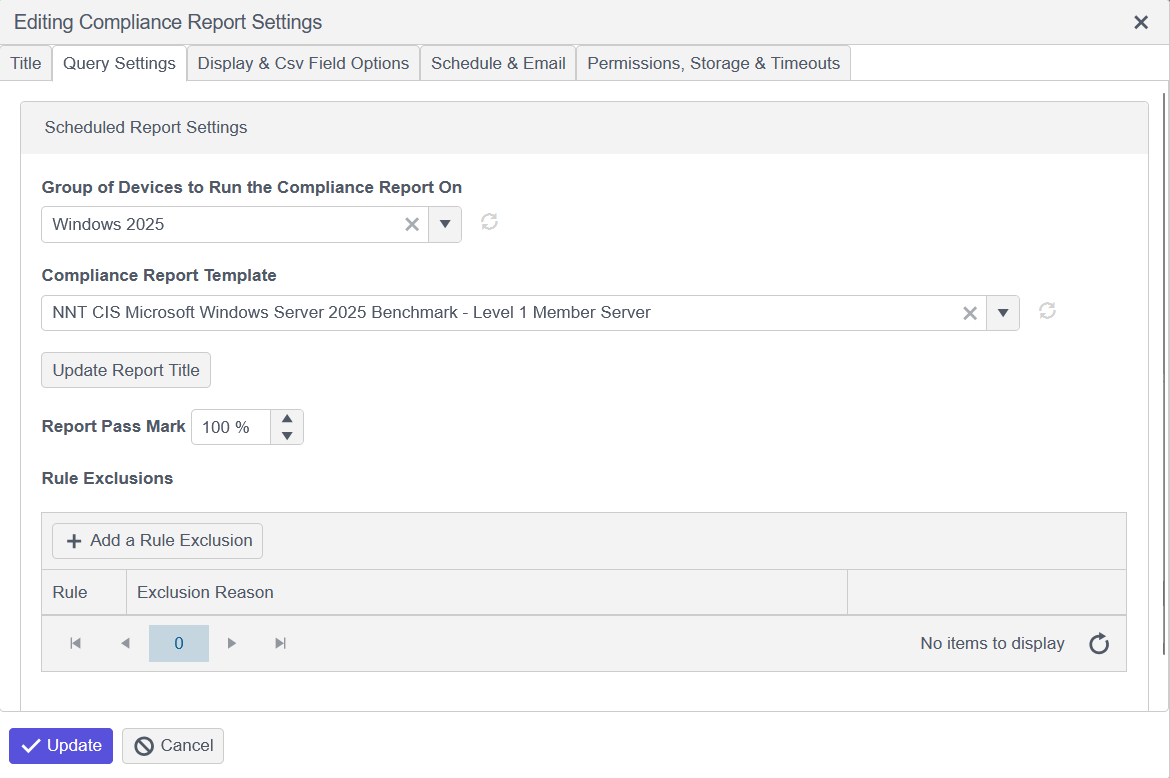
- Click the Query Settings tab, then select the group and template within the drop down options.
- Once selected, click the Update Report Title option to automatically update the title of this report.
- Click the Schedule & Email tab to configure the start/end date and interval:
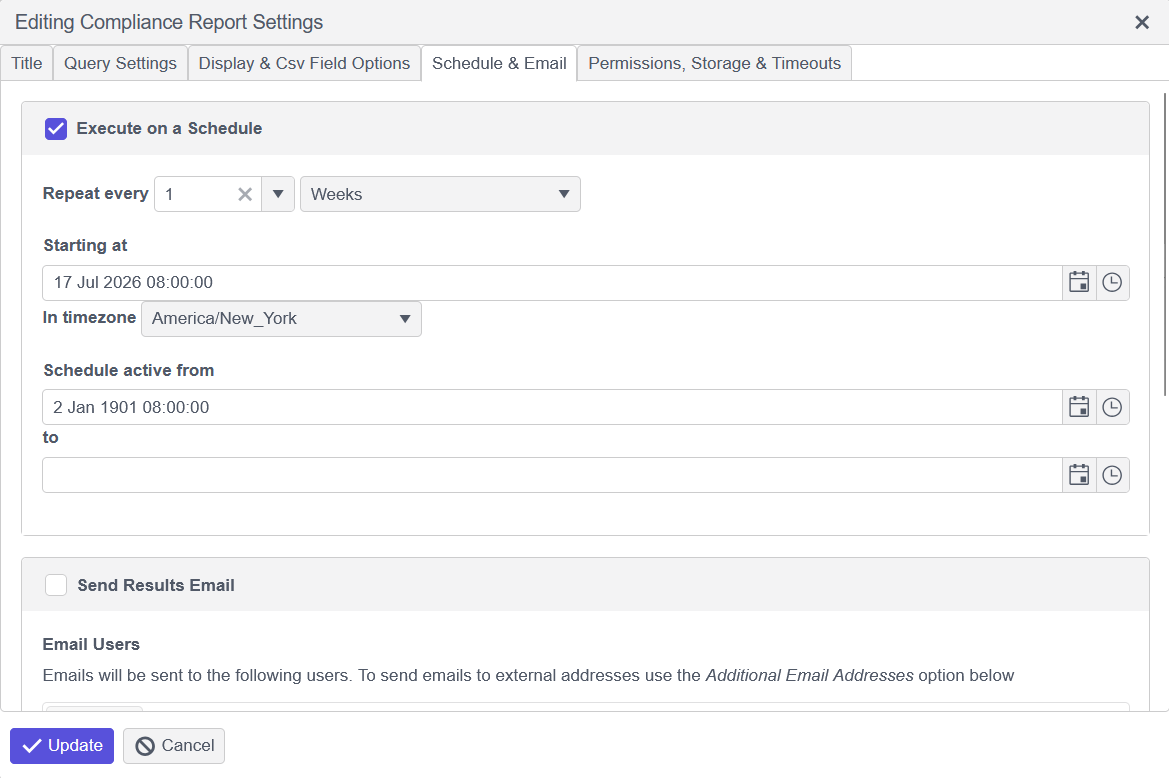
- Once completed, click Update on the bottom to save this report configuration. This report will now run on its scheduled interval against the specified group of devices.