Add Active Directory Attribute to Replication Sche
Applies To
Netwrix Directory Manager 11
Overview
Add new or custom Active Directory (AD) attributes to the Netwrix Directory Manager (formerly GroupID) replication schema so they are included in replication to the Elasticsearch repository.
Instructions
When to Add a New Attribute
- You have defined a new custom attribute in AD and want to use it with Netwrix Directory Manager.
- An attribute does not appear in the Smart Group criteria, roles, or filters.
Steps to Add a New AD Attribute to the Replication Schema
- Identify the custom or existing AD attribute that is missing from roles, filters, or Smart Group criteria in Netwrix Directory Manager.
- Log in to the Netwrix Directory Manager Admin Centre.
- In the navigation pane, select the Identity Stores tab. Click the three-dot icon next to the required identity store, and select Edit.

- In the Settings pane, locate Schedules. Find the Schema Replication schedule, click the three-dot icon and select Run.
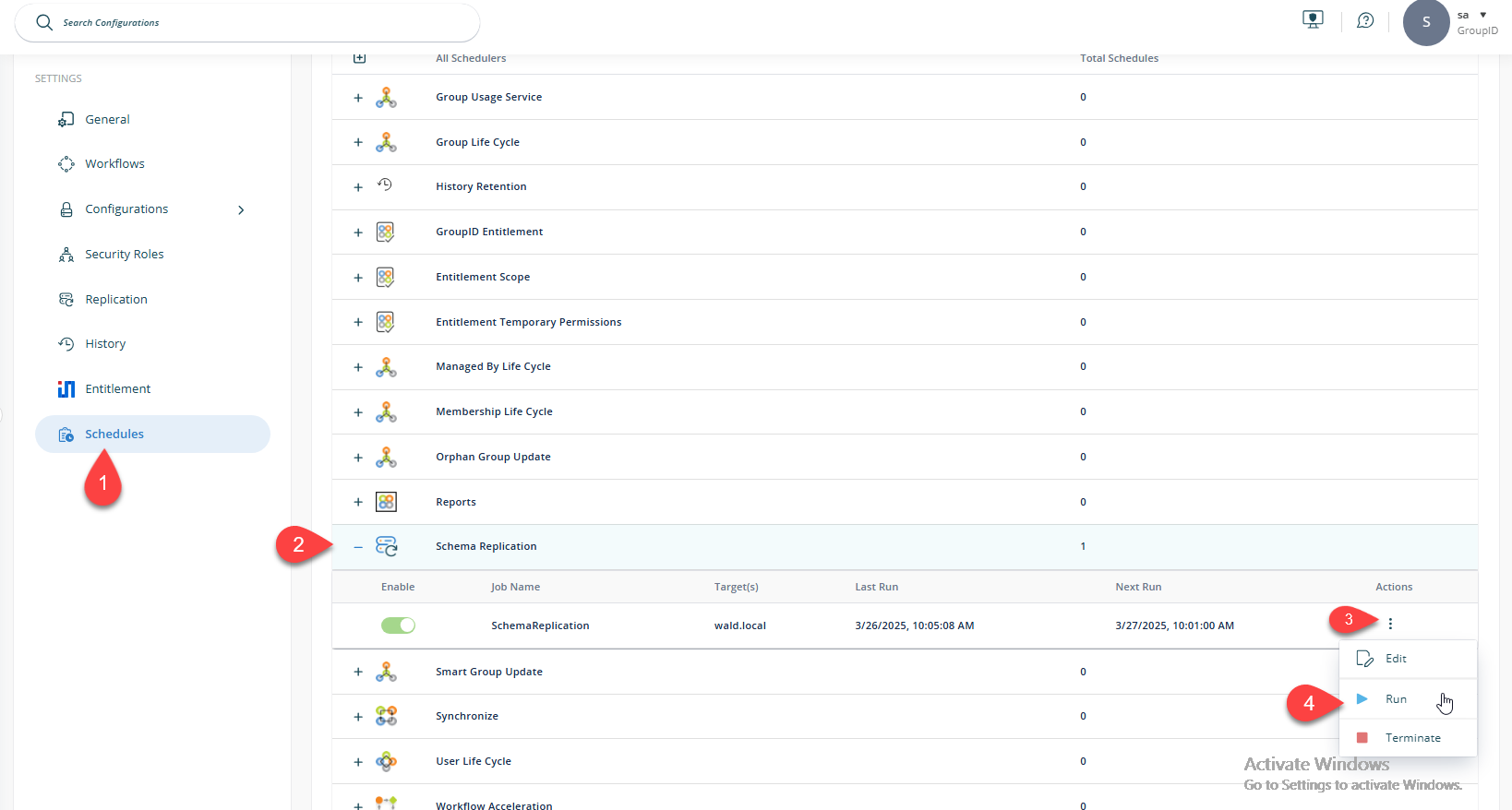
- Wait five to ten minutes for the schema replication to complete.
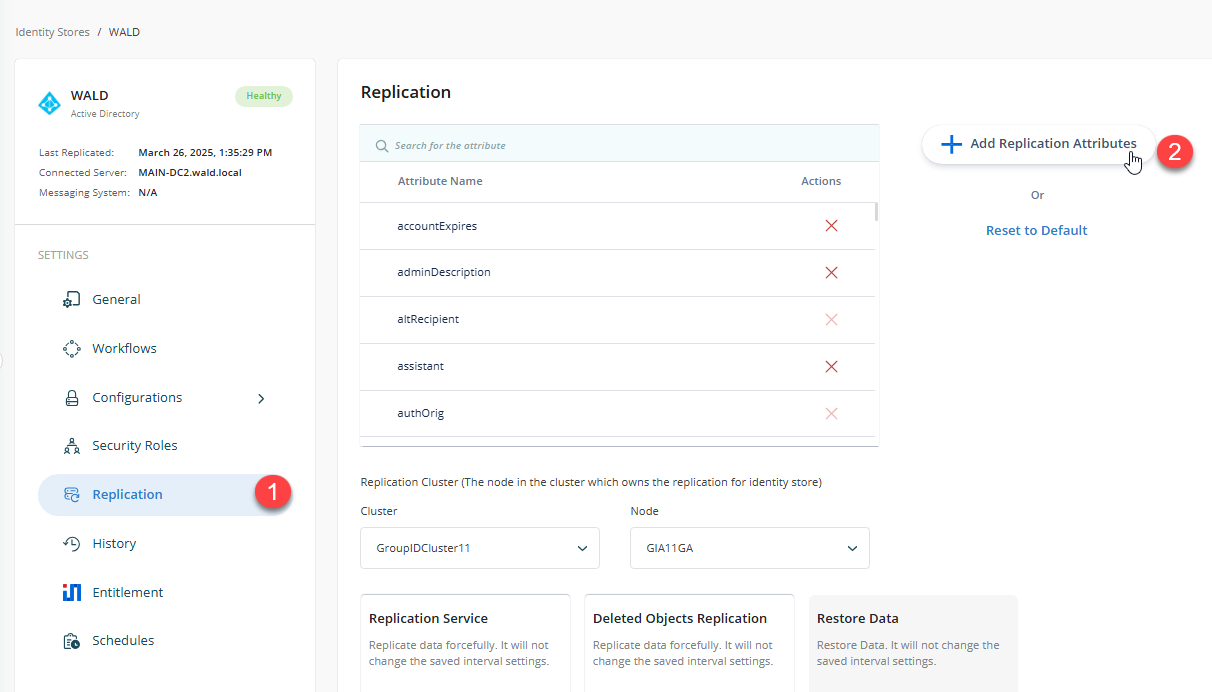
- In the Settings pane, select the Replication tab. Click Add Replication Attributes.
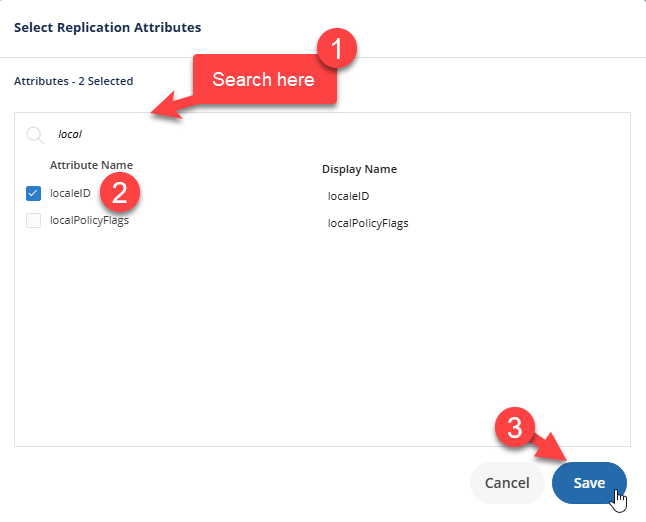
- In the prompt, search for the new or missing attribute, select it, and click Save.