Change Self-Service Portal URL in Workflow Email Notifications
Applies To
Netwrix Directory Manager 11
Overview
If you change the hostname for the Netwrix Directory Manager (formerly GroupID) Self-Service portal, workflow email notifications may still include the old portal URL. Update the portal URL in each workflow to ensure notifications direct users to the correct address.
Instructions
Change the Self-Service Portal URL in Workflow Email Notifications
- In the Netwrix Directory Manager Admin portal, click the Identity Stores tab.
- On the Identity Stores tab, click the three-dot icon next to the relevant identity store and select Edit.
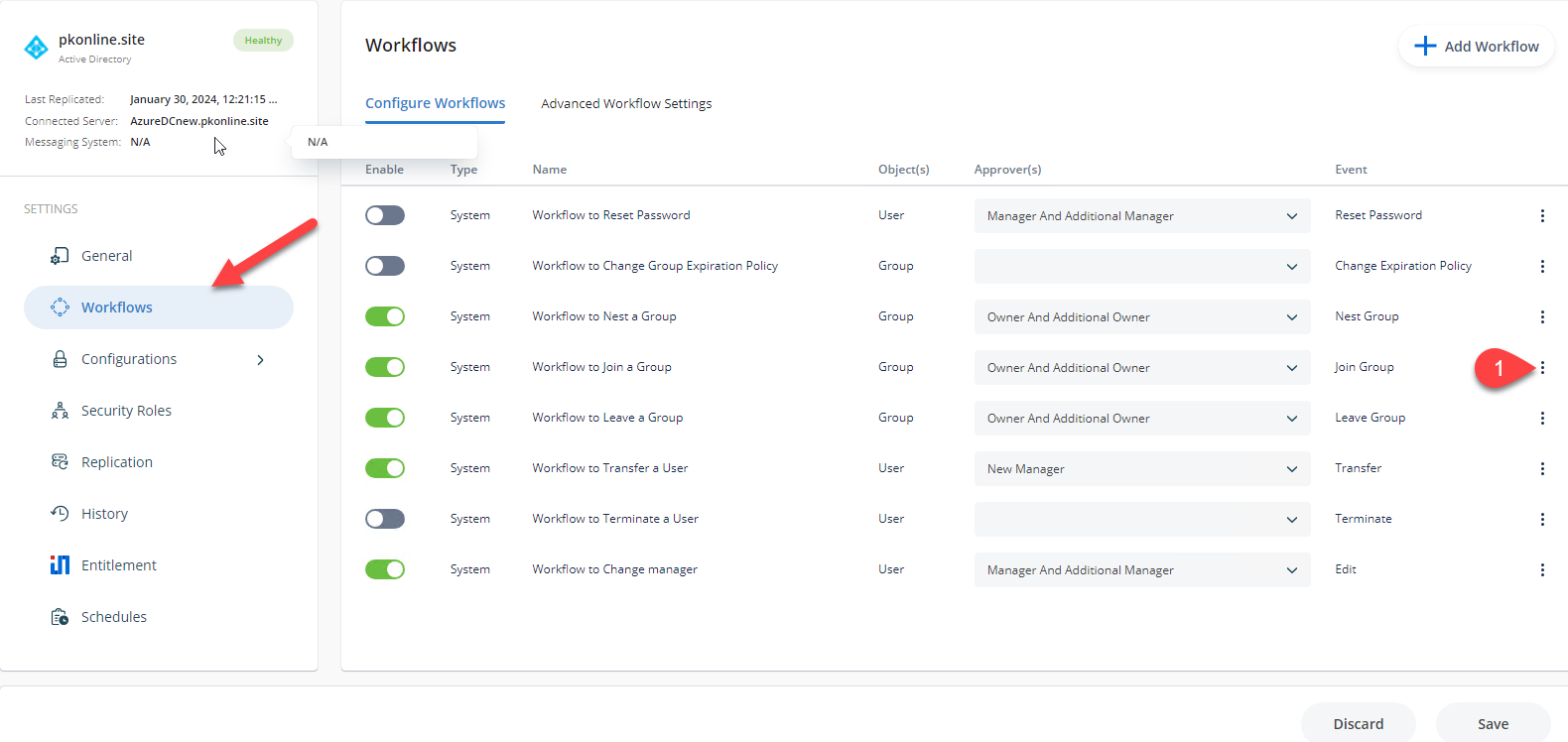
- Click the Workflows tab. Select the workflow for which you want to change the portal URL and click Edit.
To change the URL in email notifications that alert group owners to approve or deny membership requests, select Workflow to Join a Group.
- In the Portal URL box, select the portal URL you want to use.
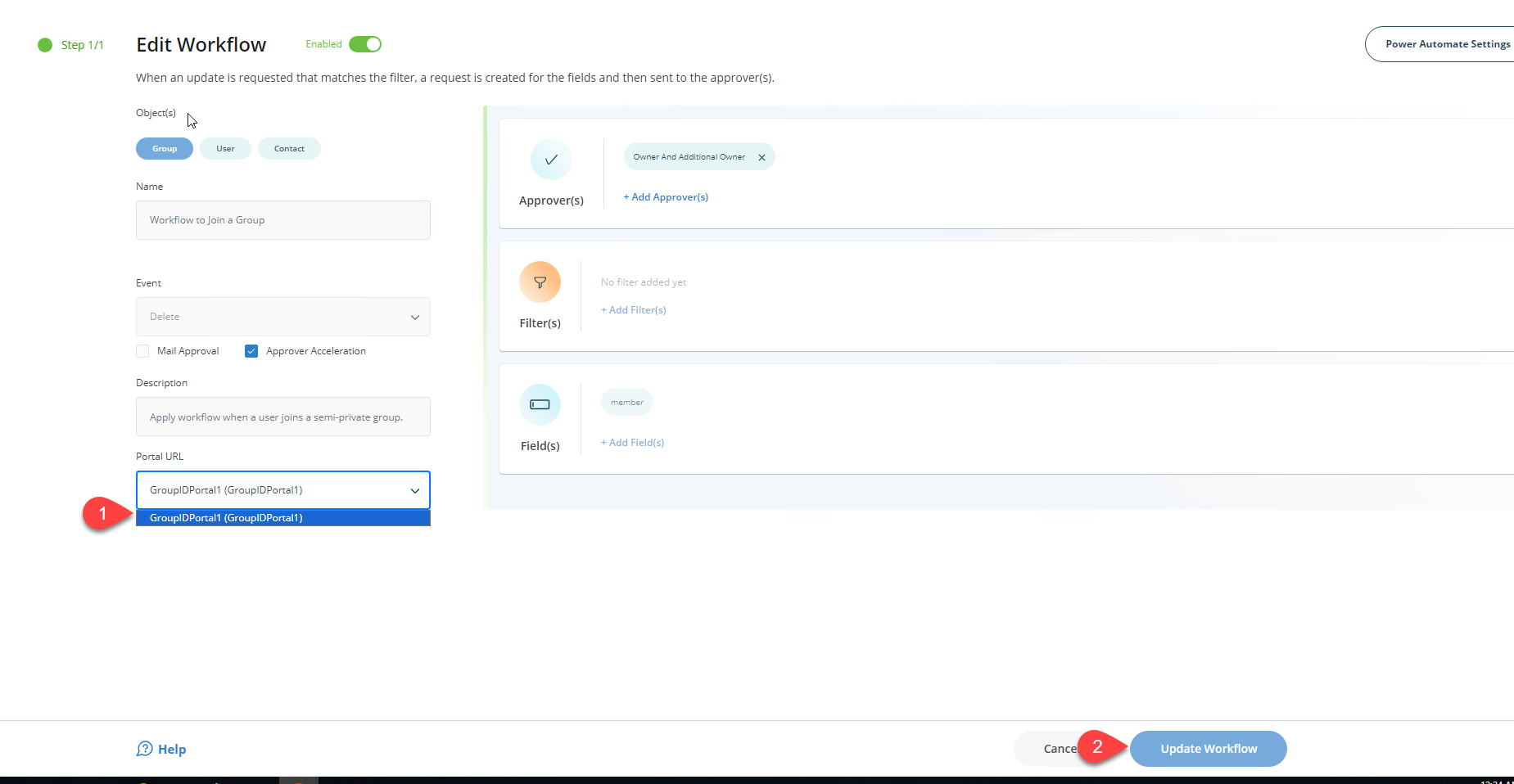
- Click Update Workflow and save your changes. The email notifications for this workflow will now include the specified portal URL. Repeat these steps for each workflow as needed.