Configure Multi-Valued Attributes in the Self-Service Portal
Applies To
Directory Manager 11
Overview
This article explains how to configure the Self-Service portal in Netwrix Directory Manager (formerly GroupID) to support multi-valued attributes, using carLicense as an example.
Multi-valued attributes in Active Directory, such as carLicense or phone numbers, allow users to store multiple unique values in a single field. In contrast, single-valued attributes, such as names, can hold only one value. Active Directory does not create attributes with empty values, and each value in a multi-valued attribute must be unique.
Instructions
-
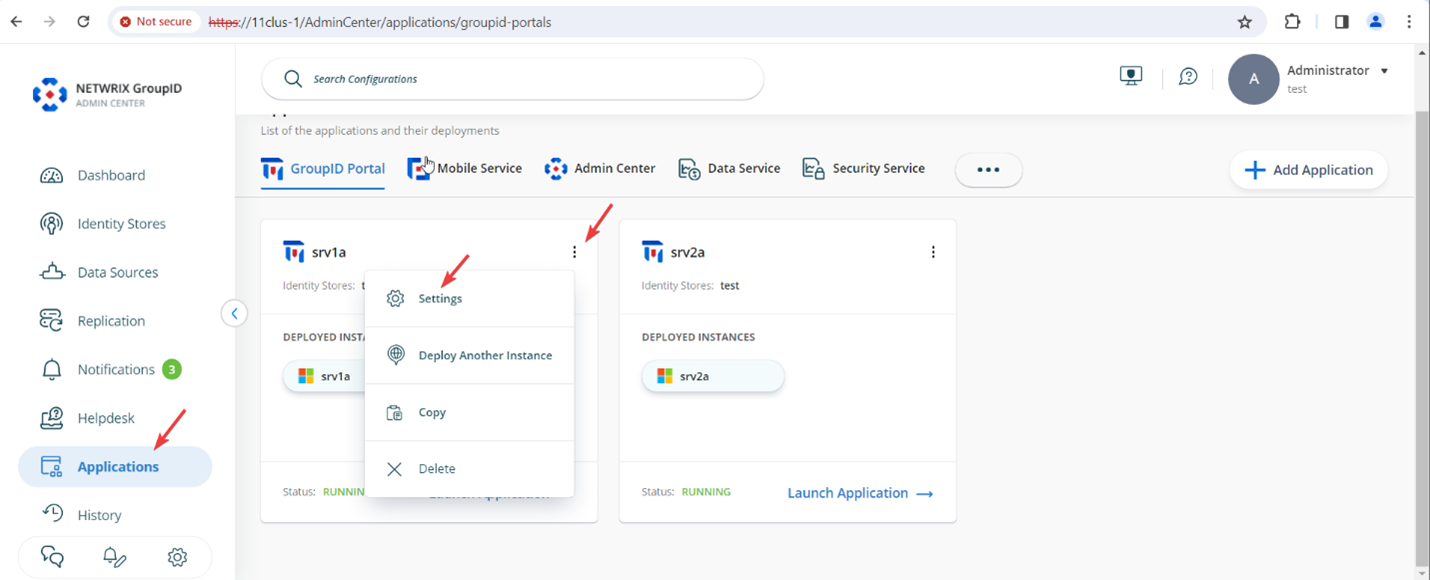
In the Directory Manager Admin Center, go to Applications. On the application or portal where you want to add the attribute, click the three-dot icon and select Settings.
-
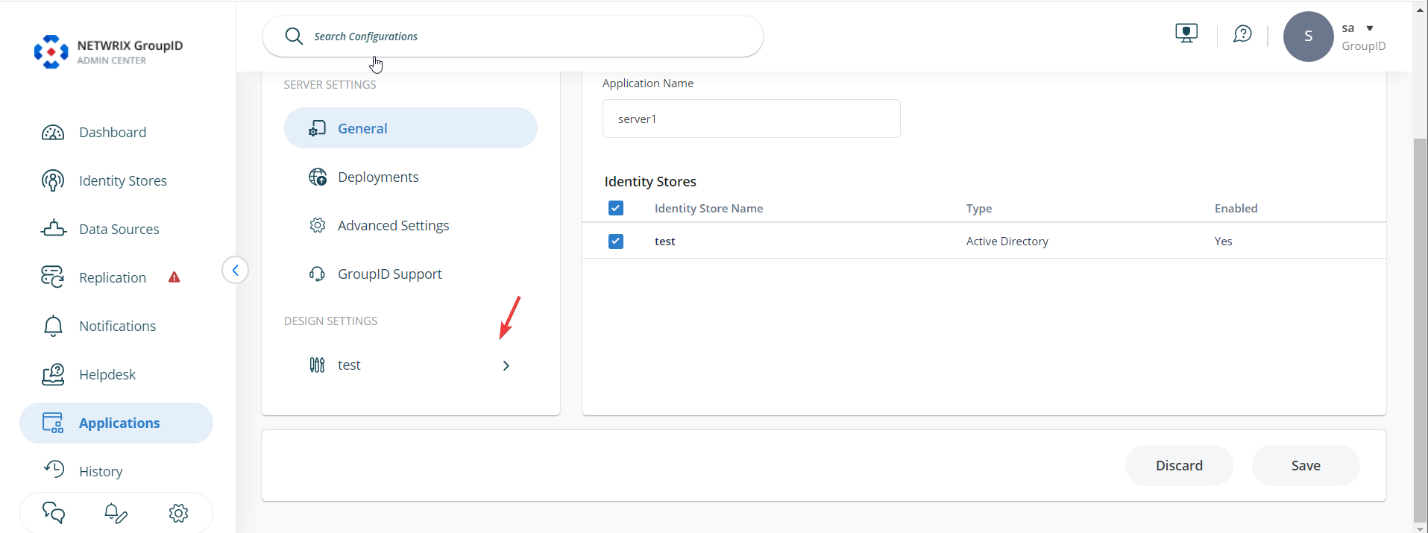
Under Design Settings, expand your identity store’s name.
-
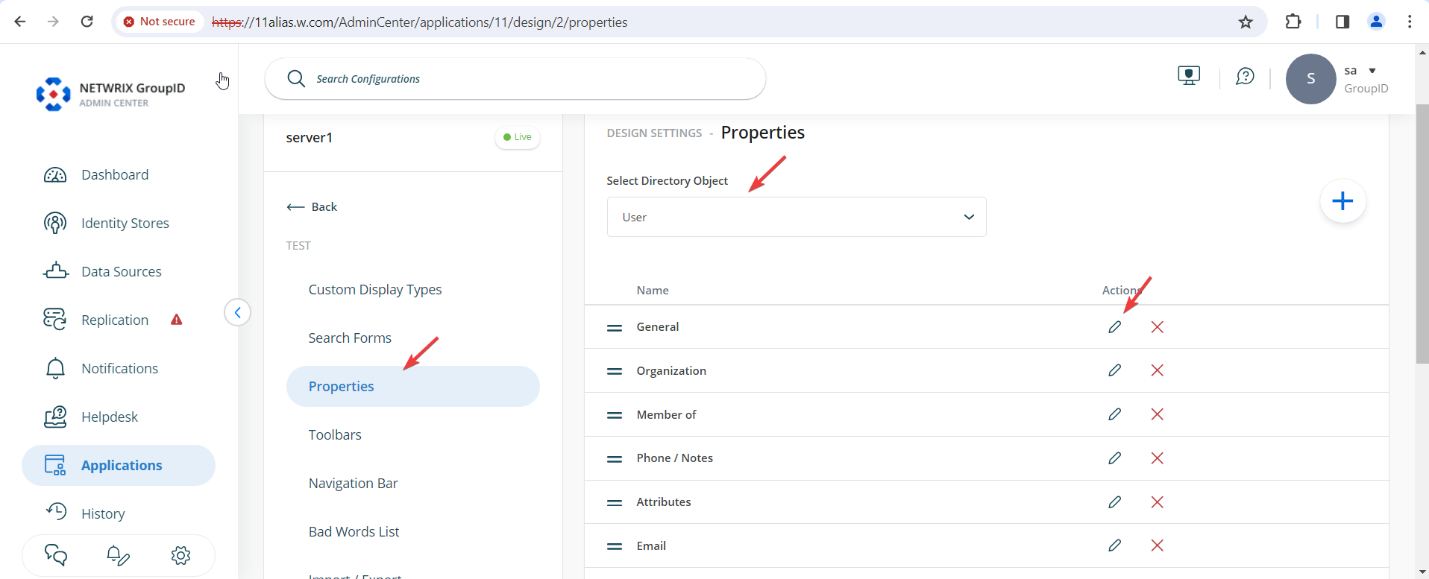
On the Properties tab, select User from the Select Directory Object list.
-
Select General in the Name list and click the edit symbol under Actions.
-
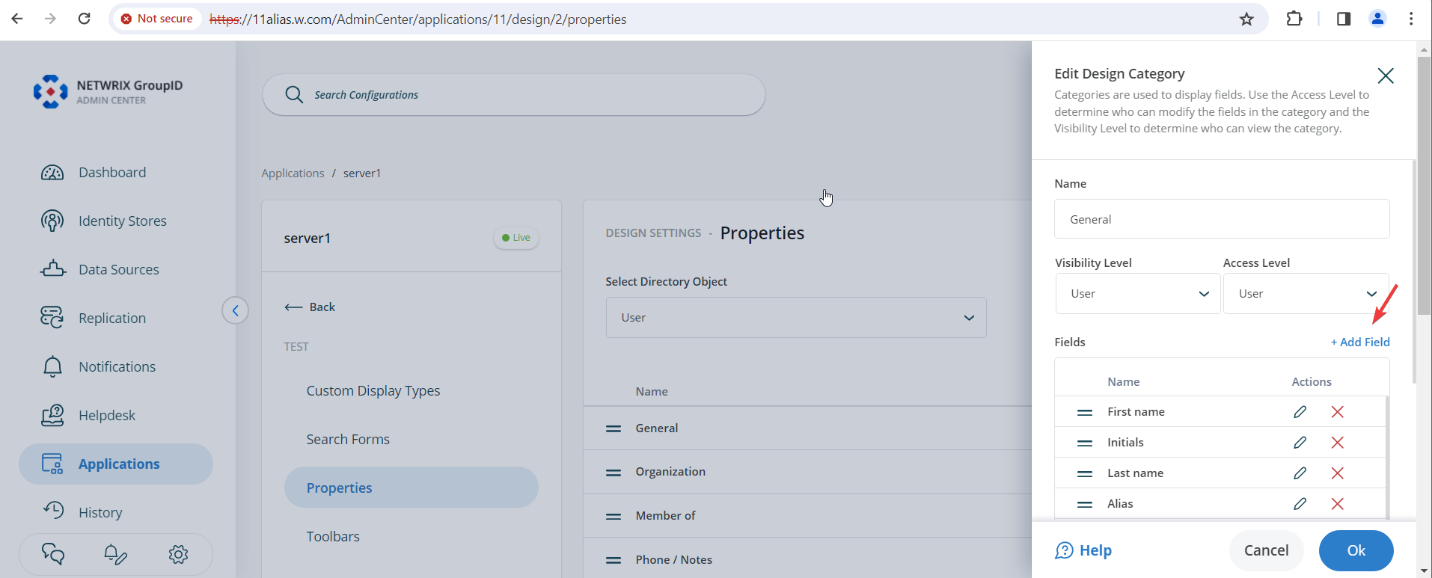
On the Edit Design Category page, click Add Field.
-
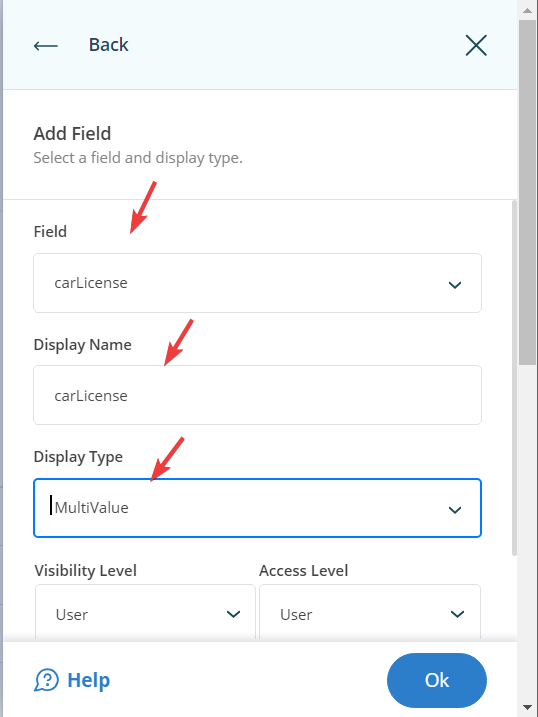
Select the carLicense attribute in the Field list, enter the display name as carLicense, and set the display type to MultiValue.
-
Click OK. Scroll down and click Save.
-
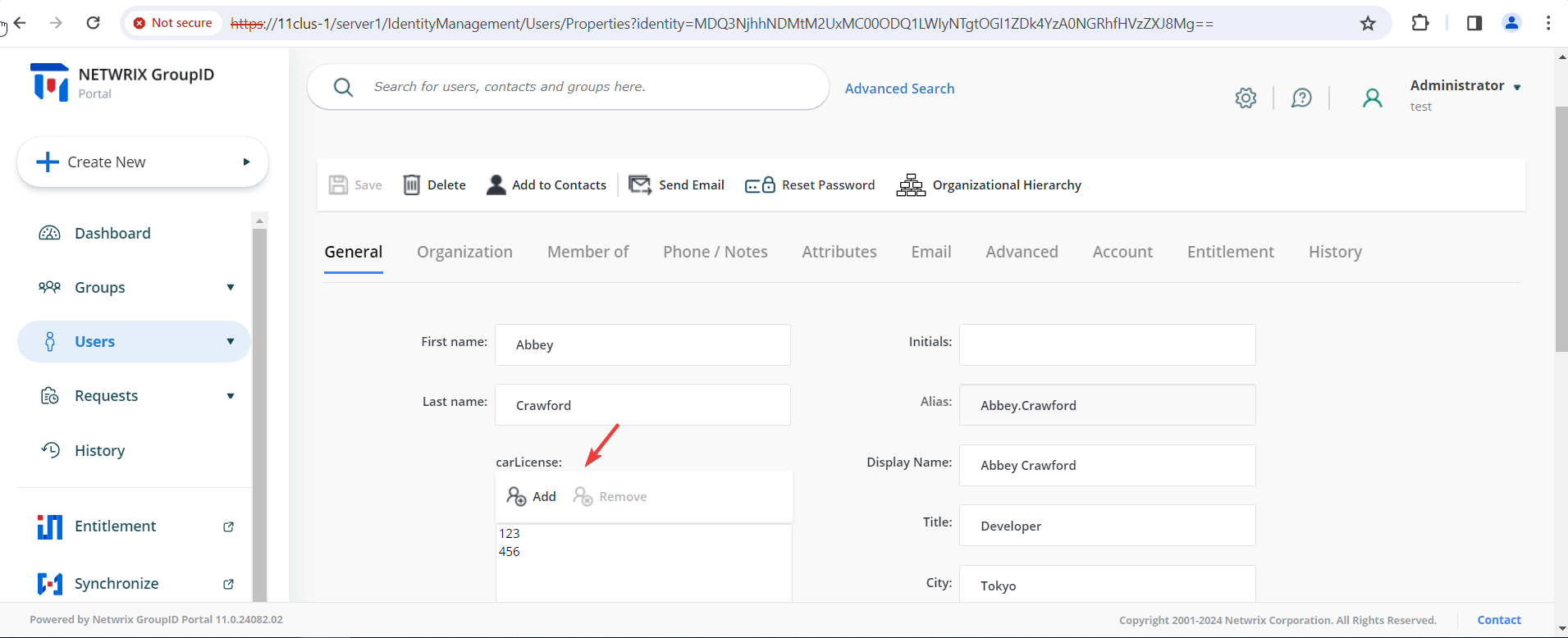
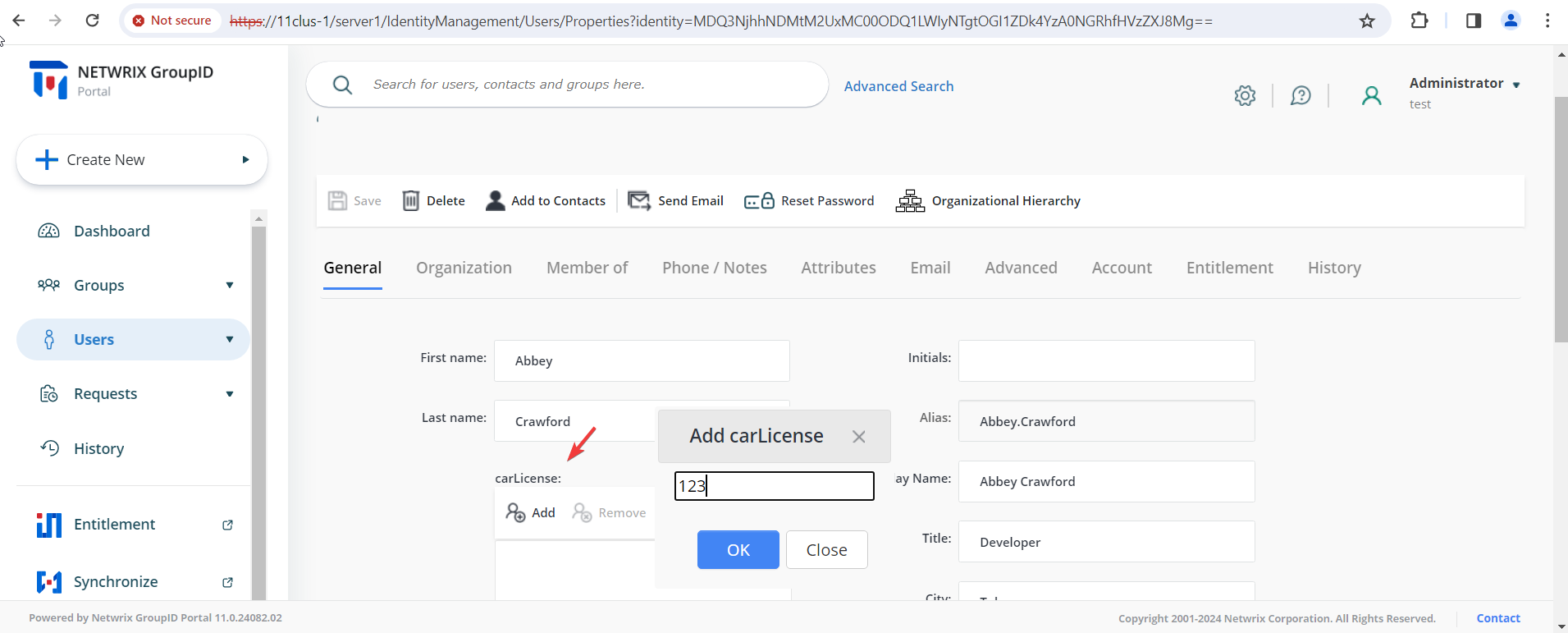
Launch the user portal. The carLicense multi-valued box appears on the General tab in user properties.
-
To add a license number, click Add, enter the license number, and click OK. You can add multiple license numbers to this field.
-
View the license numbers added to the user's profile.