Bulk Update Smart Group Object Types
Overview
Use the Directory Manager Management Shell in Netwrix Directory Manager to bulk update the object types for multiple Smart Groups within a specific Organizational Unit (OU). This is useful when your business requirements change and you need to update membership criteria for many Smart Groups at once.
Instructions
- Launch the Directory Manager Management Shell.
- Log in using your service account.
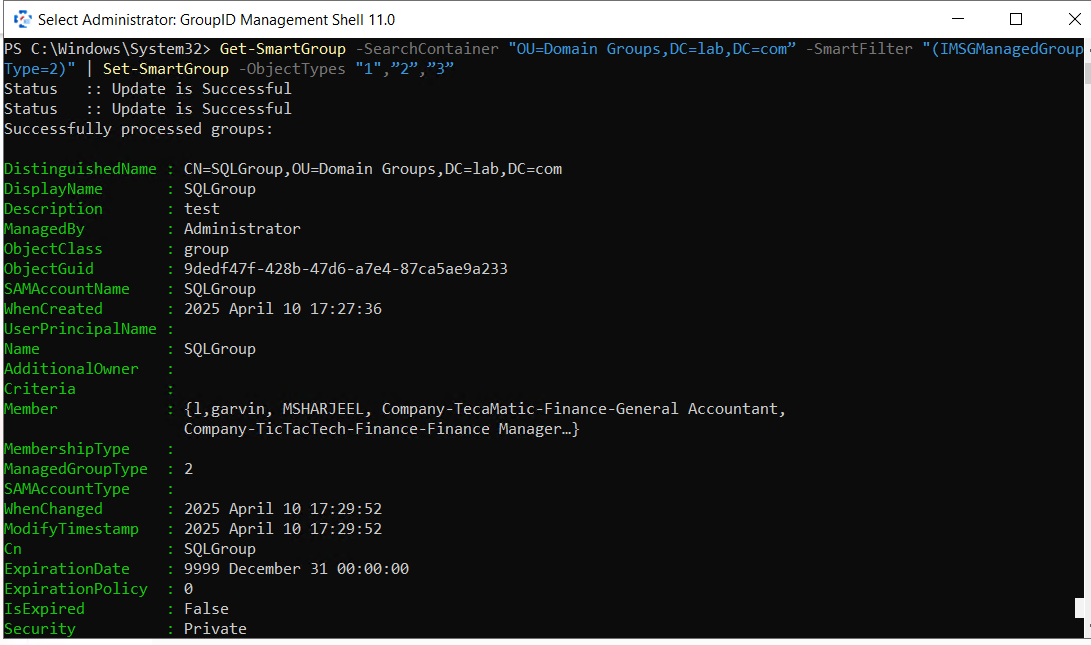
- Run the following command to update object types for all Smart Groups in the specified OU:
Get-SmartGroup -SearchContainer "Distinguished Name of Organizational Unit" -SmartFilter "(IMSGManagedGroupType=2)" | Set-SmartGroup -ObjectTypes "1","2","3"
-
This command updates all Smart Groups in the specified OU to include the following object types:
- Users with Mailboxes
- Users with External Email Addresses
- Contacts with External Email Addresses
-
If your requirements differ, use the table below to identify the correct object type values.
NOTE: The cmdlet may take time to execute depending on the number of Smart Groups in the OU. It is recommended to first test it on a smaller OU to validate results before applying it in a production environment.
Object type values
| Object Type | Value |
|---|---|
| Users with Mailboxes | 1 |
| Users with External Email Addresses | 2 |
| Contacts with External Email Addresses | 3 |
| Mail-Enabled Groups | 4 |
| Mail-Enabled Public Folders | 5 |
| Users | 6 |
| Contacts | 7 |
| Groups | 8 |
| Workstations | 9 |
| Servers | 10 |
| Domain Controllers | 11 |