Copy Smart Group Query Criteria Using Import and Export
Applies To
Netwrix Directory Manager 11
Overview
Netwrix Directory Manager supports exporting and importing Smart Group query definitions in JSON format through the Query Designer. This functionality allows you to replicate complex query criteria across multiple Smart Groups, ensuring consistency and reducing manual configuration.
Instructions
Copy Smart Group Query Criteria Using Import and Export
- In the application portal of Netwrix Directory Manager, click Groups > All Groups > Smart Groups.
- Open the properties of the Smart Group whose criteria you want to copy.
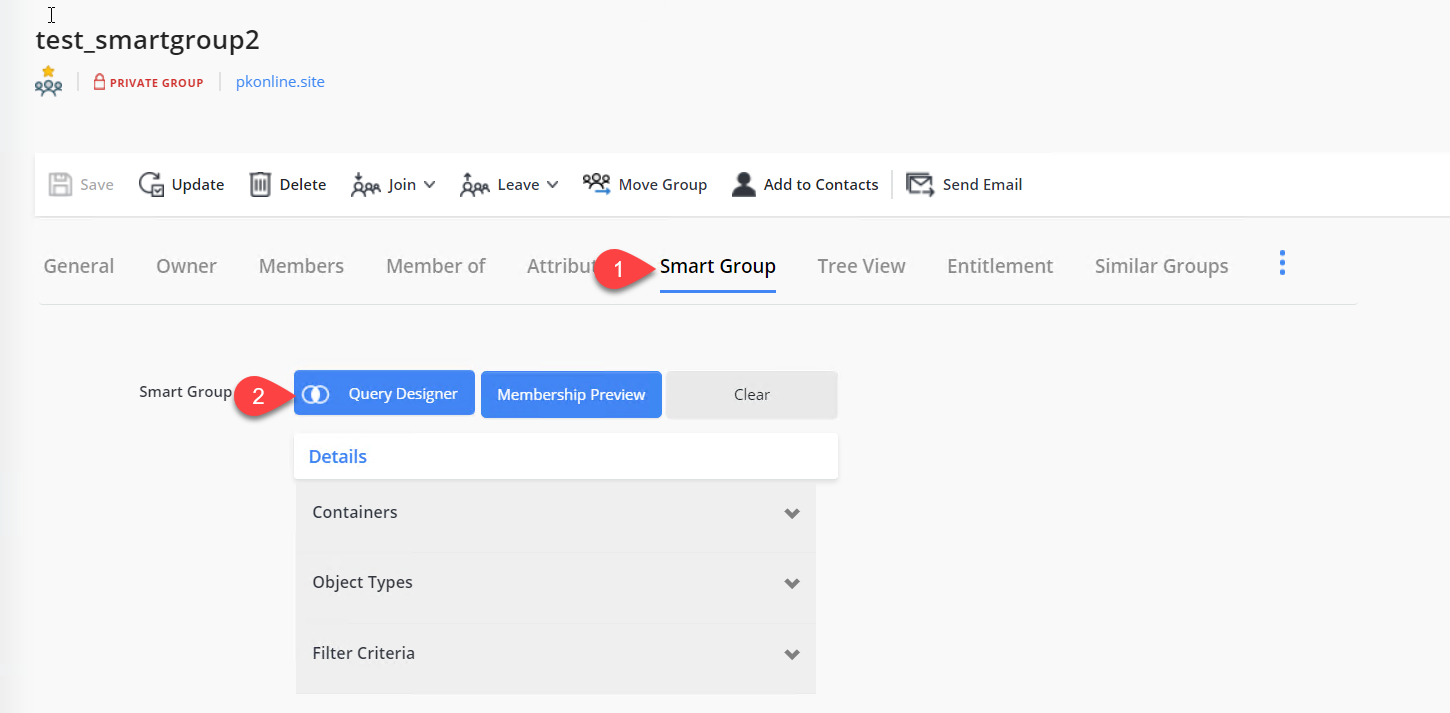
- Navigate to the Smart Group tab and open Query Designer.
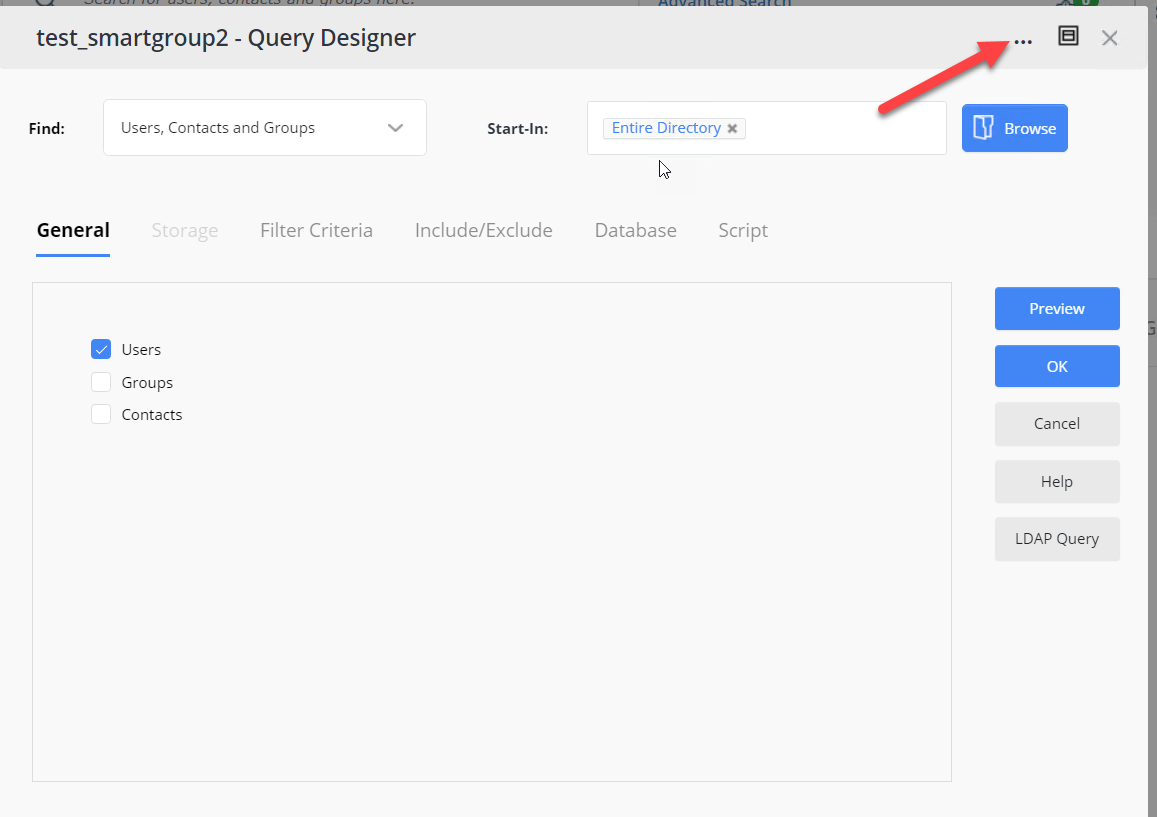
- In the Query Designer window, click the three-dot icon and select Export query. The JSON file will be downloaded to your default download location.
- Open the properties of the Smart Group where you want to apply the copied criteria.
- Navigate to the Smart Group tab and open Query Designer.
- In the Query Designer window, click the three-dot icon and select Import query to upload the previously exported JSON file.
- Click Preview to confirm that the query returns the expected results.
- Complete the remaining steps of the Smart Group wizard to save your changes.