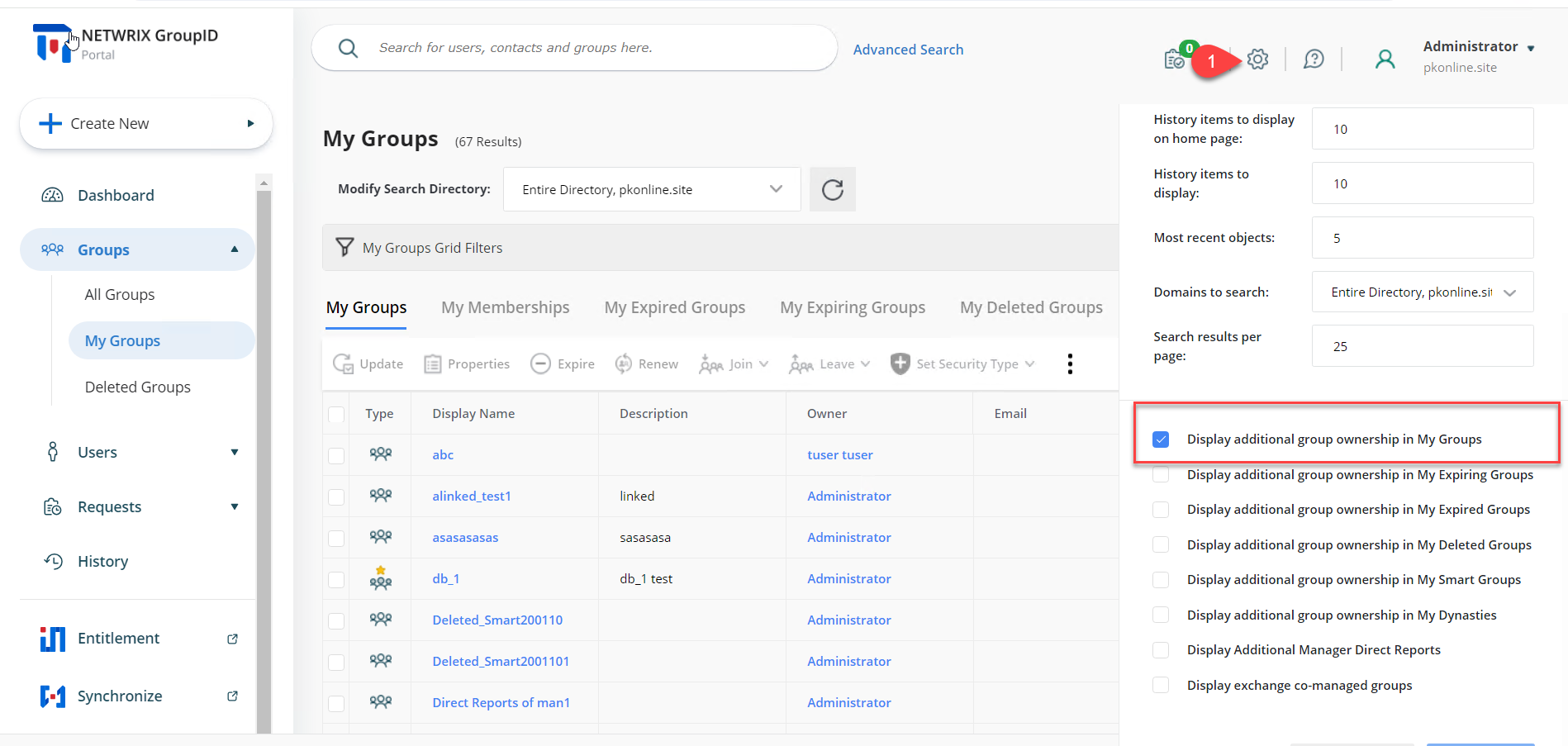
Display Groups with Additional Ownership in the My Groups Tab
Overview
Use these steps to configure the My Groups tab in Netwrix Directory Manager to display groups where the logged-in user is listed as an additional owner, in addition to groups where the user is the primary owner. An administrator can enable this behavior globally, or you can adjust it yourself in the application portal.
Instructions
-
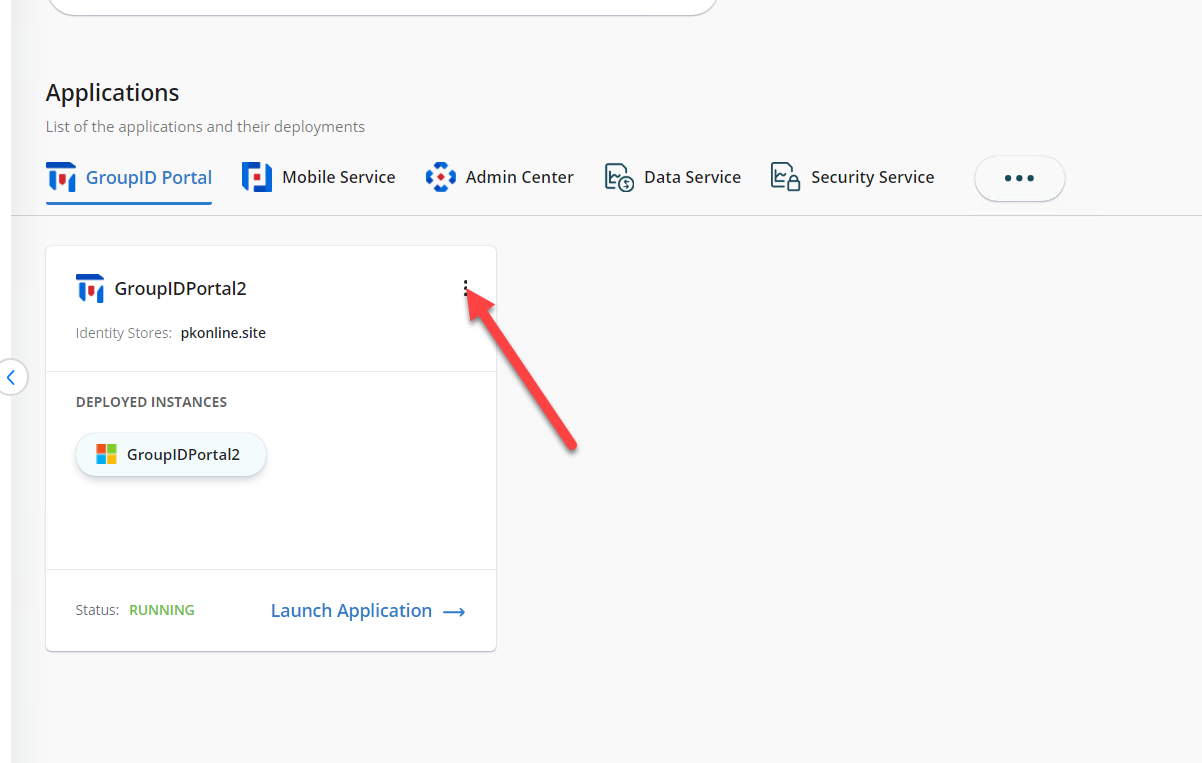
From the Admin portal, navigate to Applications > your application portal.
-
Click the three-dot icon and select Settings.
-
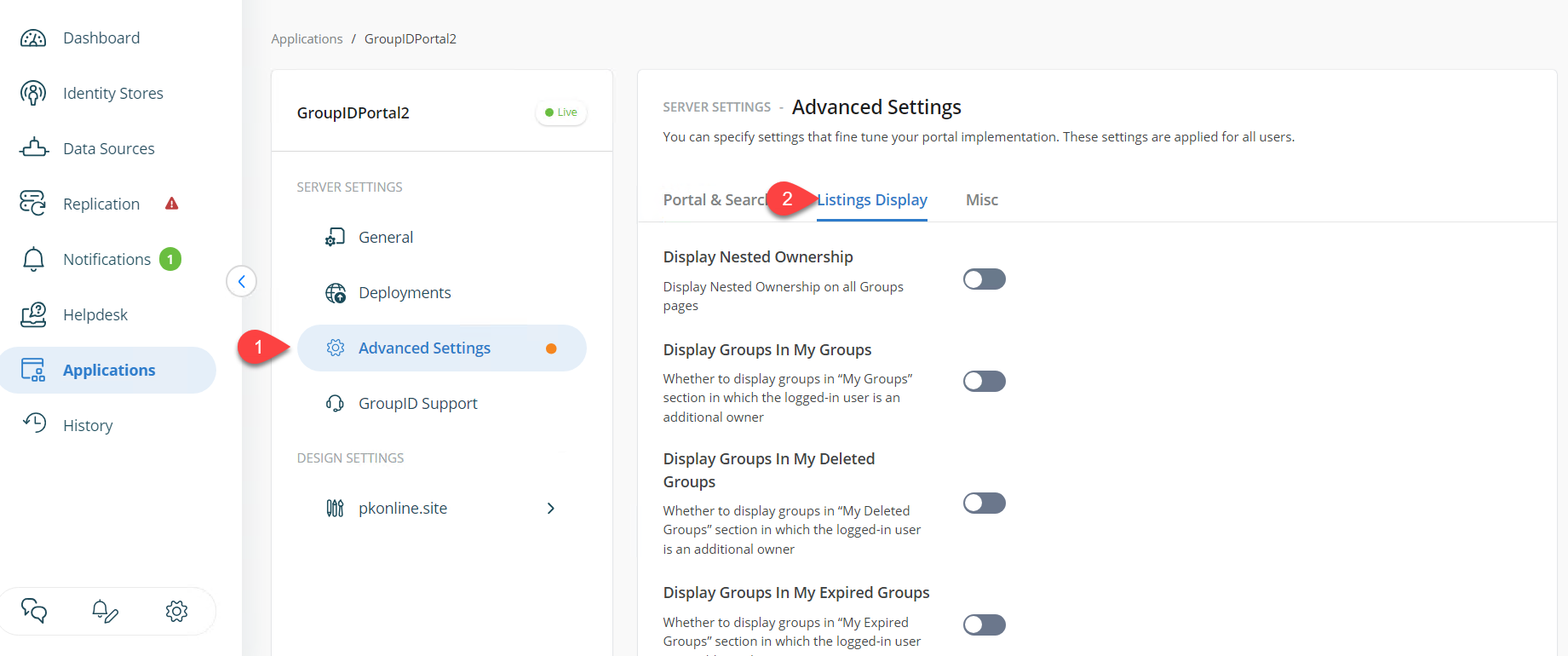
In the settings menu, go to Advanced Settings > Listing Displays.
-
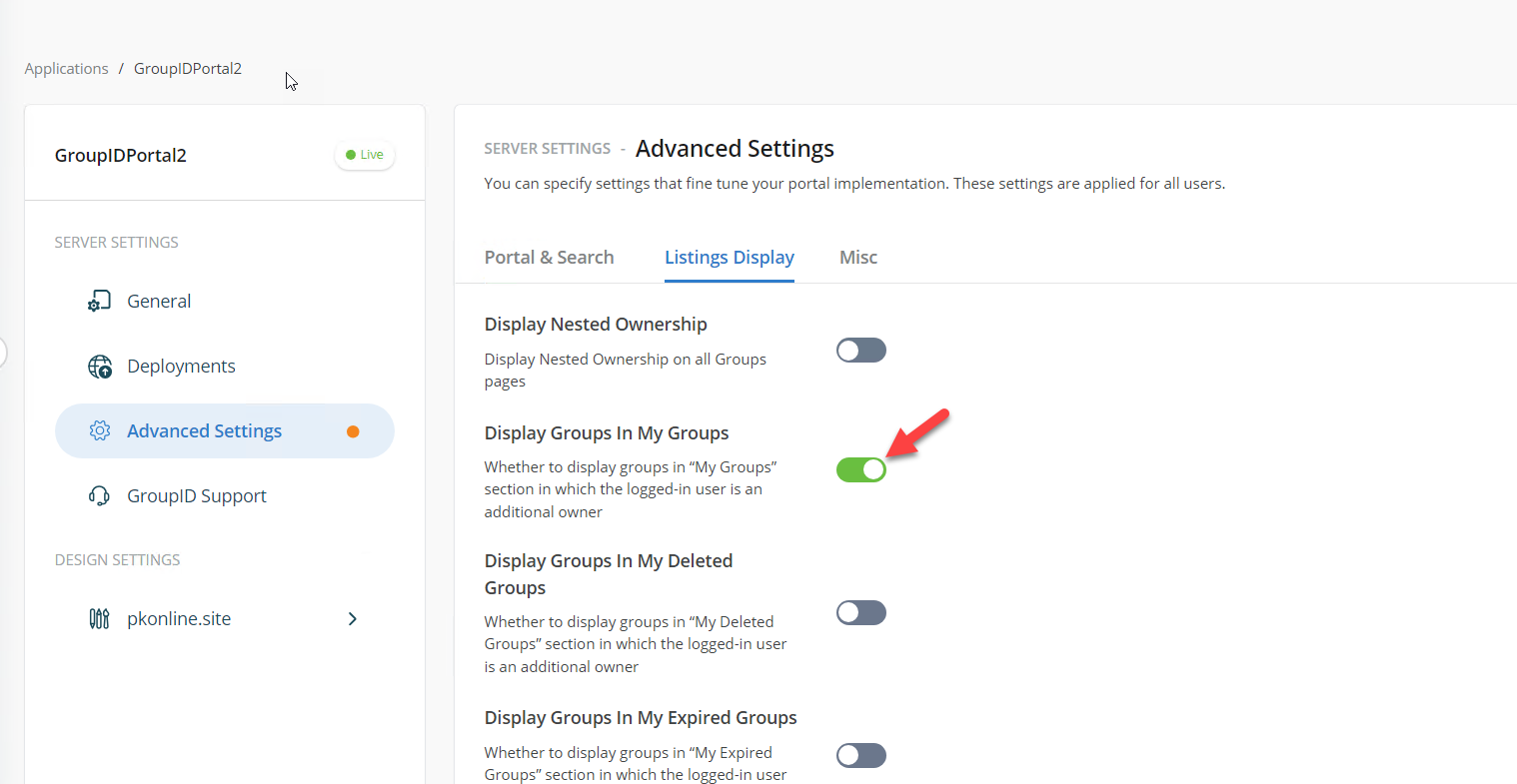
Find the option for Display Groups in My Groups and toggle it to include groups where the user is an additional owner.
-
Click Save and then OK to apply the changes.
-
Log in to the application portal. The My Groups page will now display groups for which the logged-in user is an additional owner.
-
Individual users can adjust their own settings in the application portal to view groups they own as both primary and additional owner. After changing this setting, remember to click Save.