How To Allow users to only create distribution groups
Applies To:
Netwrix Directory Manager 11
Business Use Case:
You want end users to be able to create distribution groups only, and not be able to create security groups.
More Information:
By default, users can create both distribution and security groups using the Netwrix Directory Manager (NDM) portal. In this article, you will configure the portal so end users can only create distribution groups, while people in the Administrator role can still create both distribution and security groups.
Steps:
-
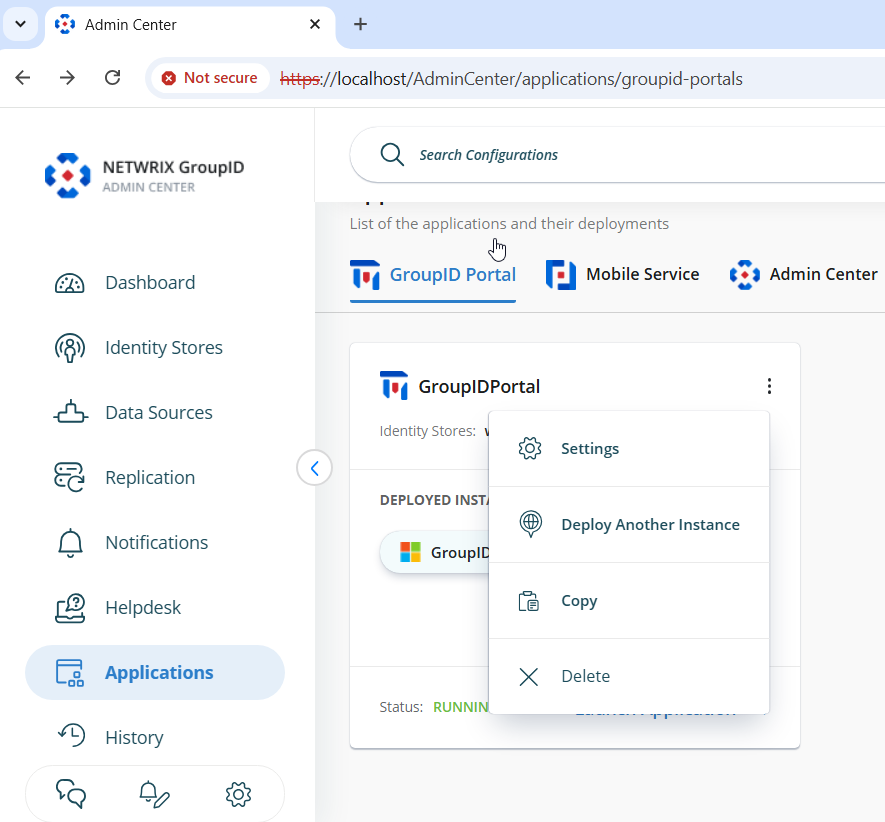
In the NDM Admin Center, select Applications > Under Netwrix Directory Manager Portal, select the three dots button on your portal > Click Settings.
-
On the Server Settings tab, under Design Settings, select your identity store.
-
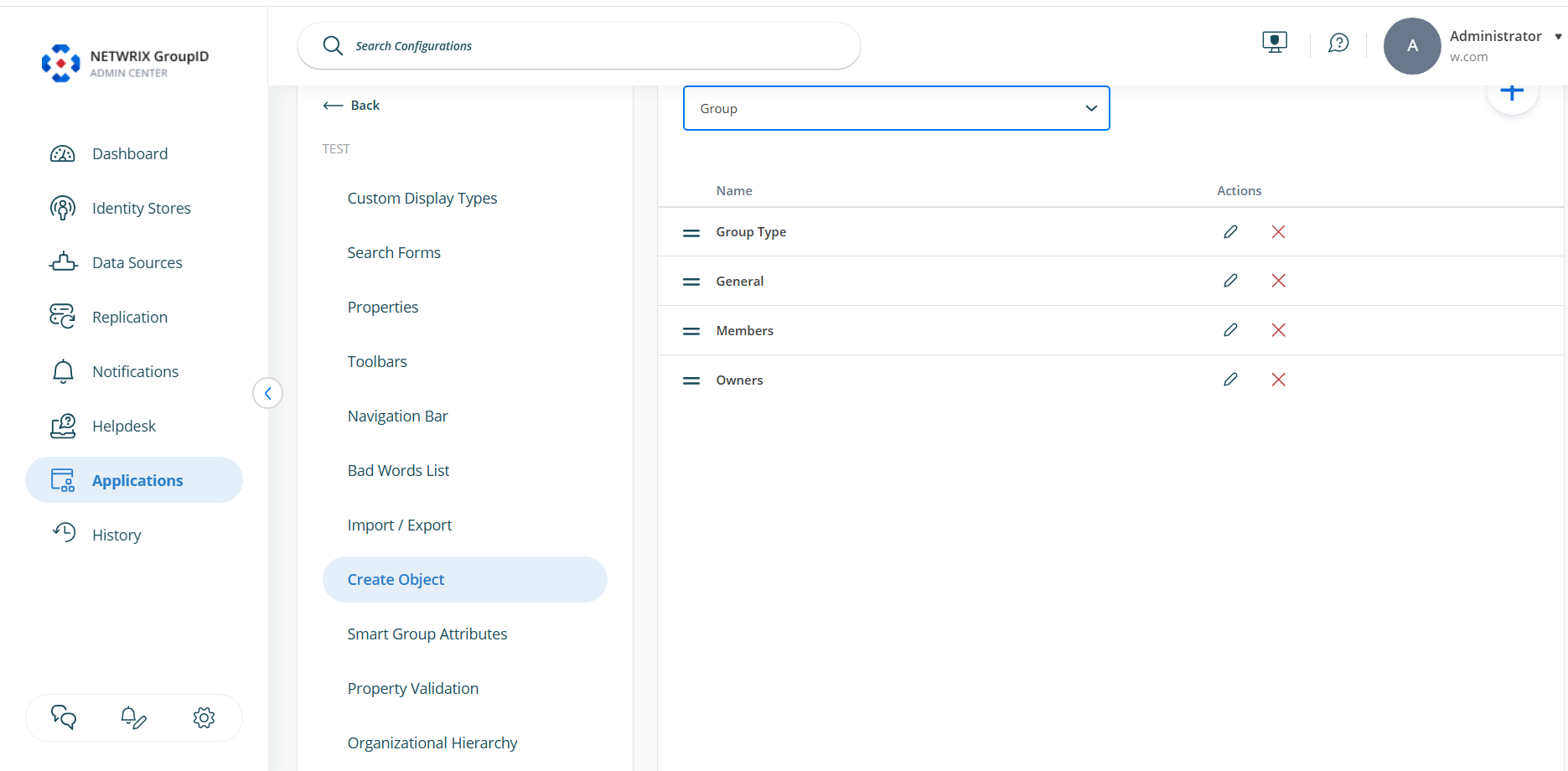
Click the Create Object tab > Under Select Directory Object, select Group. In the Name list, select General and click Edit.
-
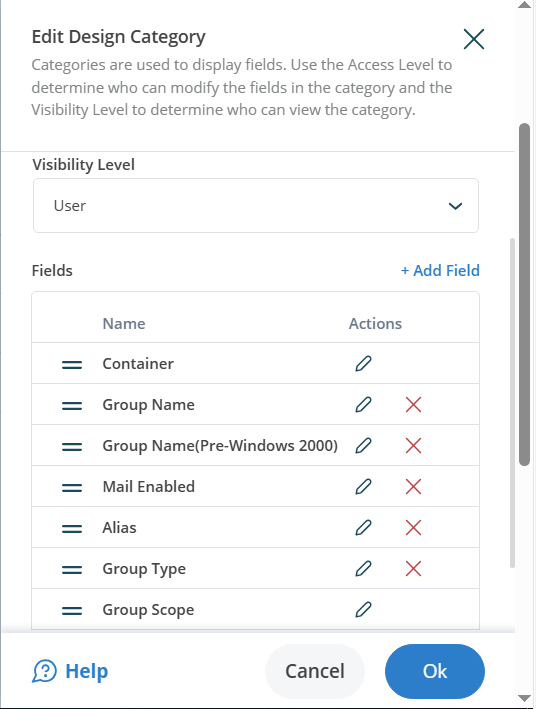
On the Edit Category dialog box, select Group Type in the Fields area and click Edit.
-
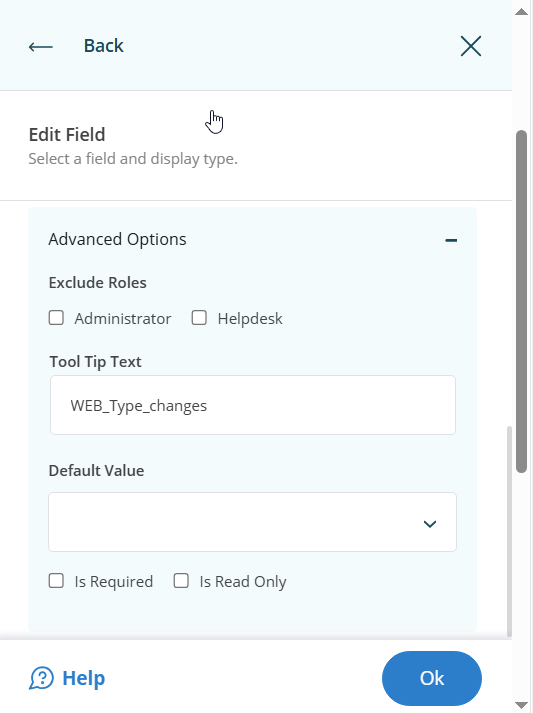
On the Edit Field dialog box, click Advanced options.
-
Make sure that under Default Value, nothing is selected. If there is already a value, clear it out.
-
Also, make sure that the checkbox named Is Read Only is unchecked / not selected > Click OK > Scroll down and Save your changes.
-
Again, in the NDM Admin Center, select Applications > Under Netwrix Directory Manager Portal, select the three dots button on your portal > Click Settings.
-
On the Server Settings tab, under Design Settings, select your portal.
-
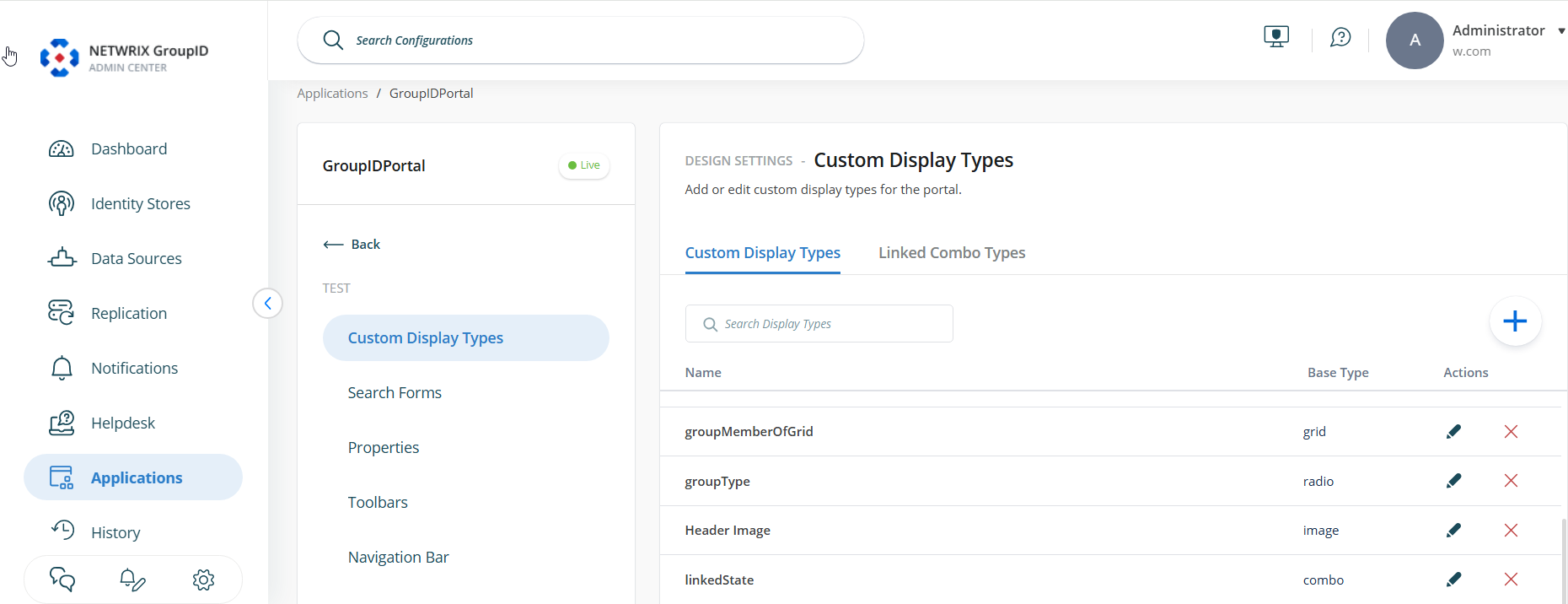
Select Custom Display Types > Then under Custom Display Types, select groupType from the list and click the Edit button.
-
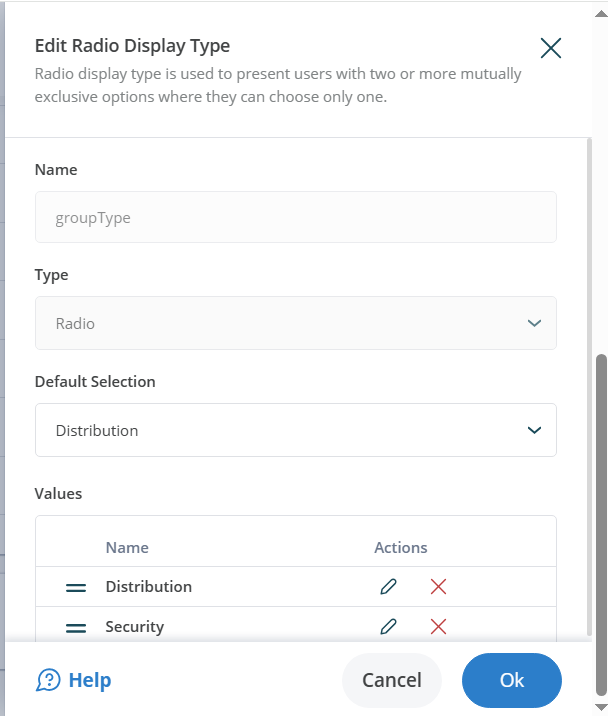
A new dialog box named Edit Radio Display Type will open.
-
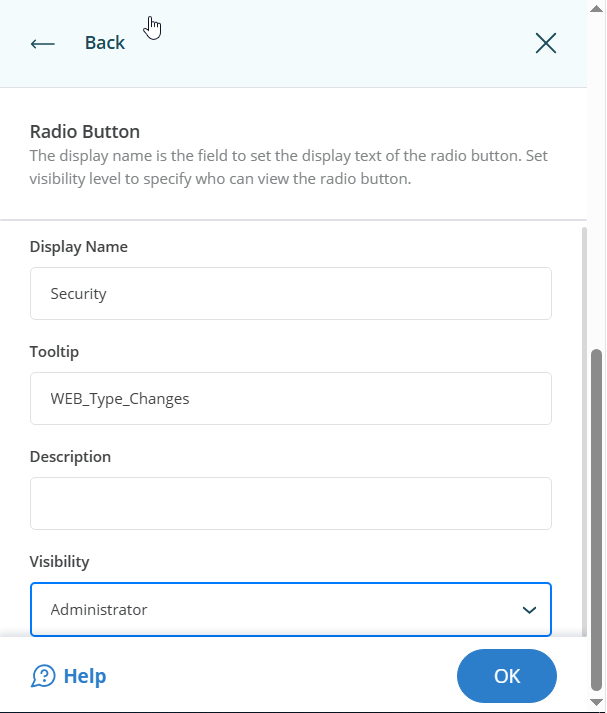
Under the Edit Radio Display Type dialog box, edit the option named Security > Change its Visibility to Administrator > Then edit the option named Distribution and make sure its Visibility is set to User (this will be the default value here).
-
If you see any other option in this mini window besides Security and Distribution, edit them and set their Visibility to Never. Scroll down and Save your changes.
Expected Results:
After these changes, when an end user tries to create a new group, they will only be able to create a distribution group. When an administrator tries to create a group, they will be able to create both distribution and security groups.