How to Display Nested Group Ownership in the My Groups Page
Applies To
Netwrix Directory Manager 11
Overview
This article explains how to display nested (transitive) group ownership on the My Groups page in Netwrix Directory Manager 11. By default, nested ownership is not shown in the Self-Service Portal, but you can enable this feature using an advanced setting.
Some groups in Active Directory are owned by a security group. You may want members of the owner group to see their owned groups on the My Groups page. For example, if User A is a member of Group A, and Group A is the owner of Group B, then User A is considered the owner of Group B through nested (transitive) ownership.
Instructions
-
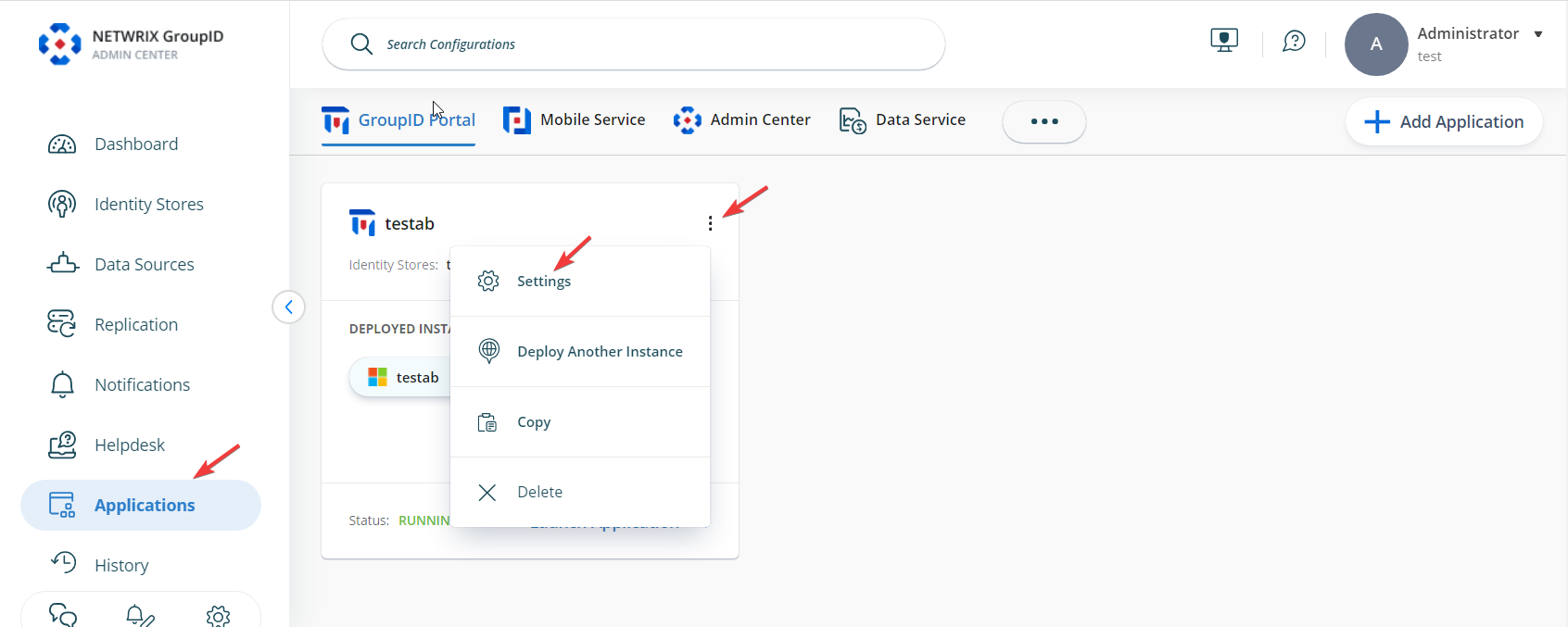
In the Directory Manager Admin Center, select Applications. Under Directory Manager Portal, select the three dots button for your portal, then click Settings.
-
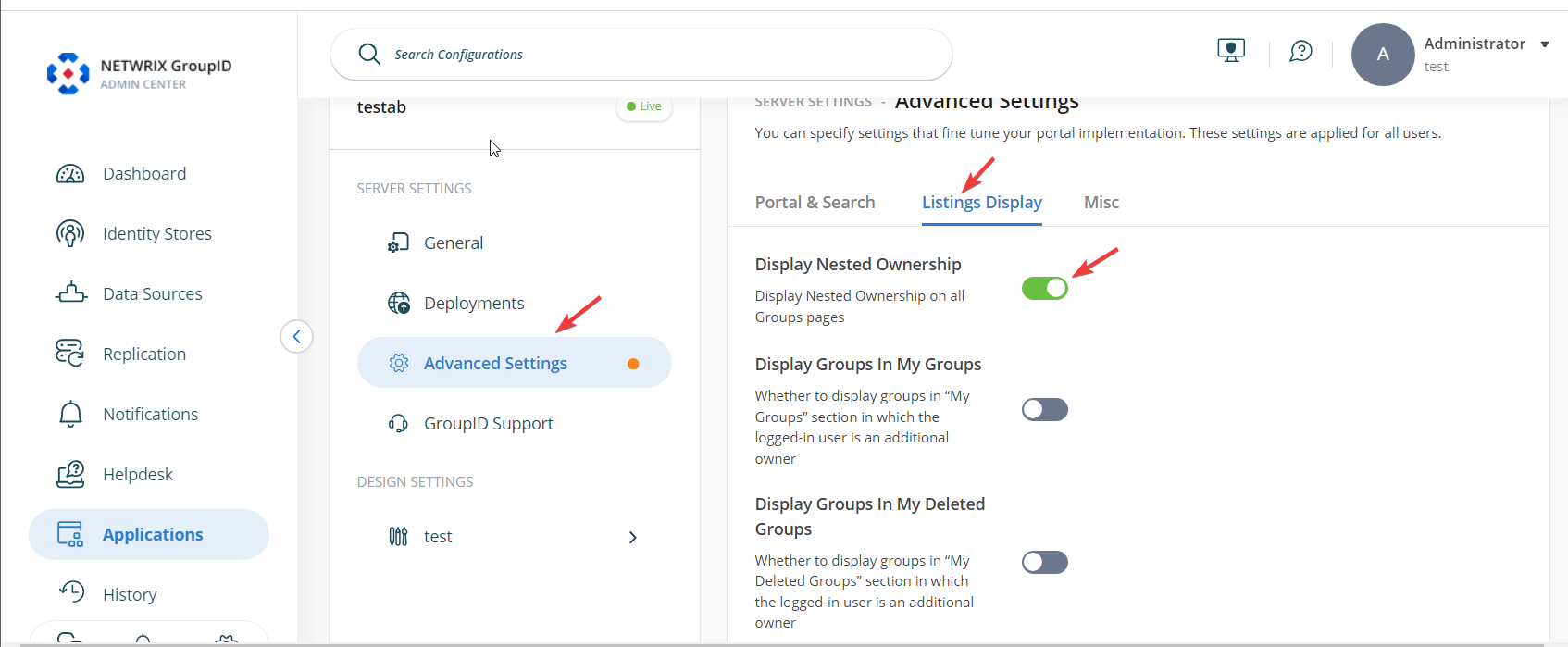
On the Server Settings tab, click Advanced Settings. Select Listings Display, then enable the Display Nested Ownership option.
-
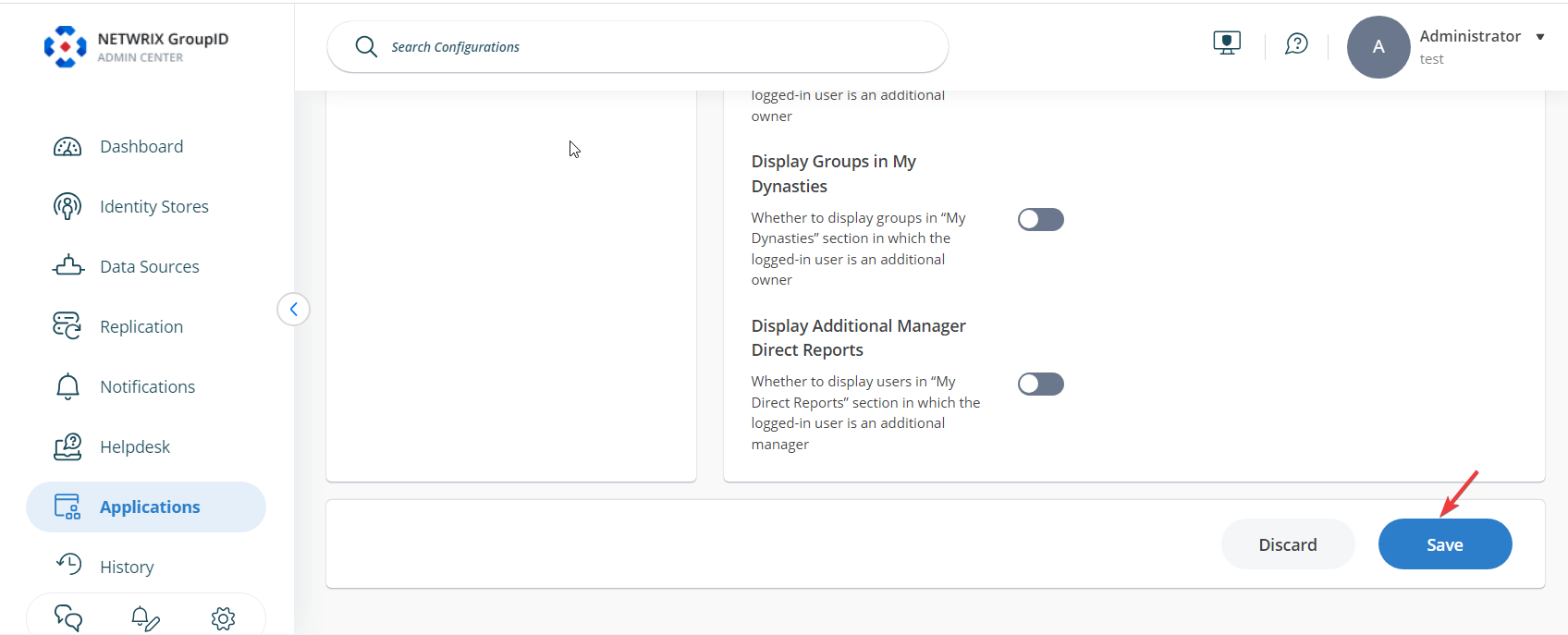
Scroll to the bottom of the page and click Save to apply your changes.