How to Enforce Group Type as Distribution or Security v11
Applies To
Netwrix Directory Manager 11
Overview
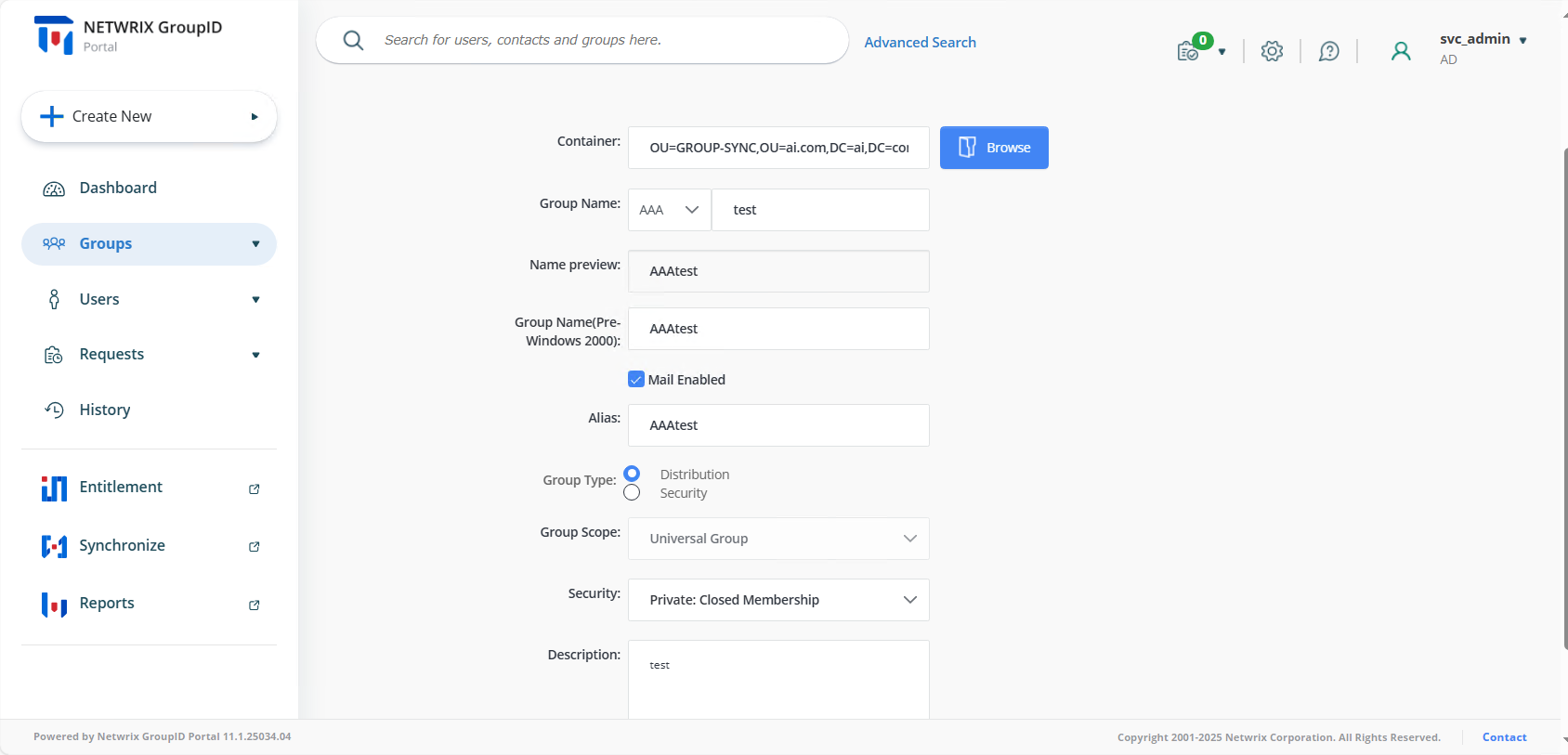
This article explains how to restrict users to creating distribution groups only in the Self-Service portal of Netwrix Directory Manager. By customizing the Create Group wizard, you can enforce the group type as Group Type = Distribution, ensuring that all new groups are created as distribution lists.
Netwrix Directory Manager allows you to customize the Create wizard for directory objects, including which fields are displayed, which are required, and which are editable. You can also set default values and control field visibility based on user roles.
Instructions
- Access the Directory Manager Admin Center at https://Servername/AdminCenter/dashboard.
- Go to Applications, select your Portal Name, then click Settings > Design Settings.
- Select the identity store you want to customize.
- Click the Create Object tab.
- In the Select Directory Object list, select Group.
- In the Name list, select General and click Edit.
- In the Edit Category dialog box, select Group Type in the Fields area and click Edit.
- In the Edit Field dialog box, click Advanced Options.
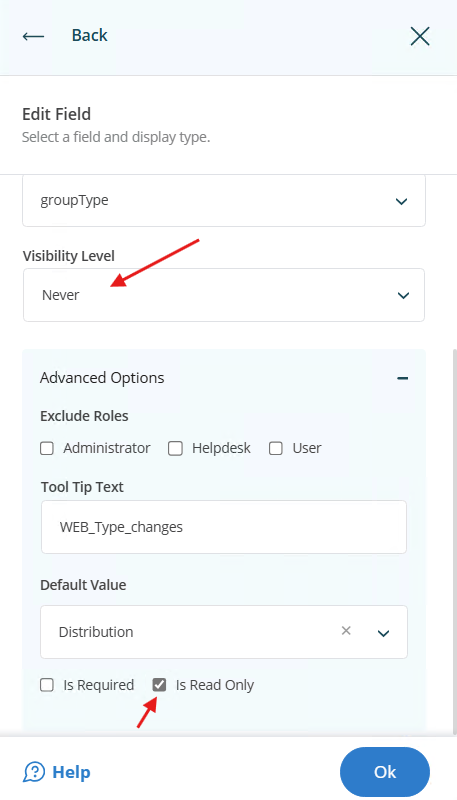
- In the Default Value list, select
Distributionto set it as the default group type. - To prevent users from changing the default selection, do one of the following:
- Select the Is Read Only checkbox.
- Or set the Visibility Role to
Never.
- To enforce the
Distributiongroup type for a specific role (for example, Role C), set the visibility level to a role with a higher priority than Role C. Only users with the selected role or higher can modify the group type. Users with Role C or lower will not be able to change the default selection. - Click OK to close the dialog boxes and save your changes.
Expected Results
In the Create Group wizard in the Directory Manager portal, the Group Type field will be set to Distribution by default. Users will not be able to change the group type, so all new groups will be created as distribution lists only.