How to Remove Spaces from Attributes When Creating Dynasties
Applies To
Directory Manager 11
Overview
You can remove spaces (or other special characters) from group names when creating dynasties in Netwrix Directory Manager (formerly GroupID) by using a custom script for the relevant attribute (such as Department). This ensures that leaf dynasty names do not include spaces from the source attribute.
NOTE: Before making any changes to your environment, create a backup, snapshot, or checkpoint of the Directory Manager server.
Instructions
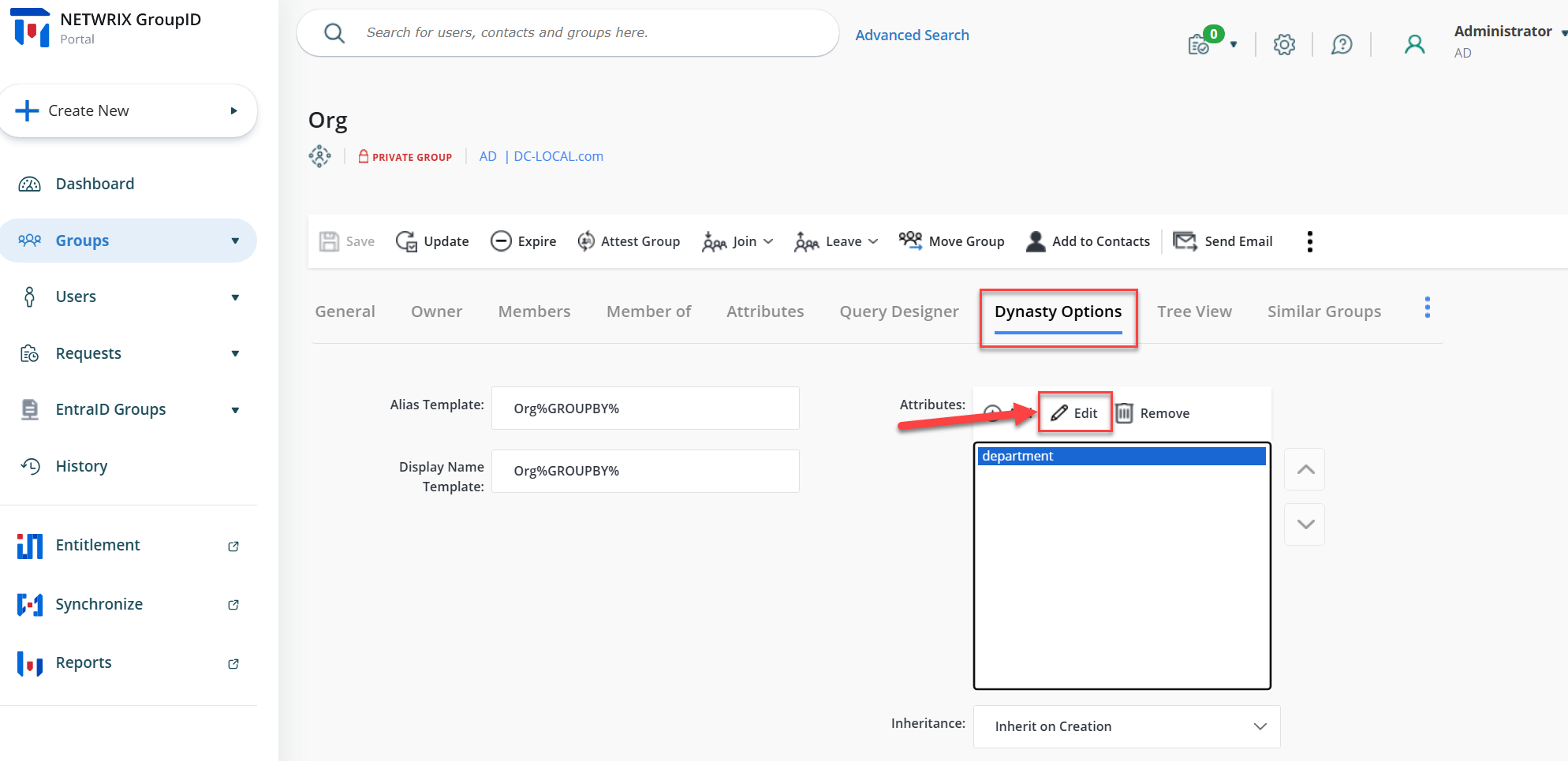
- Log in to the Directory Manager Portal and navigate to the Parent Dynasty Properties for which you want to make the changes.
- Once the Parent Dynasty properties are open, click the Dynasty Options tab.
- In the Attributes field, select the attribute for which you want to omit the spaces.
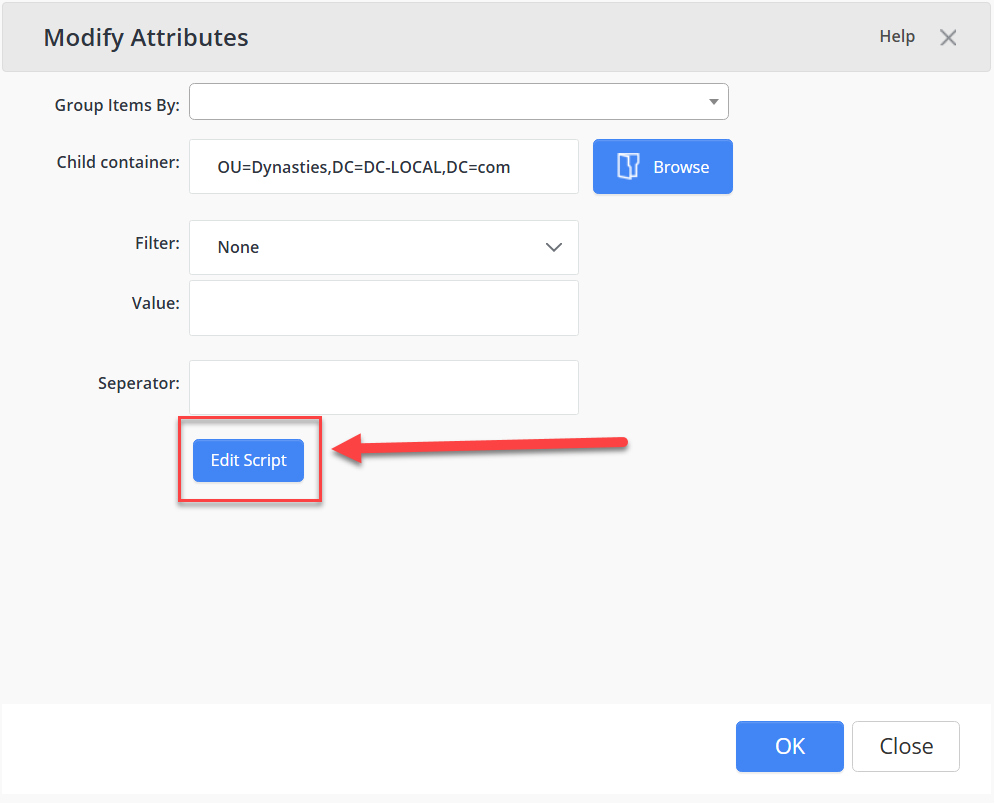
- Click the Edit button. A new window will appear.
- Click the Edit Script button. The script editor will open.
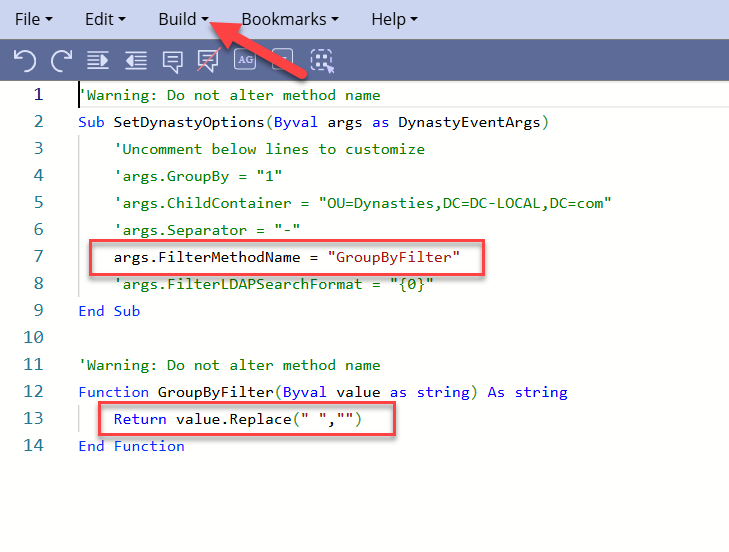
- Edit the script as shown in the picture below and click Build.
- Manually update the Parent Dynasty and verify the changes in the group names.