Change the Default Sort Attribute for Search Results
Applies To
Netwrix Directory Manager 11
Overview
This article explains how to configure the default sort attribute for search results in the Netwrix Directory Manager User Portal. By default, search results are sorted by the displayName attribute, but you can change this to another attribute, such as department, to better suit your business requirements.
Instructions
-
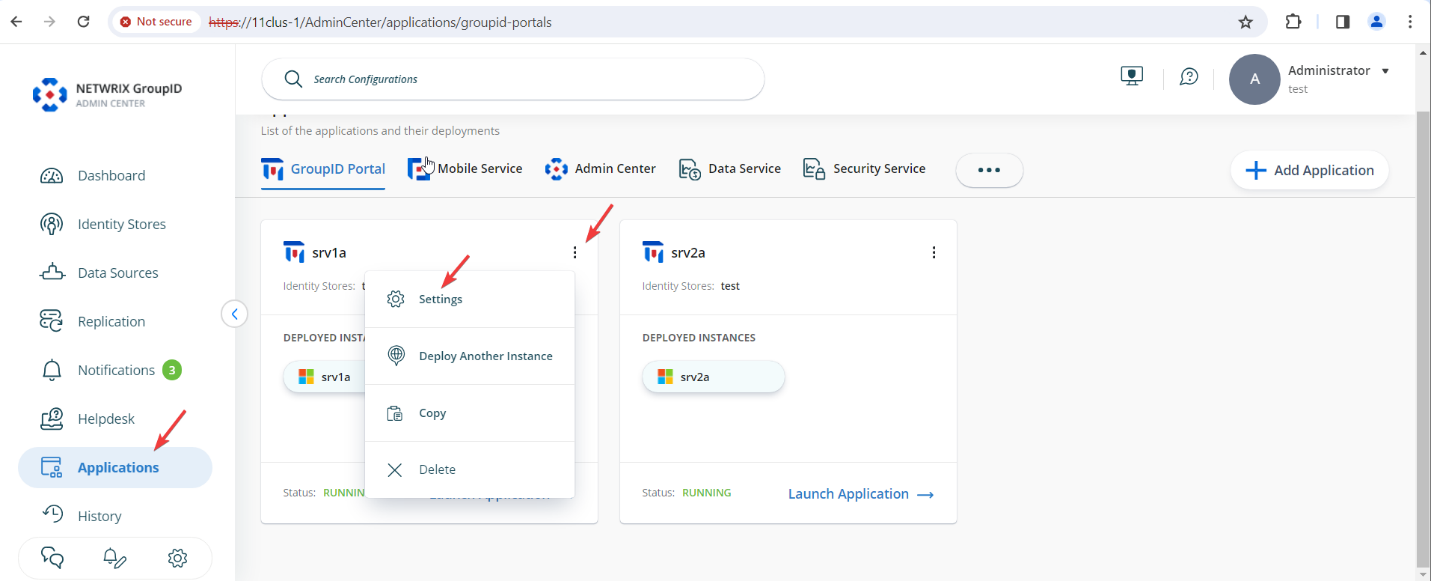
In the Netwrix Directory Manager Admin Center, go to Applications. For the application or portal where you want to change the setting, click the three dots and select Settings.
-
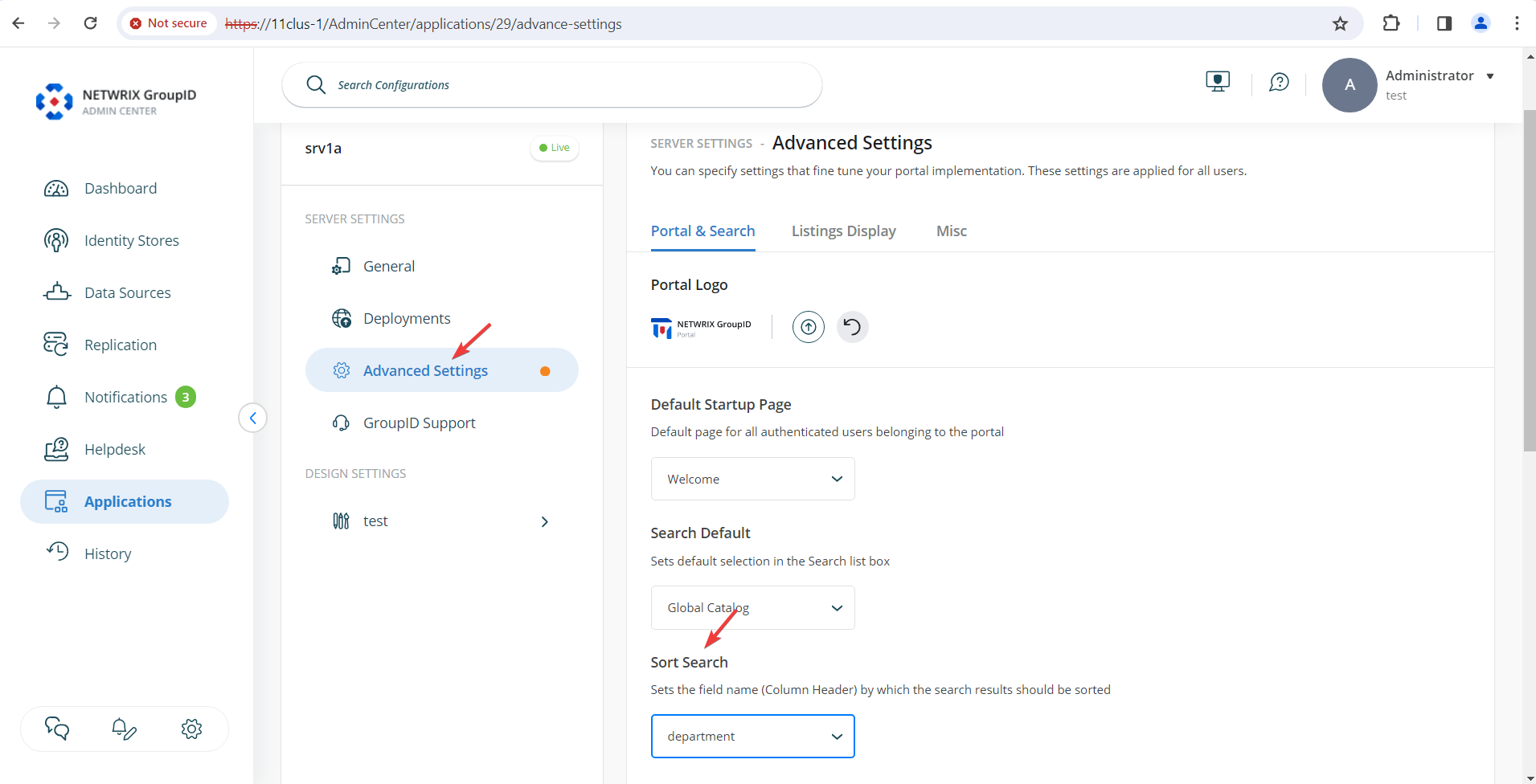
Click Advanced Settings. In the right pane, find the Sort Search option and select your desired sort attribute from the drop-down menu.
-
Scroll down and click Save to apply your changes.
Impact
This setting applies to listings on the All Groups, My Groups, and Users pages, as well as searches performed using Advanced Search and the Find dialog box. After applying the setting, results are sorted by the specified attribute in ascending order.
NOTE: If the attribute you select for sorting is not available as a column header in the listing or search results, Netwrix Directory Manager will default to sorting by
displayName.