Change the Header and Footer Logo in Notifications
Question
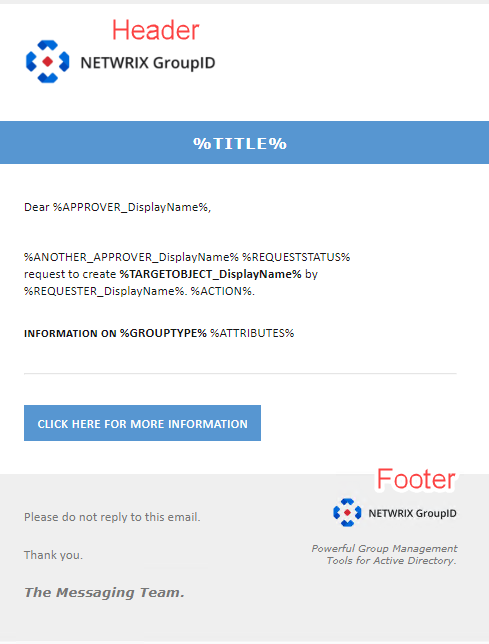
Can you change the logo in the header and footer of Netwrix Directory Manager notifications?
Answer
Yes, it is possible to change the logos in the header and footer of notifications. However, you cannot do this through the Directory Manager Admin Center. Instead, you must update the image files directly in the database.
Before You Begin
Notification logos are stored in the GroupID.NotificationResources database table as binary data. The relevant column is ResourceImage, which includes the following entries:
ID 1– Header logoID 2– Footer logoID 3– Title image
The image ID located at the end of the query specifies which image will be replaced.
How to Replace an Image
- Run the SQL query below, updating
PathToUpdatedImage.jpgand theWHERE id =value with the image and ID you want to replace:
UPDATE [DB Name].[GroupID].[NotificationResources]
SET ResourceImage = (
    SELECT BulkColumn
    FROM OPENROWSET(BULK 'PathToUpdatedImage.jpg', SINGLE_BLOB) AS x
)
WHERE id = 1;
After executing the query, all future notifications will display the updated image.