How to Set 'Semi-Private' as the Default Security Type in v11
Applies To
Netwrix Directory Manager 11
Overview
By default, users can choose from several security types when creating a group in the Netwrix Directory Manager 11 user portal. You can configure the portal to set semi-private as the default security type in the Create Group wizard. You also have the option to allow users to select a different security type or to enforce the default for all users.
Instructions
-
Open the Directory Manager Admin Portal at
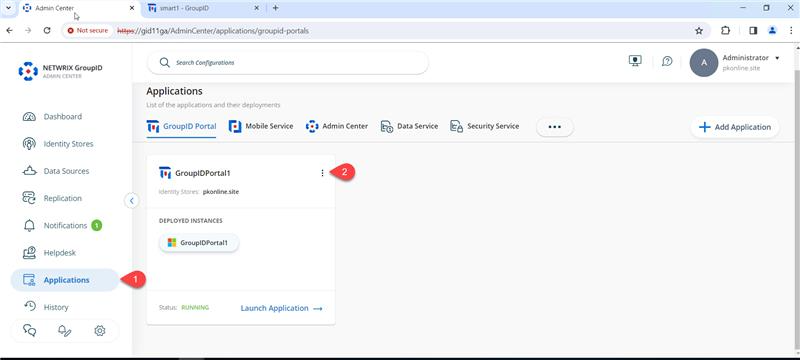
https://servername/AdminCenter/. Navigate to Applications, select your desired portal, and click the three dots (...) to edit it.
-
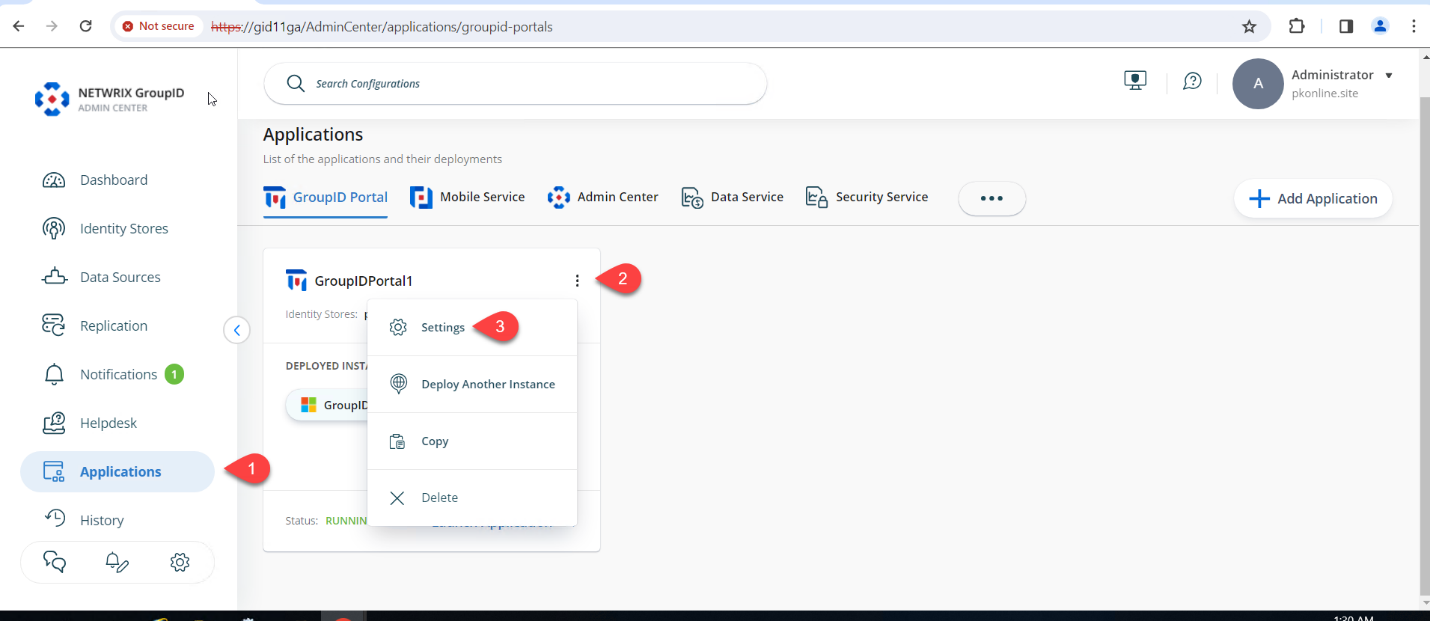
Click Settings.
-
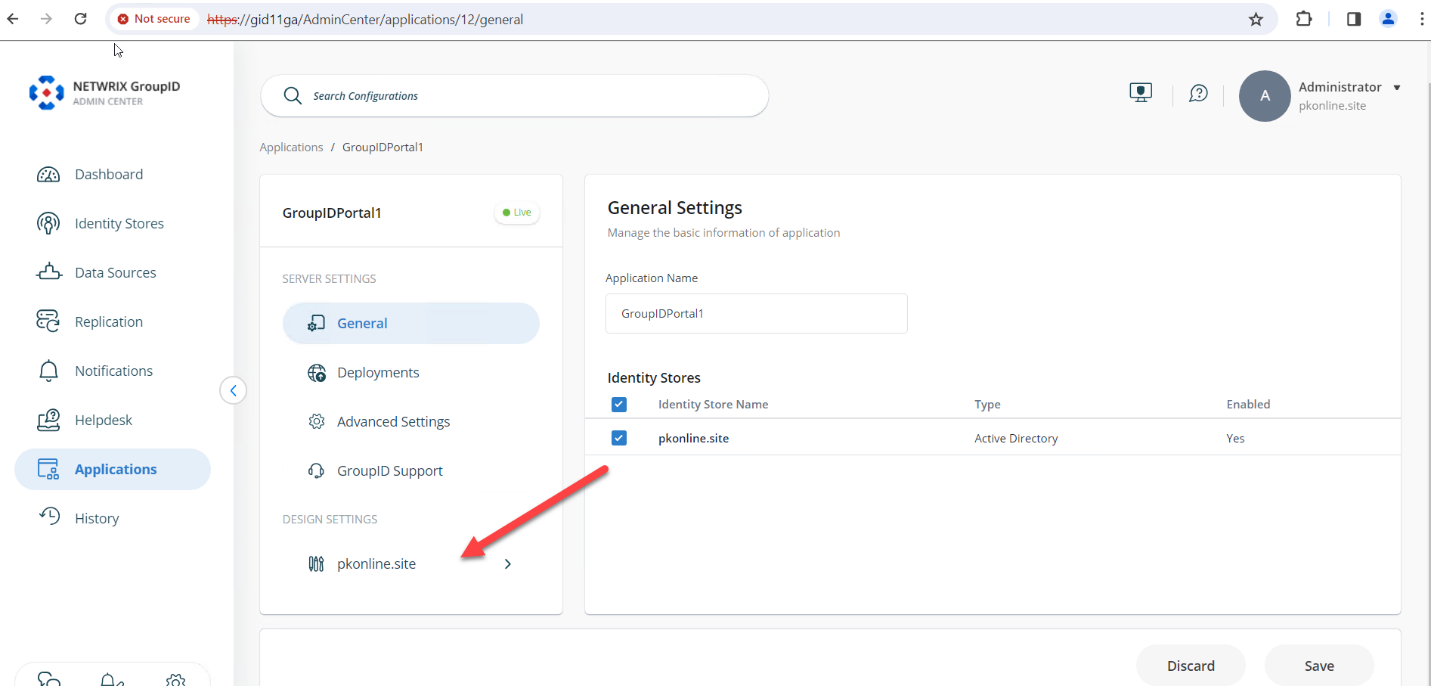
Under Design Settings, click your identity store’s name.
-
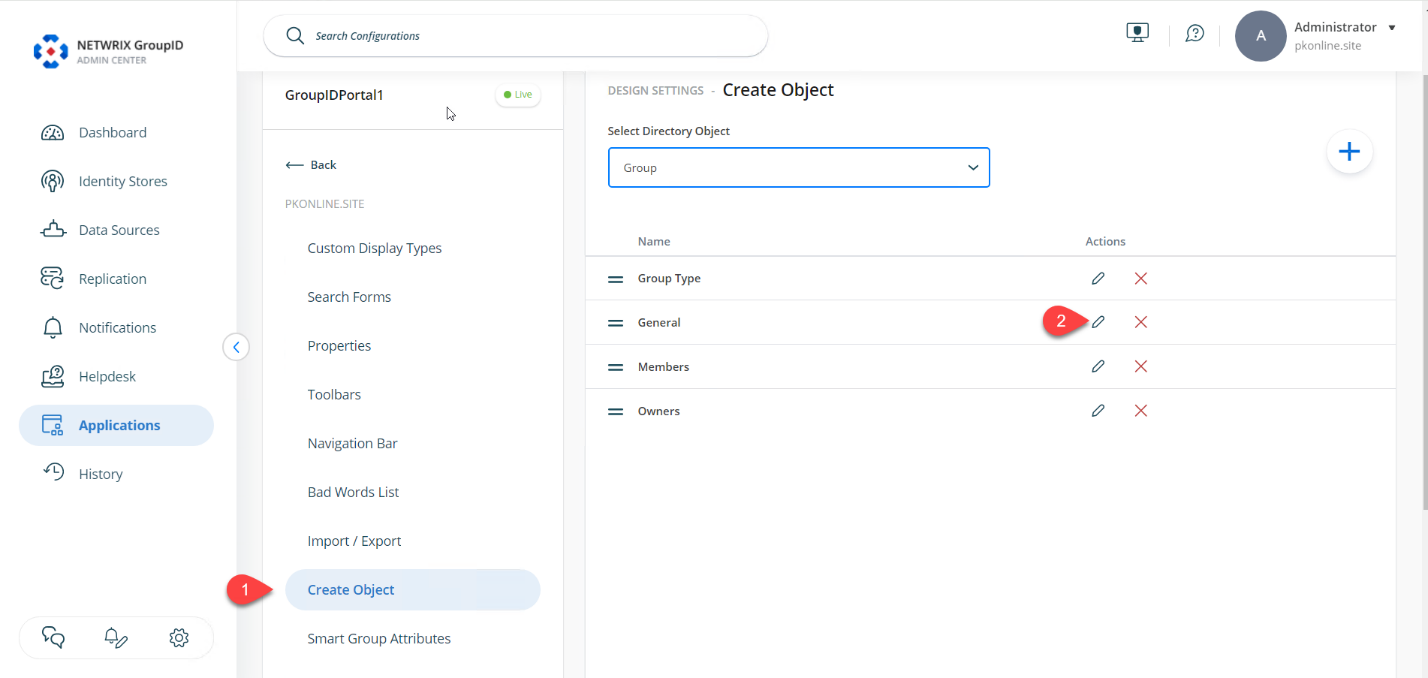
On the Create Object tab, select Group from the Select Directory Object drop-down list.
-
In the Name list, select General and click Edit.
-
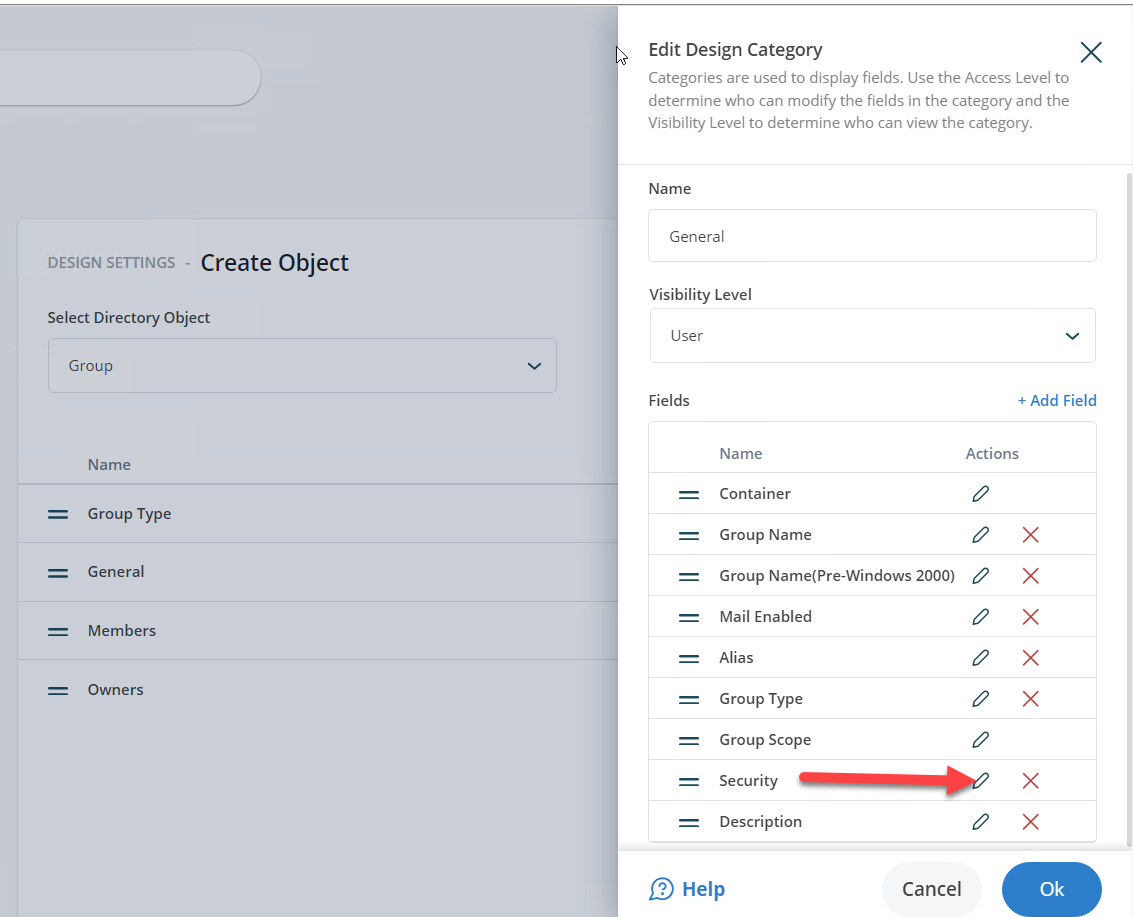
In the Edit Design Category dialog box, select Security and click Edit.
-
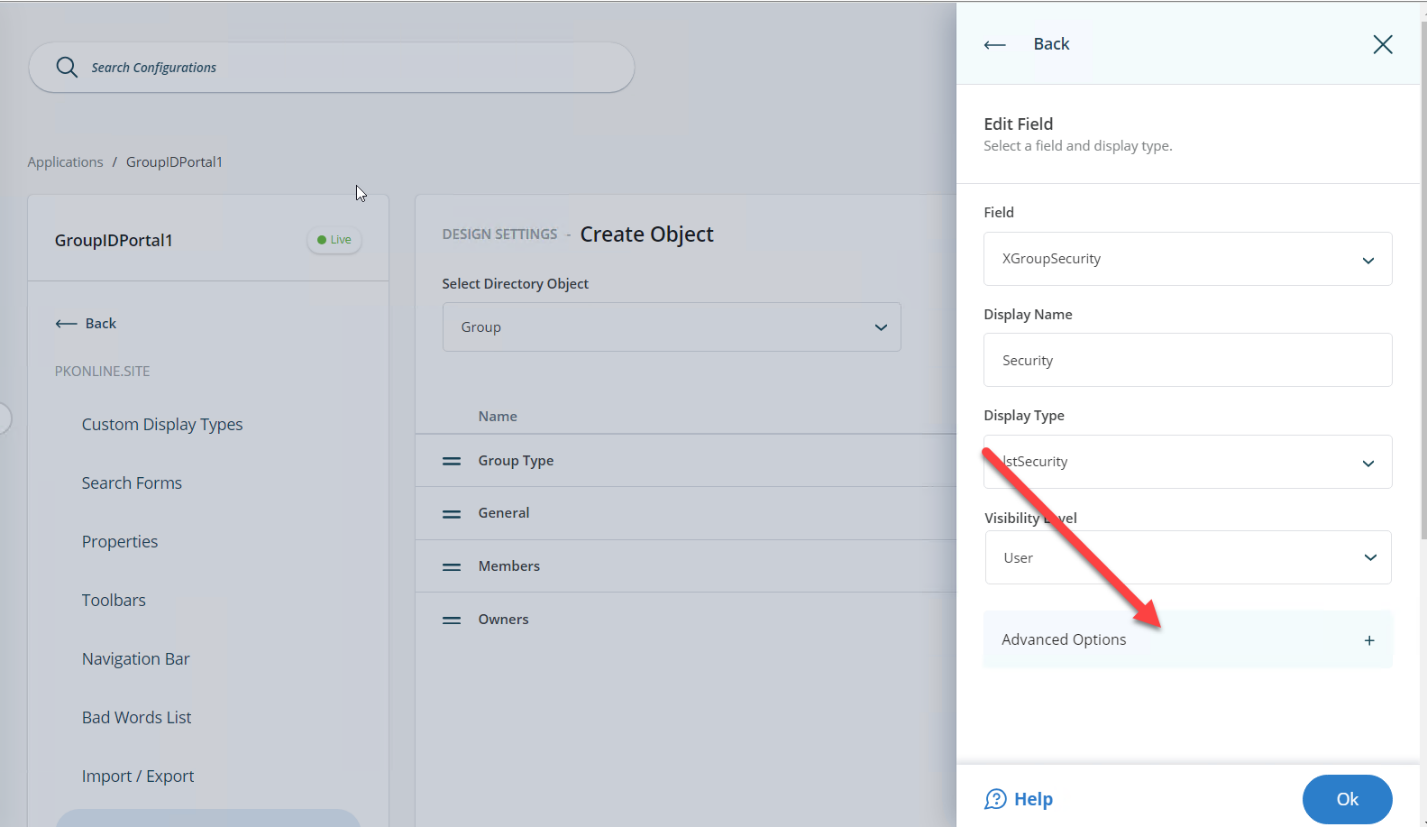
In the Edit Field dialog box, click the Advanced options link.
-
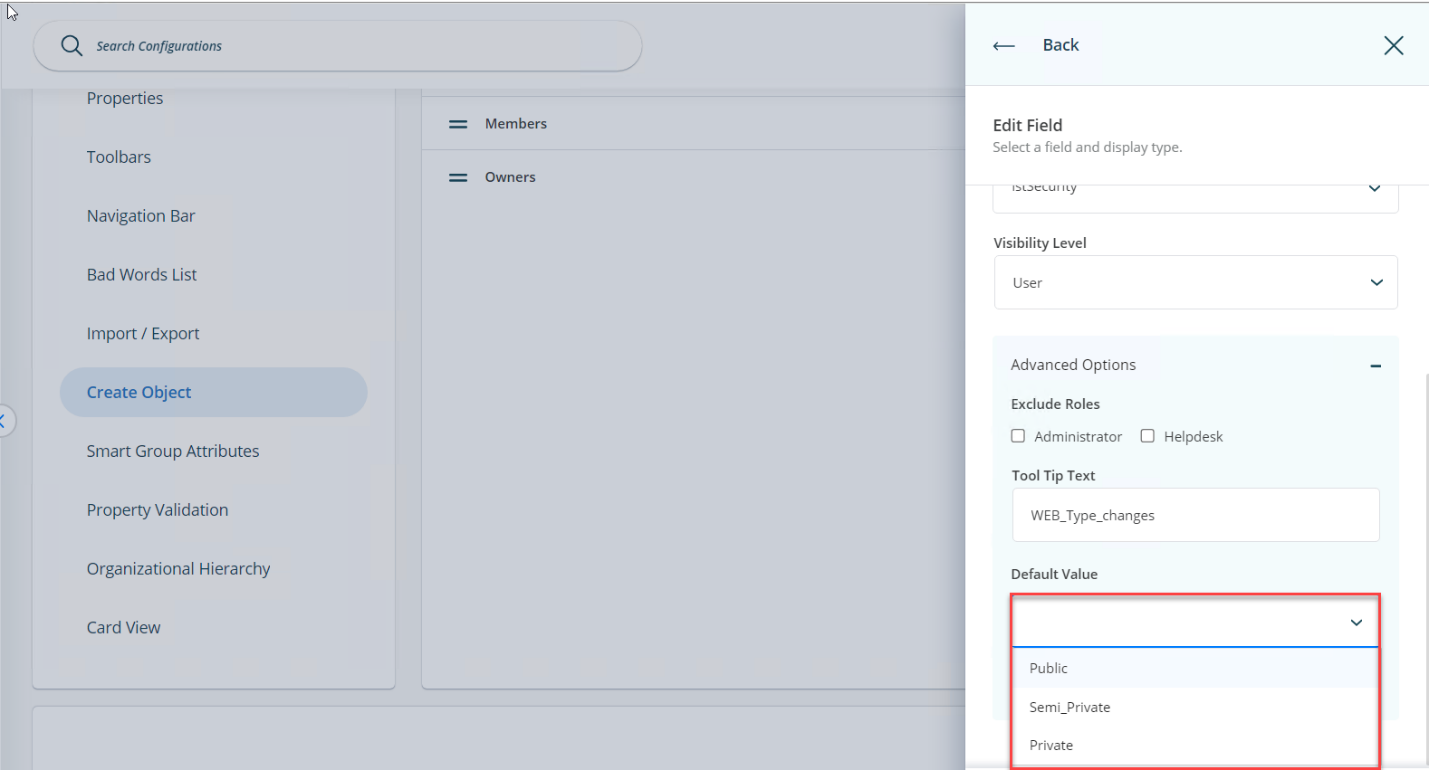
Select
Semi_Privatefrom the Default Value drop-down list.
-
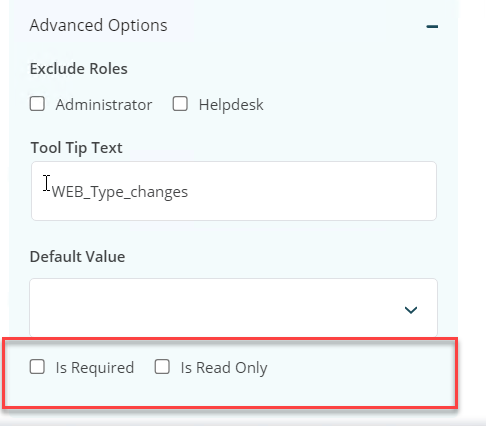
Optional: To enforce the semi-private security type, select the Is Read-Only check box. This action disables the Security drop-down list in the Create Group wizard and displays only the default value.
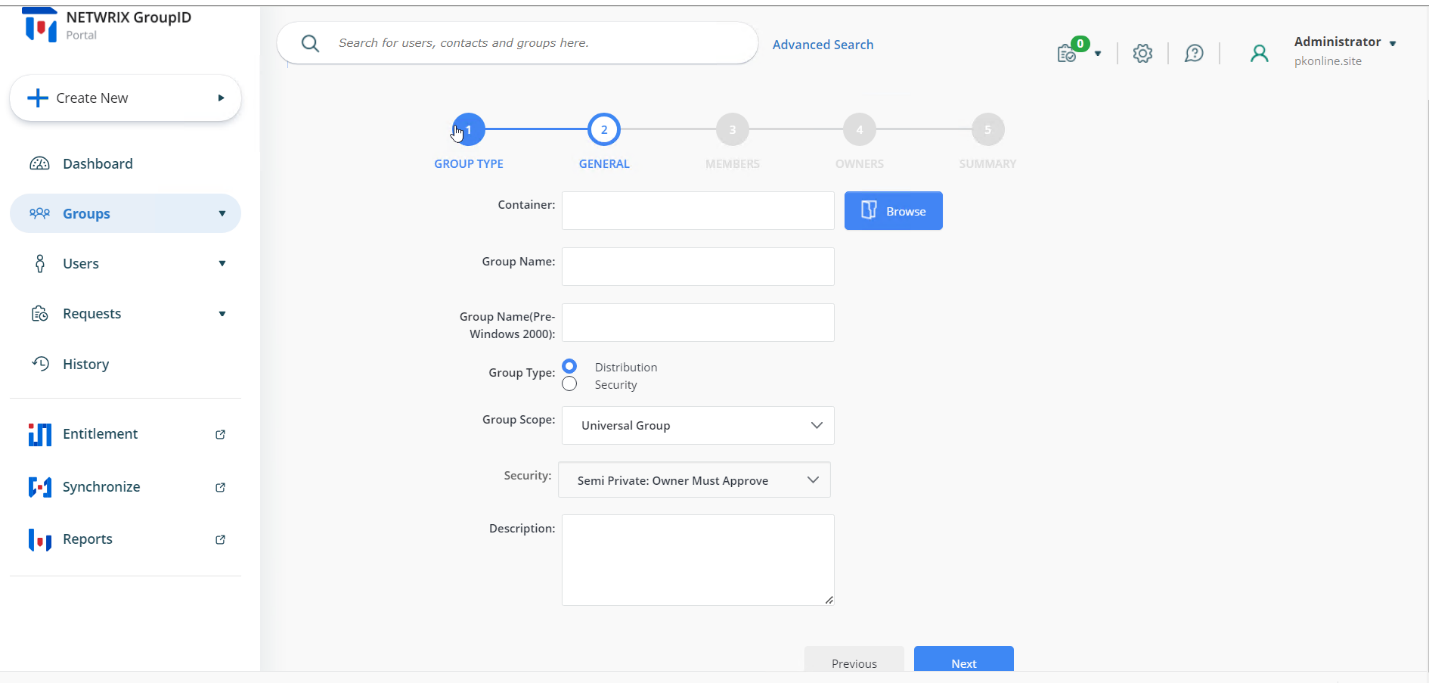
-
Optional: To hide the Security drop-down list from a specific role, select the desired role (such as Administrator or Helpdesk) from the Visibility Role drop-down list. The Security drop-down list is visible to users of the selected role and to roles with a higher priority value, but hidden from all roles with a lower priority value.
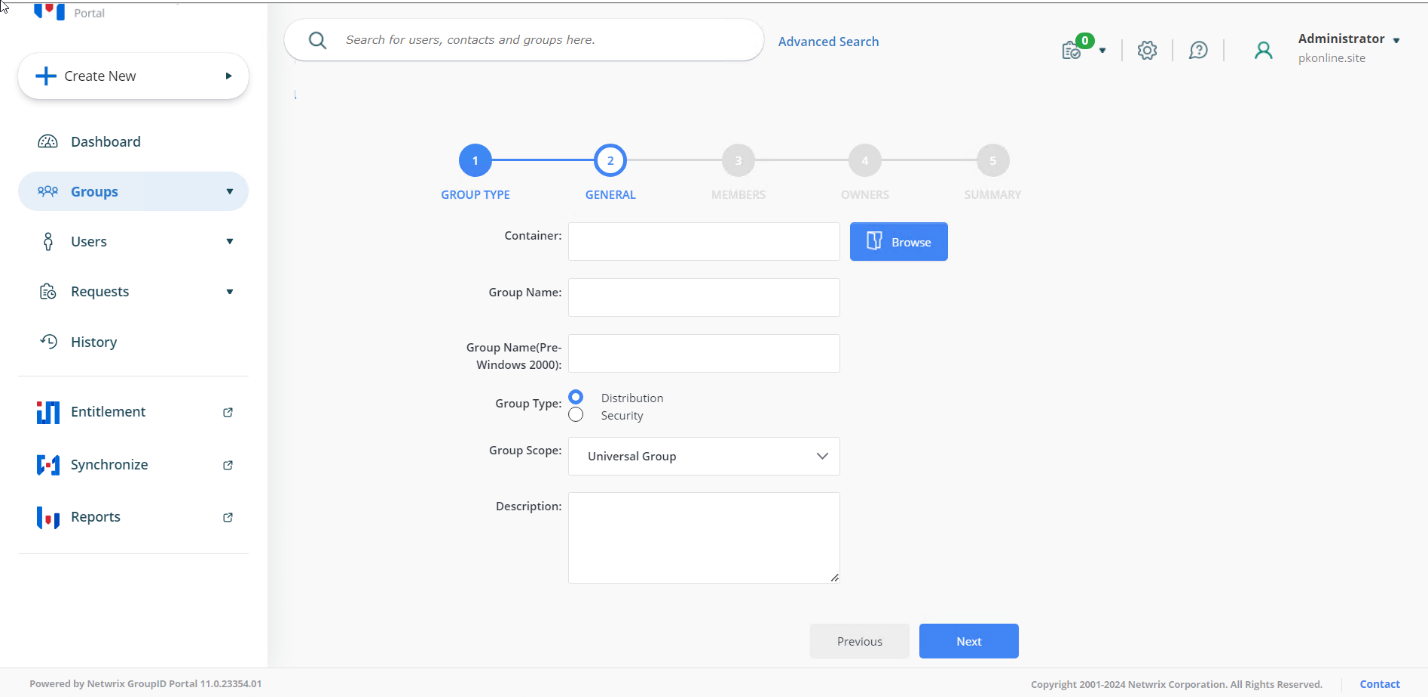
-
Click OK to close the dialog boxes then save your changes.