Remove the DisplayName Requirement for Groups Created in Active Directory
Applies To
- Netwrix Directory Manager 11
Overview
When you integrate Netwrix Directory Manager with an existing Active Directory environment, some groups may have been created directly in Active Directory. These groups might not have the displayName attribute populated, since it is not required by Active Directory.
Netwrix Directory Manager, however, requires the displayName attribute because it uses this value to populate other fields, such as Alias and CN. If you try to save changes to one of these groups in the Self‑Service Portal (SSP) and displayName is missing, you will receive an error. You cannot save changes until displayName is populated or the requirement is removed.
This article describes a workaround that allows you to save changes to these groups by making the displayName attribute optional in the portal design.
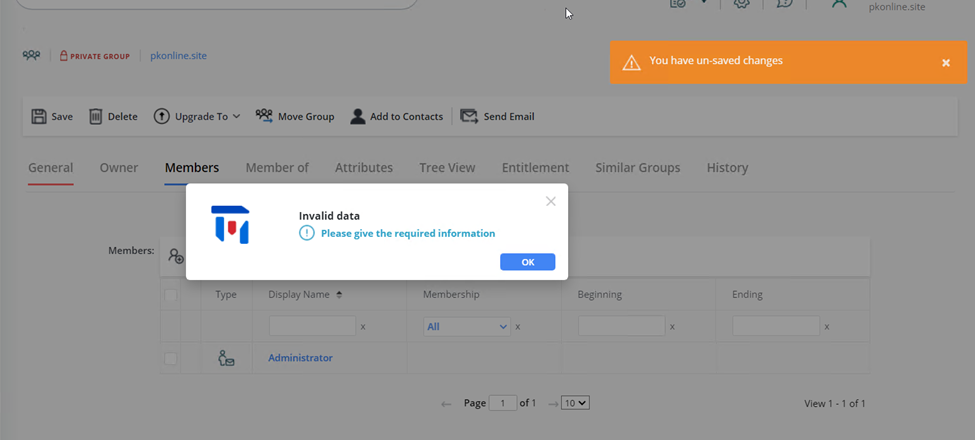
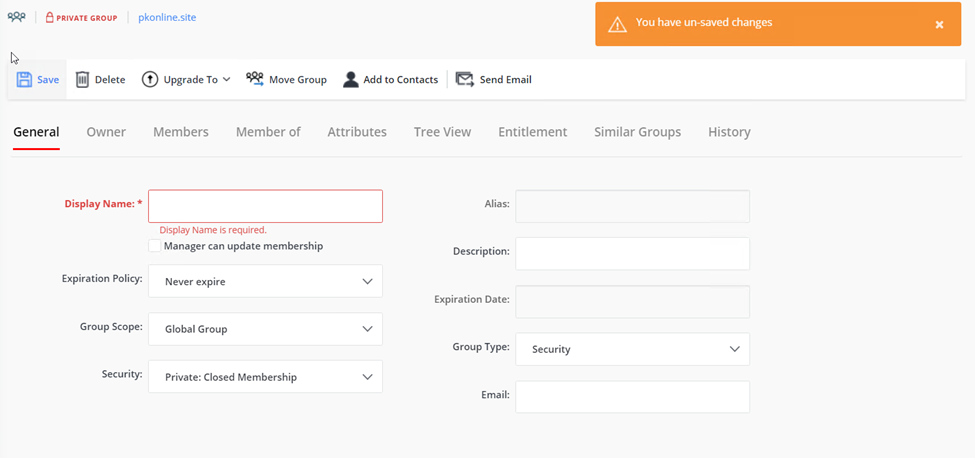
Instructions
-
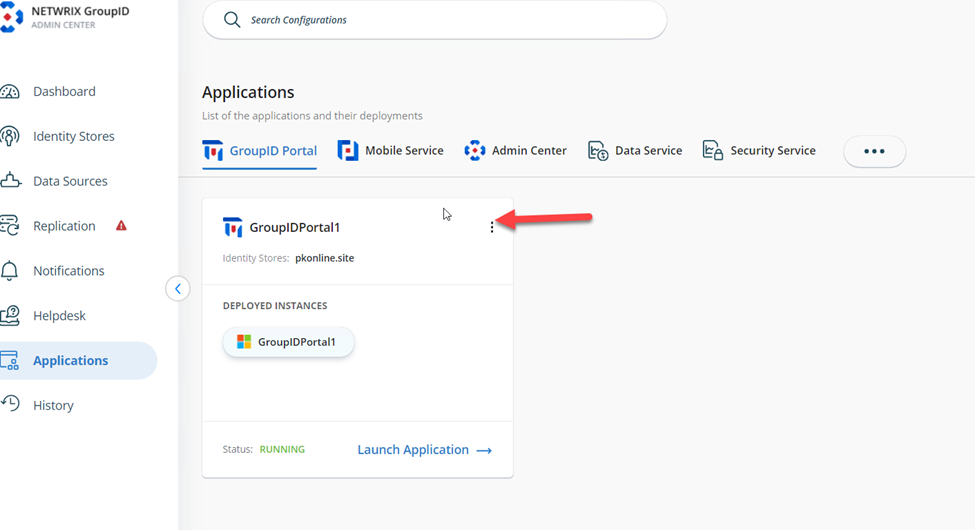
In the Netwrix Directory Manager Admin Center, go to the Applications tab. Open the settings for the application where you want to remove the displayName requirement by clicking the Settings button (top right corner of the application card).
-
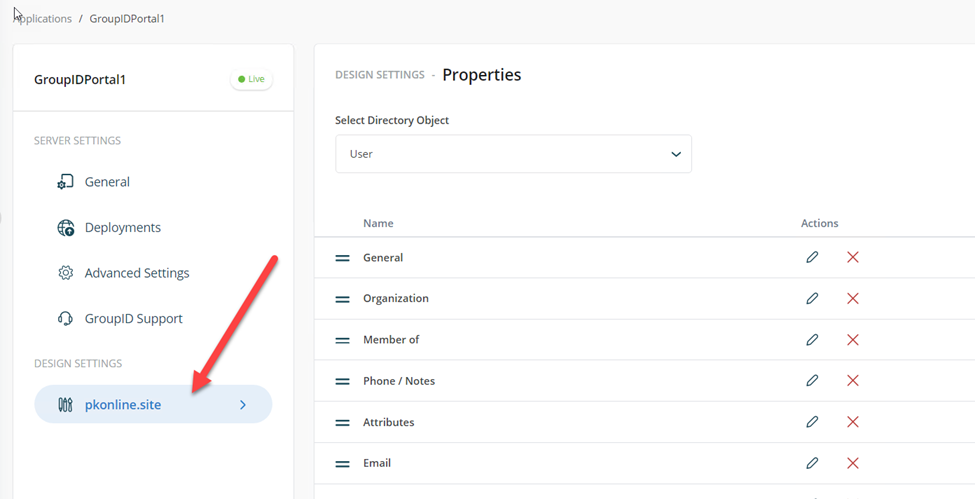
Under Design Settings, click the domain name.
-
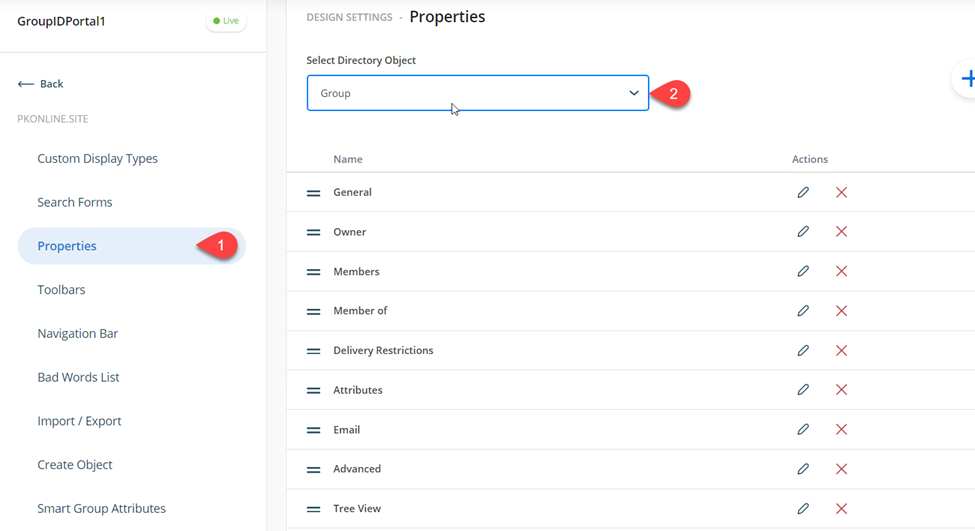
Go to the Properties tab and set the Directory Object to Groups.
-
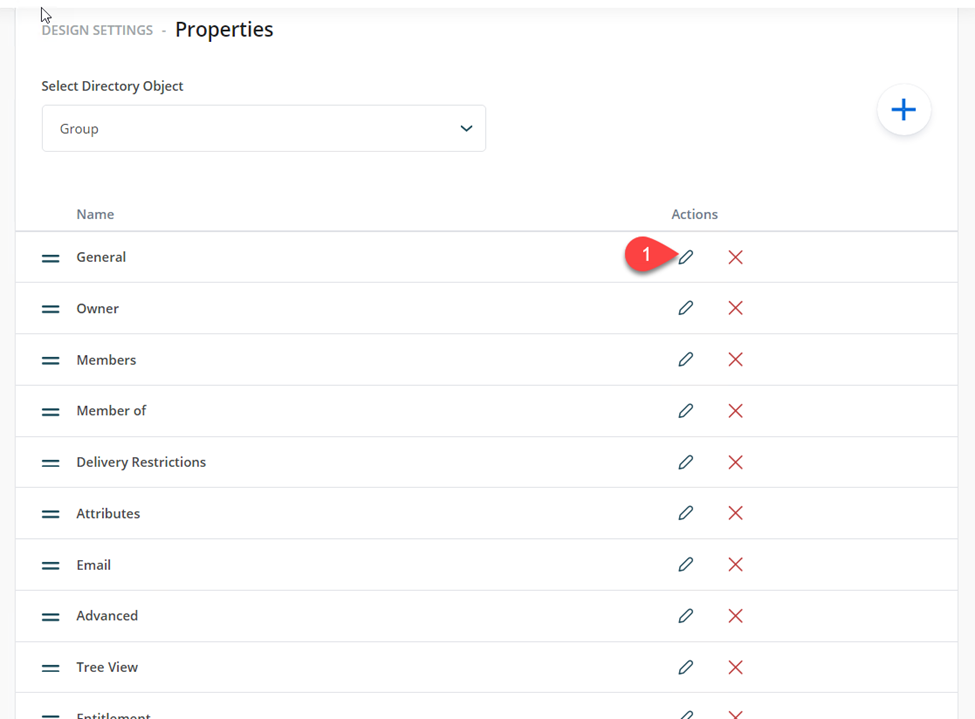
Edit the General field by clicking the pencil icon.
-
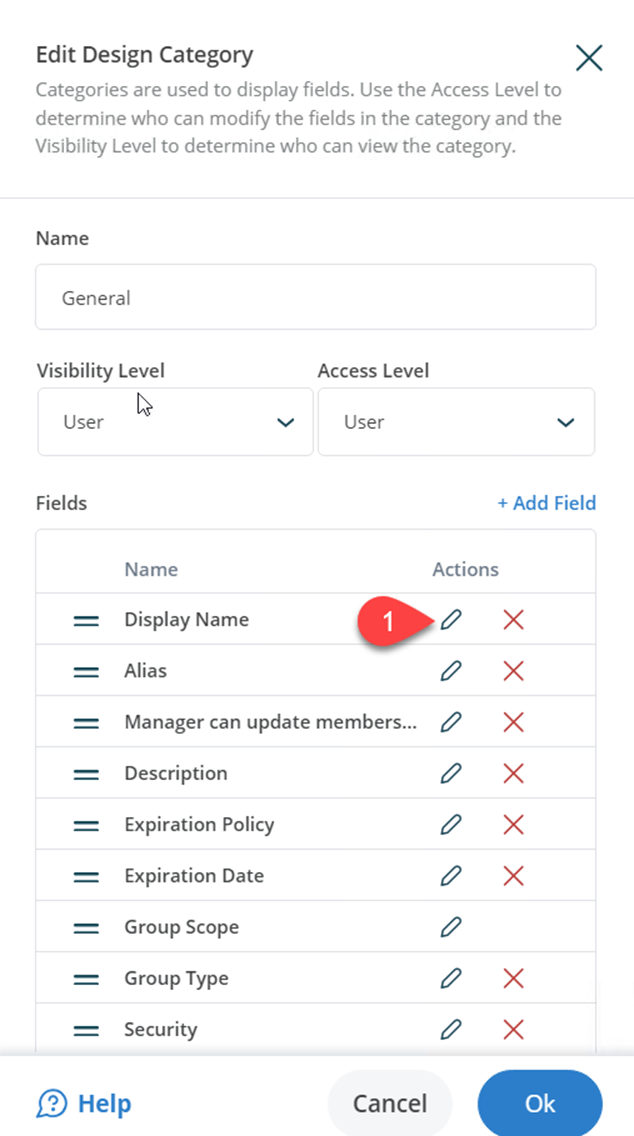
Edit the DisplayName field by clicking the pencil icon in the Design category window.
-
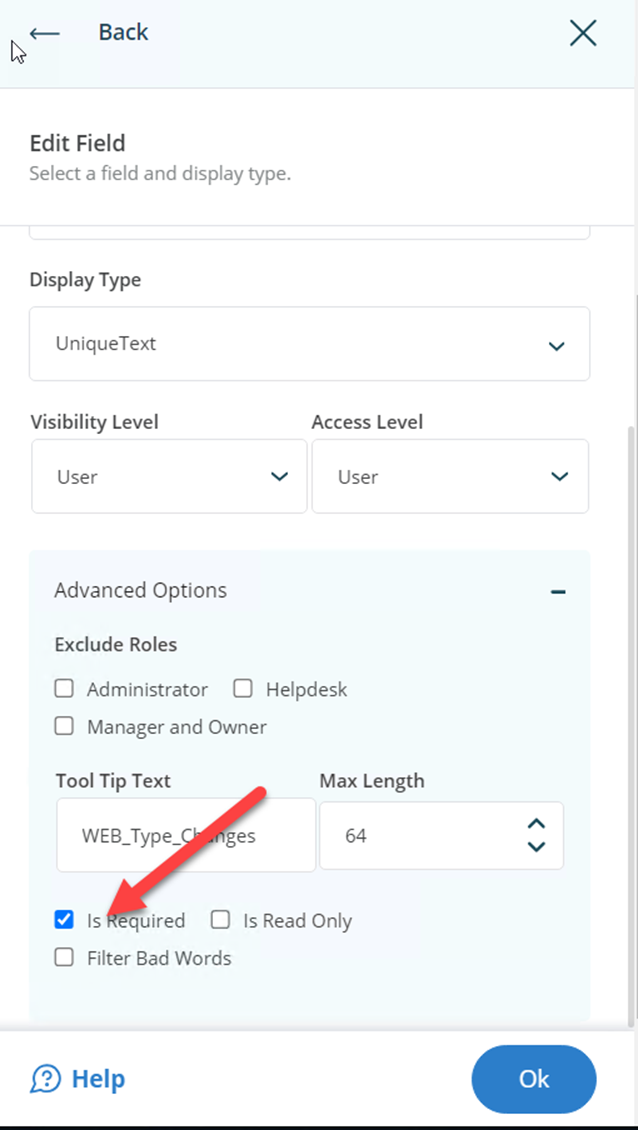
Expand Advanced Options and uncheck the Is Required box.
-
Click all OK buttons to save your changes, then log in to your portal. You should now be able to save changes to a group even if the displayName attribute is not populated.
-
To apply this change to Smart Groups, set the Directory Object to SmartGroup in step 3 then complete the remainder of the steps.