Remove the Delete Option from the Portal
Applies To
Directory Manager 11
Overview
Netwrix Directory Manager (formerly GroupID) allows you to control which users can delete groups in the portal. To prevent accidental deletion of critical groups, you can restrict the Delete option so that only administrators have permission to delete groups. This article explains how to remove or hide the Delete option from the portal for non-administrative users.
Instructions
Restrict the Delete Option in the Directory Manager Portal
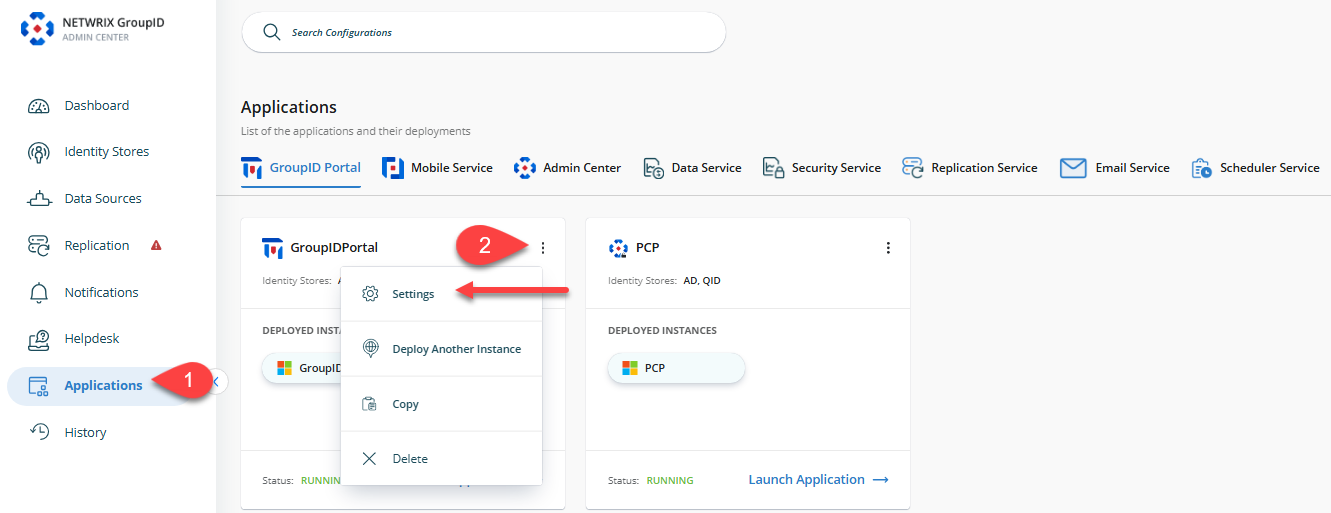
- In the Directory Manager Admin Center, go to the Applications tab in the left navigation bar.
- Click the three-dot icon for the portal you want to modify, then click Settings.
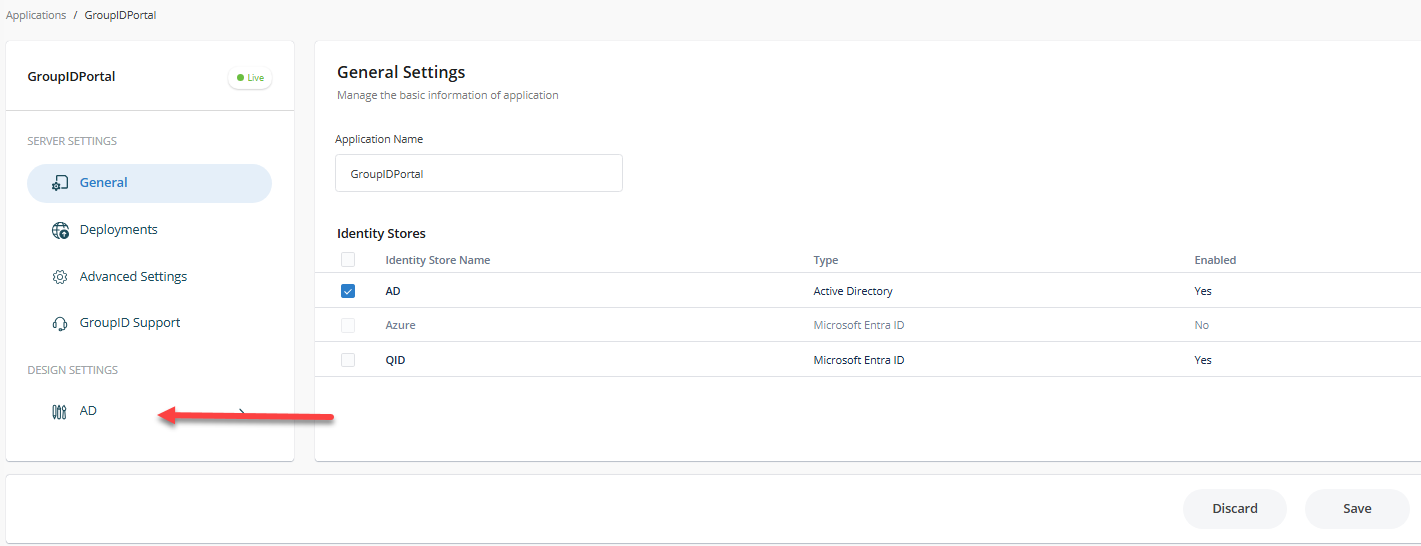
- In the portal settings, click the identity store name under Design Settings for which you want to make design changes.
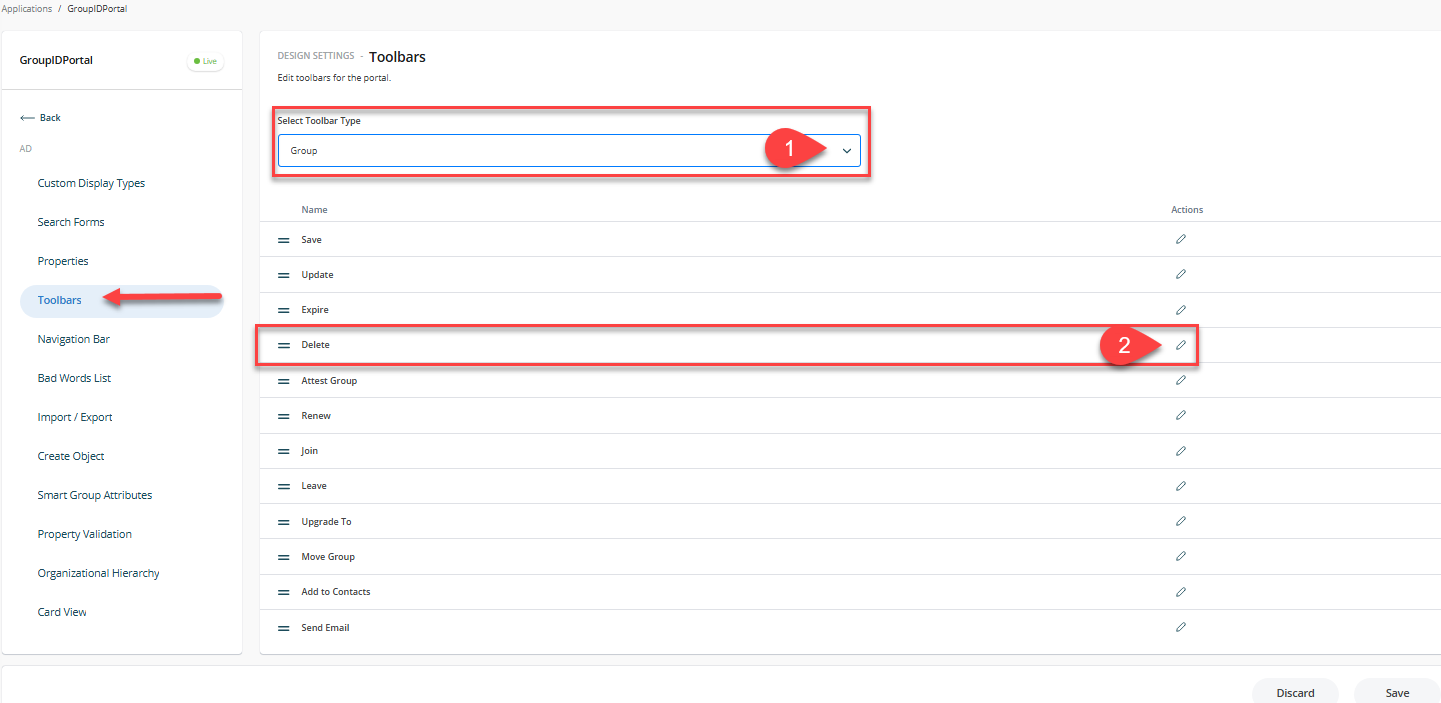
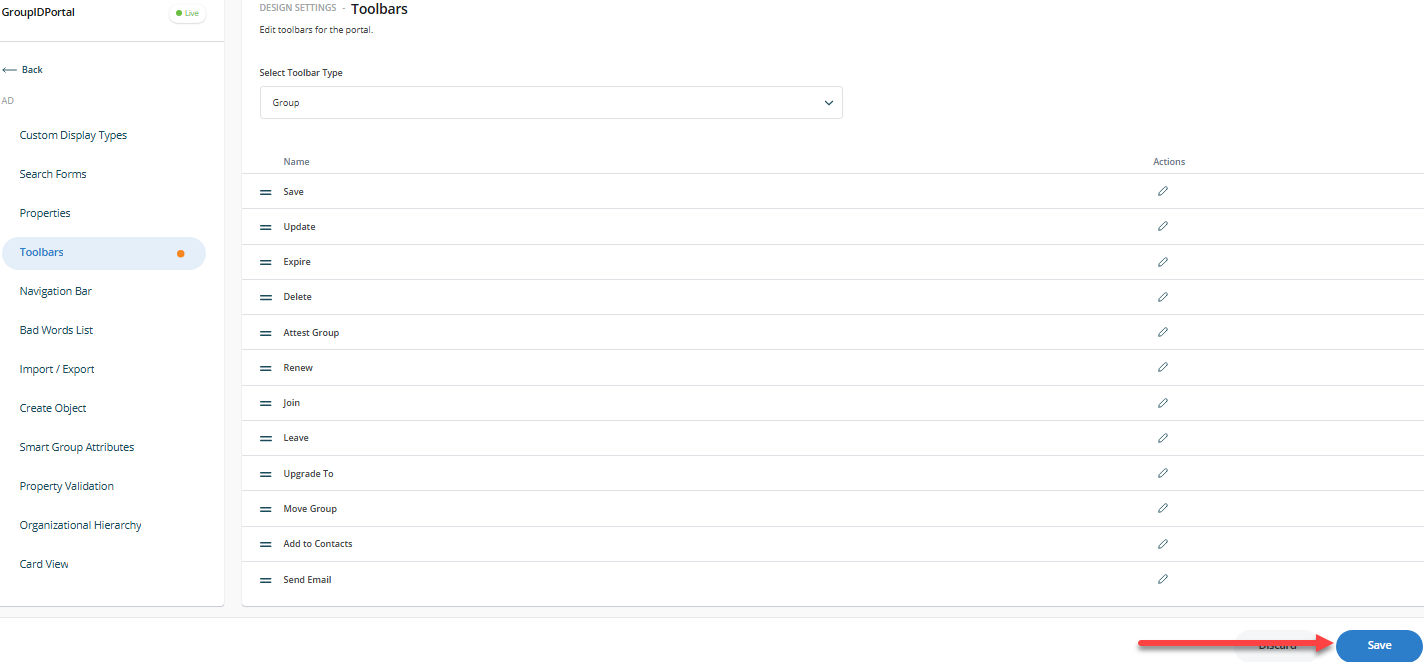
- Click the Toolbars button and select Groups from the Select Toolbar Type drop-down list.
- Select Delete from the list for the selected toolbar and click the Pencil icon to edit.
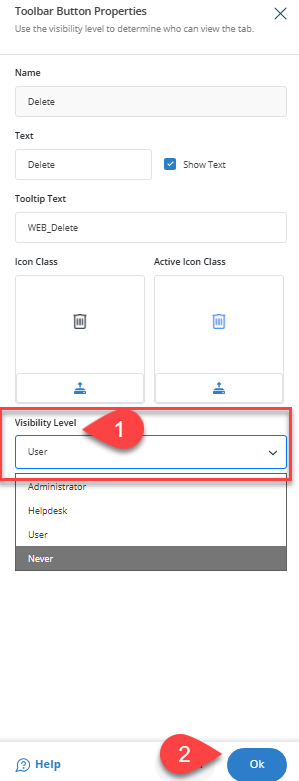
- In the new window, locate the Visibility Role drop-down list and change the value from Users to Administrator. When Users is selected, the button is visible to all roles with a higher priority than Users. To hide the Delete button from everyone, select Never.
- After making changes, click the Save icon in the Designs tab to save your changes.
- Refresh or relaunch the Directory Manager Portal and verify by opening the properties of any group. The Delete option will no longer be available in the toolbar for non-administrative users.
To hide the Delete option from the Group Search or My Groups toolbars, select the Groups Search toolbar type in step 4 and repeat steps 5 to 7.