Update Support Email Address for Contact Link
Applies To
Netwrix Directory Manager 11
Overview
The Netwrix Directory Manager application portal includes a Contact link at the bottom of each page. This link opens your default email application with a pre-filled support email address, allowing users to contact the admin or helpdesk for inquiries, support requests, or feedback. You may need to change this email address so users can contact your local IT team for portal-related issues.

Instructions
Change the Support Email Address for the Contact Link
- In the Directory Manager Admin Center, select Application > your required portal > Settings.
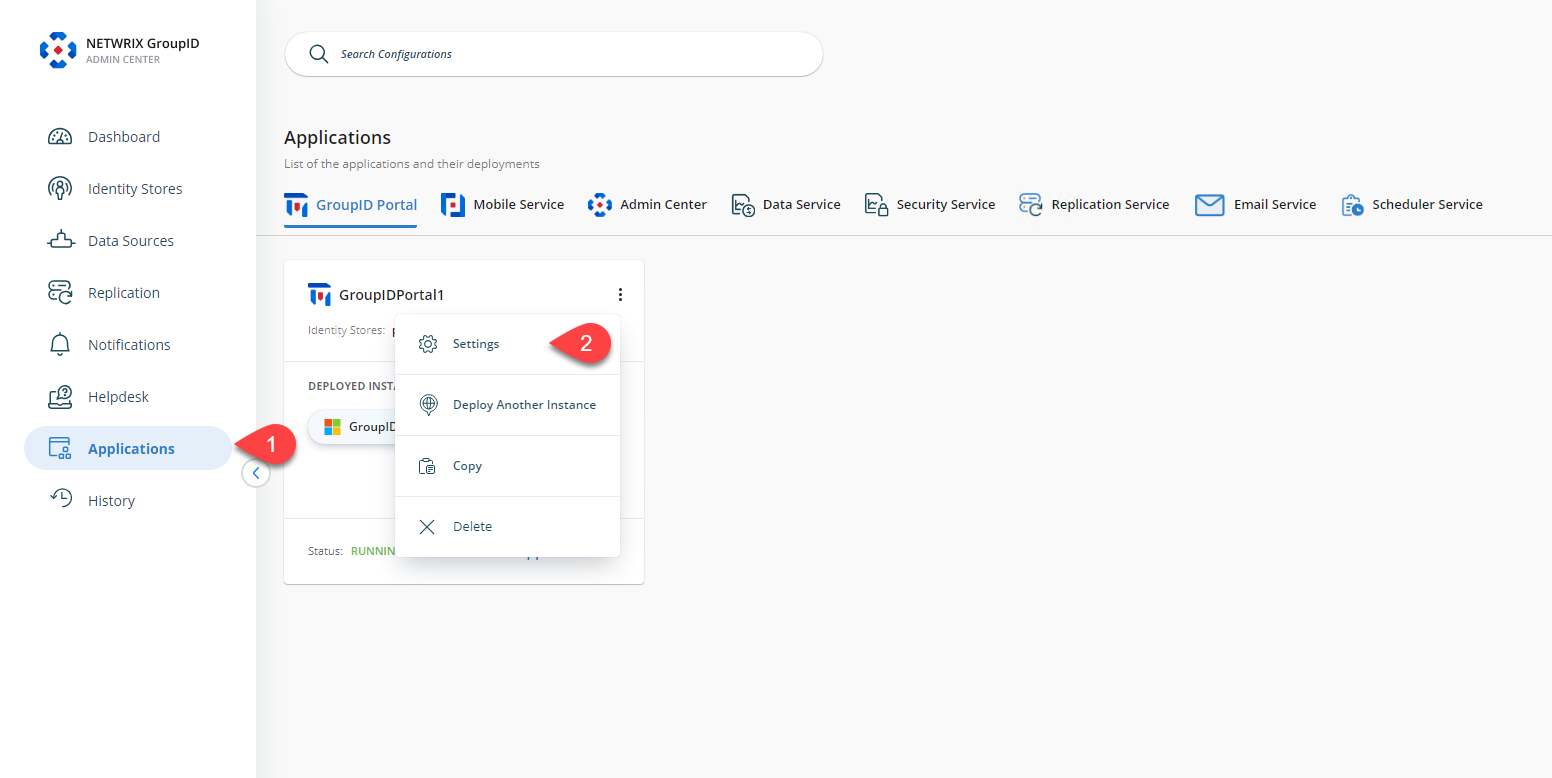
- Click the Directory Manager Support tab.
- In the Support group/administrator's email address box, enter the email address for the group, user, or contact who will respond to requests or inquiries from portal users.
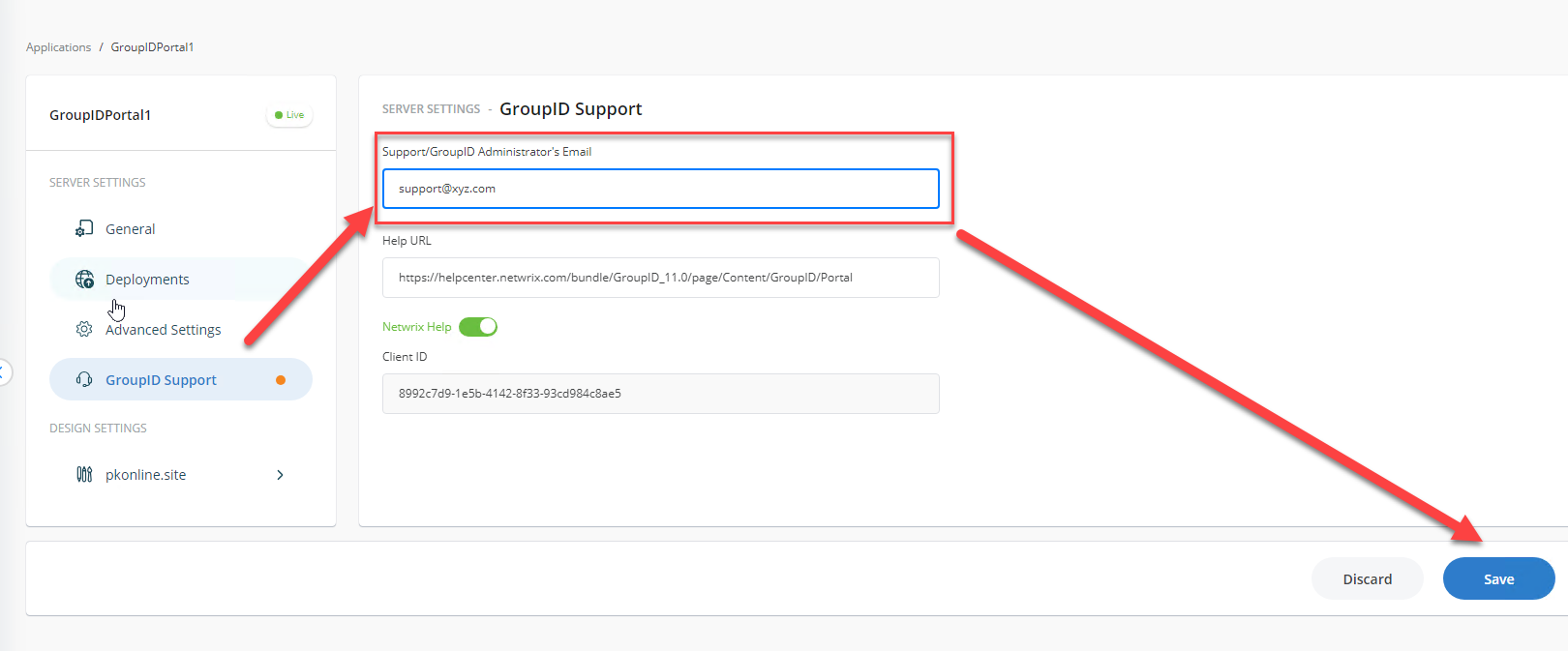
- Click Save.
- Click the Contact link in the portal to verify that your specified email address appears in the 'To' box of your default email application.