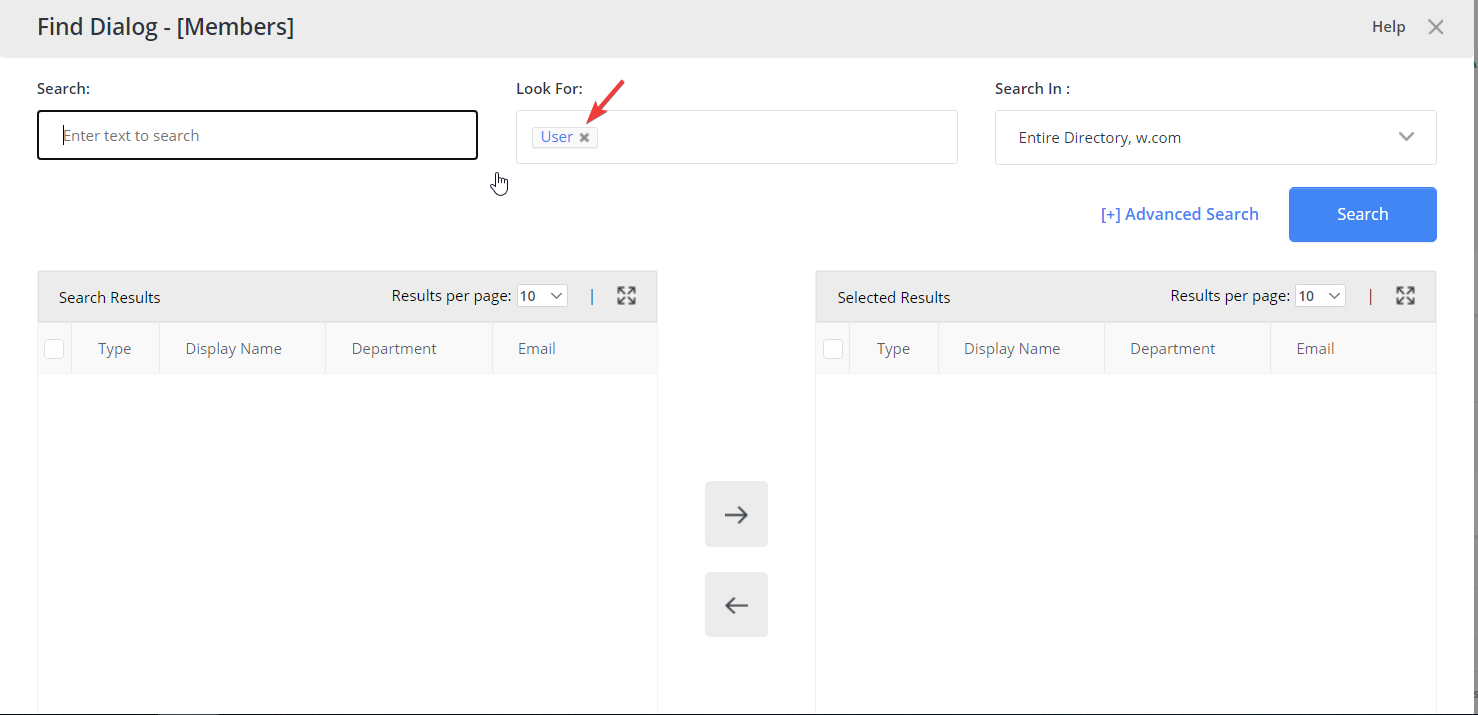
How to Limit Users to Search Only for User Objects
Overview
This article explains how to configure Netwrix Directory Manager so that users can search only for User objects in the User portal's Find dialog box.
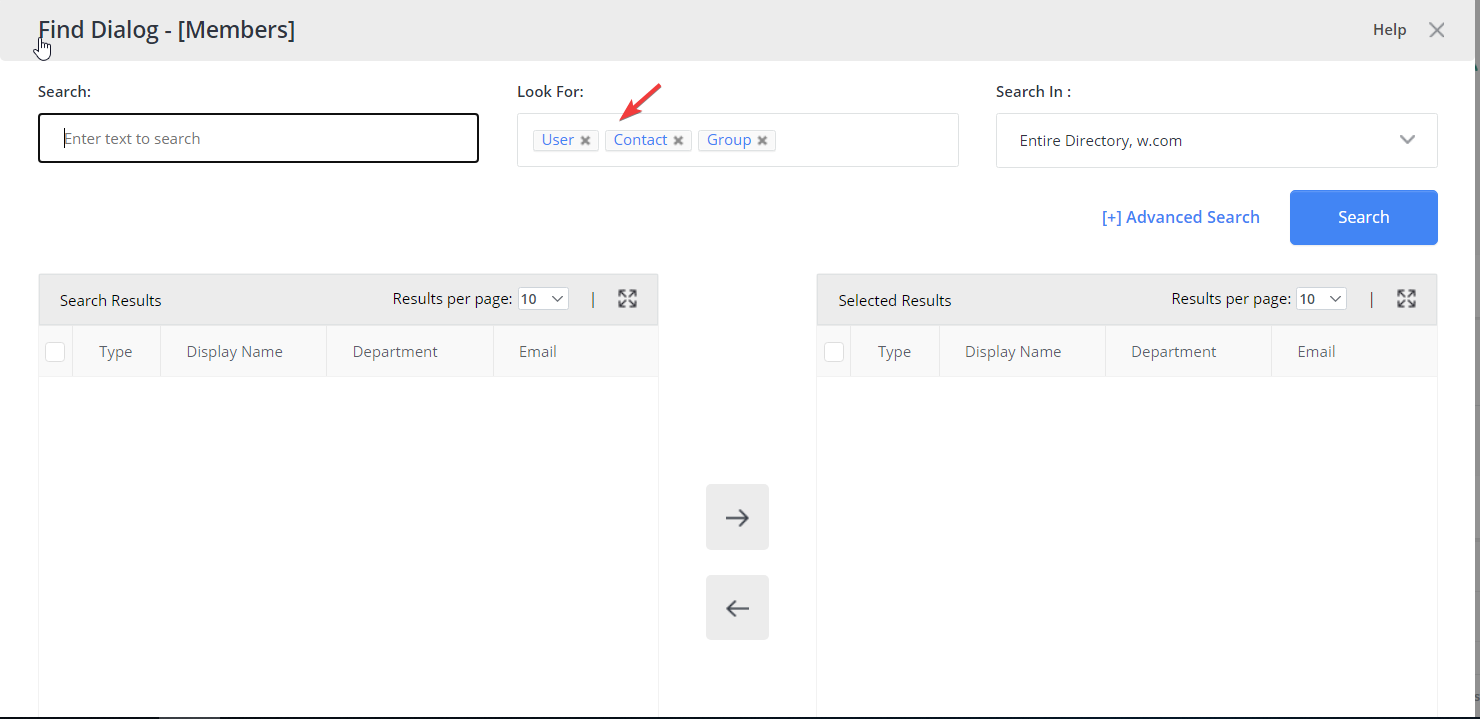
By default, the Find dialog box allows users to search for all object types, including users, contacts, and groups. You can restrict this feature to specific object types by adjusting the portal settings.
Instructions
-
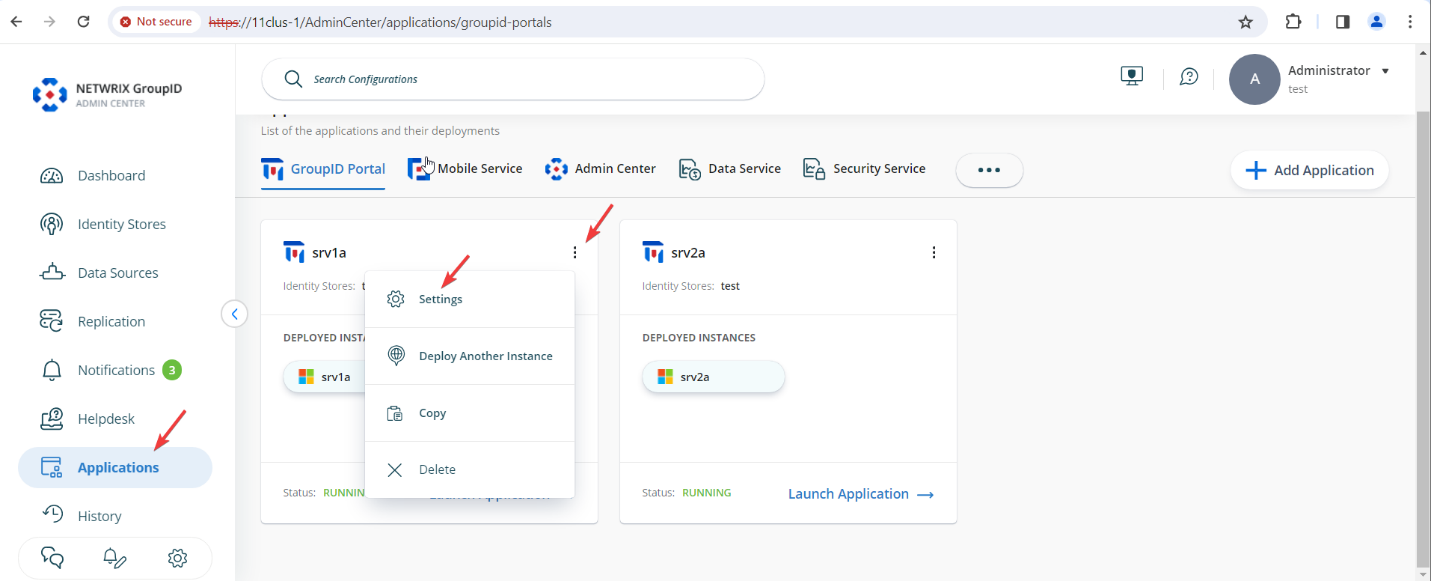
In the Directory Manager Admin Center, go to Applications. Locate the desired application/portal and click the three-dot icon to select Settings.
-
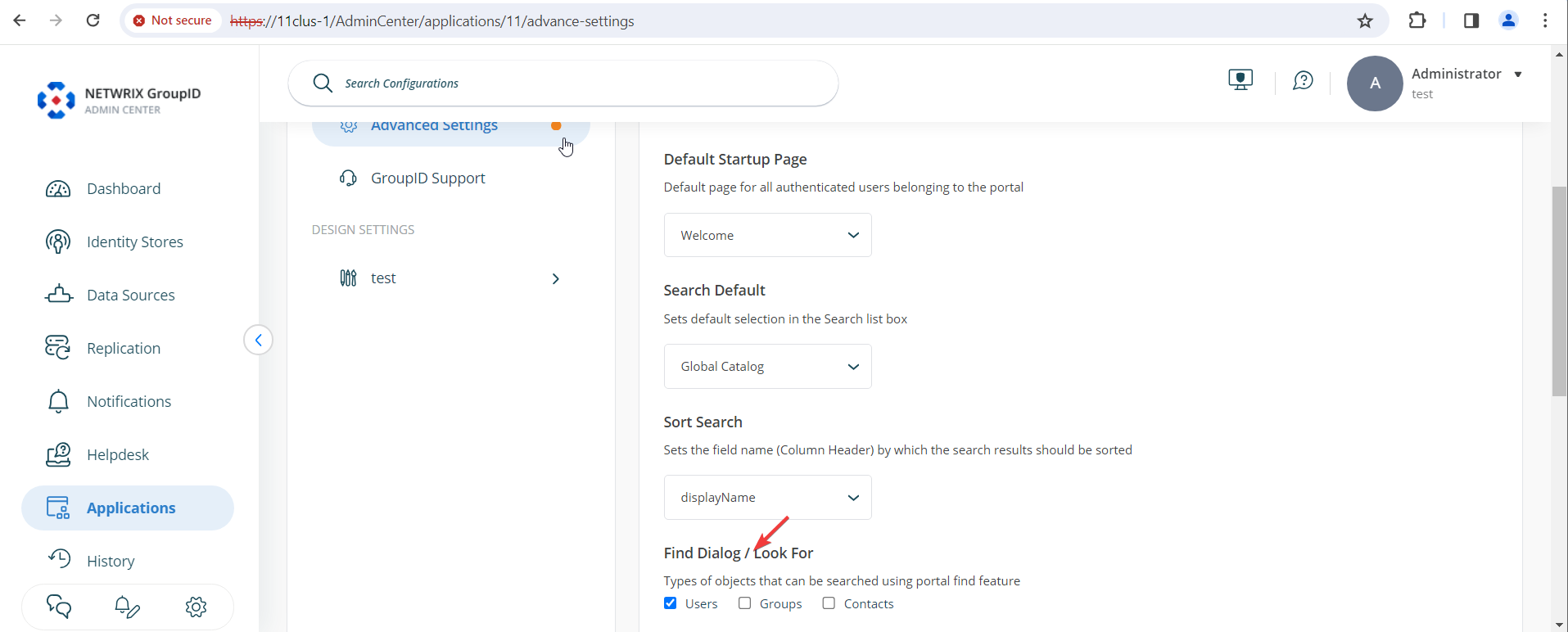
Click Advanced Settings. Under the Portal & Search tab on the right, locate the Find Dialogue / Look For option. Uncheck Groups and Contacts to limit searches to User objects only.
-
Scroll down and click Save to apply your changes.
Result
By default, the Find dialog box allows searches for Users, Contacts, and Groups.
After applying the configuration, the Find dialog box will display only the User object type in searches.