Limit Users to Create New Objects in Specified Containers
Overview
This article explains how to limit users to creating new objects only in specified containers in Netwrix Directory Manager. By applying the New Object policy to security roles, you can restrict where users are allowed to create groups, mailboxes, and other directory objects.
Instructions
-
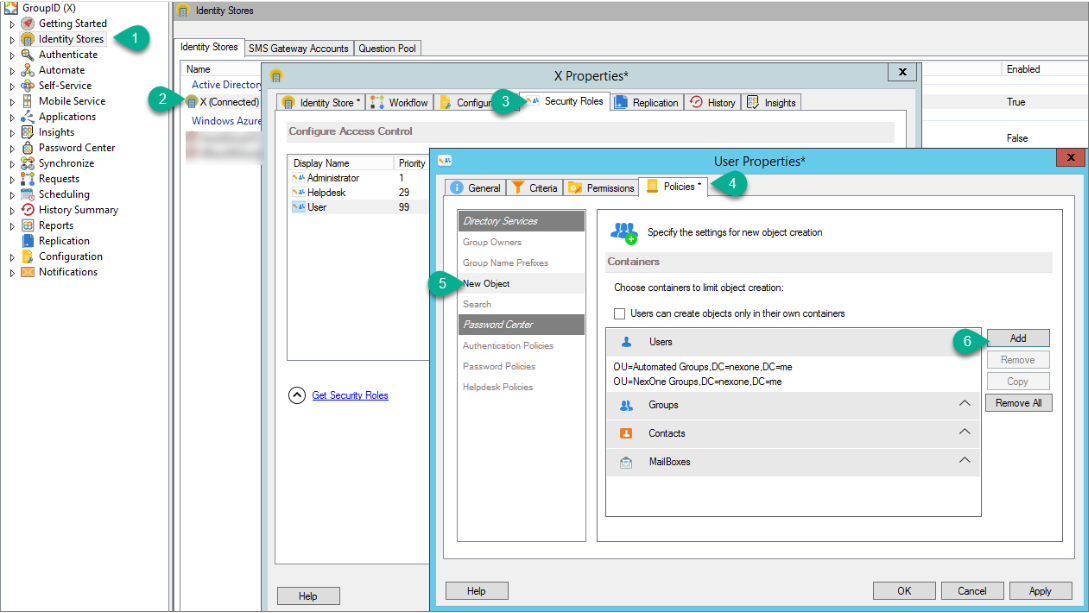
In the Directory Manager Management Console, click the Identity Stores node.
-
On the Identity Stores tab, double-click the required identity store to open its properties.
-
On the Security Roles tab, select a role to manage its policies and click Edit.
-
On the properties page, click the Policies tab then click New Object in the left pane.
-
Choose one of the following options:
-
Limit role members to create objects only in their own containers:
- Select the Users can create objects only in their own containers check box.
- The Select Container option will be disabled when role members create new objects.
-
Specify a container for an object type:
- Select the object type you want to specify a container for. The arrow for the selected object will point downward.
- Click Add.
- In the Select Container dialog box, select one or more containers where role members can create the selected object type. If the selected container is a parent, child containers are automatically selected; you can unselect child containers if needed. Role members will only see the selected containers when creating new objects and can choose the desired container.
- Click OK.
-
-
Click Apply and then OK on the New Object page.
NOTE: Removing all containers for an object type means the New Object policy no longer applies to that object type, and users can create the object in any OU in the identity store.
Expected Results
With the New Object policy applied, role members can create new objects only in the specified containers.
In Automate
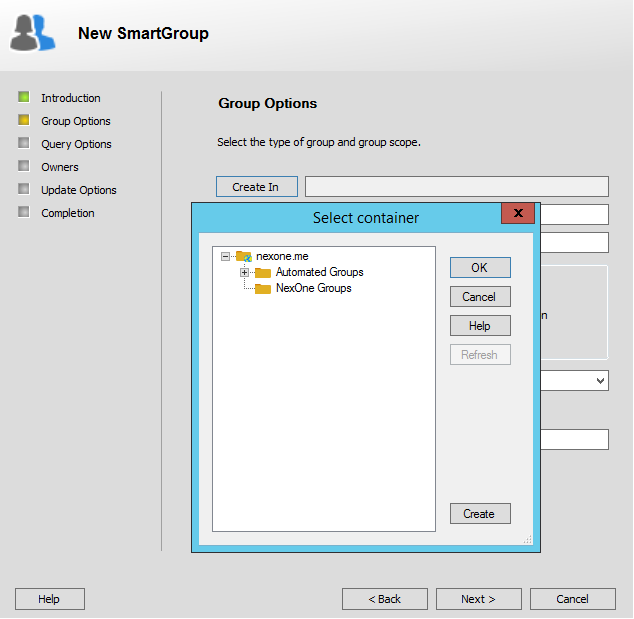
- On the Group Options page of the New Group wizard, users can view and select only the specified OUs for new group creation.
In the Self-Service portal
-
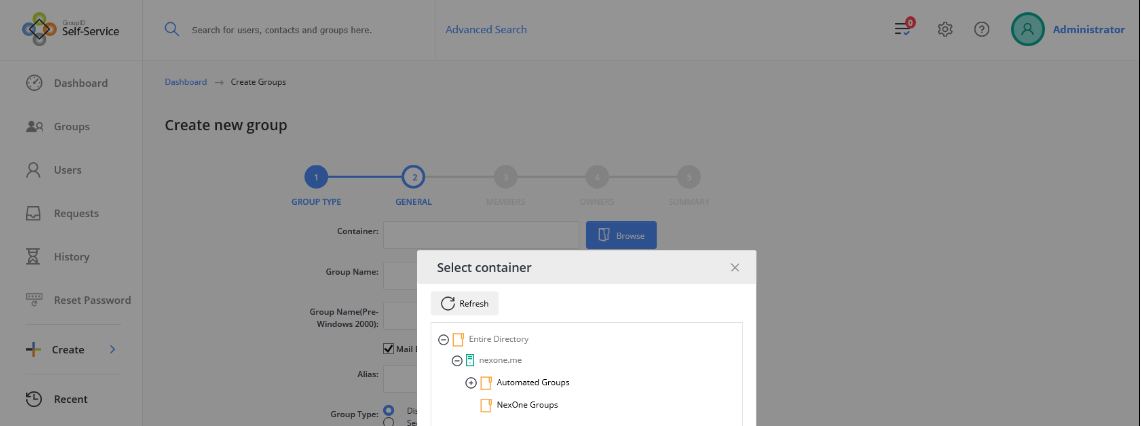
On the General page of the Create Group wizard, users can view and select only the specified OUs for new group creation.
-
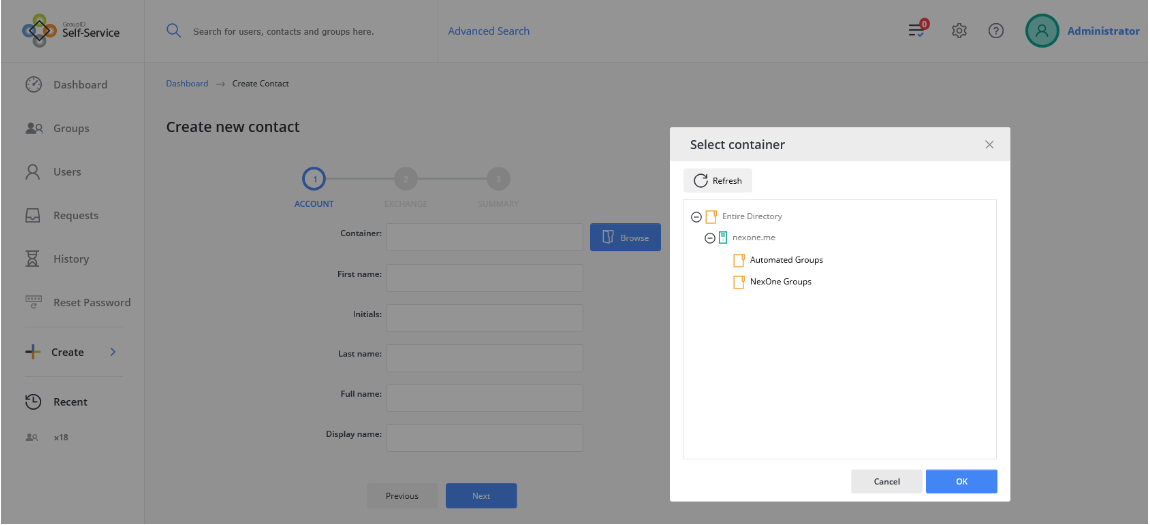
On the Account page of the Create Contact wizard, users can view and select only the specified OUs for new contact creation.