Change Log Level from Error to Debug v11
Applies To
Netwrix Directory Manager 11
Overview
By default, Netwrix Directory Manager records only critical errors in its logs. If you need to investigate unexpected behavior, debug a failed process, or work with support, you can increase the log level to capture more detailed information. Setting the log level to Debug provides deeper insight into system operations and helps you identify and resolve issues more effectively.
Instructions
Change Log Level from Error to Debug
- Go to the Admin Center.
- Navigate to Applications.
- Open the Settings for the application you want to modify.
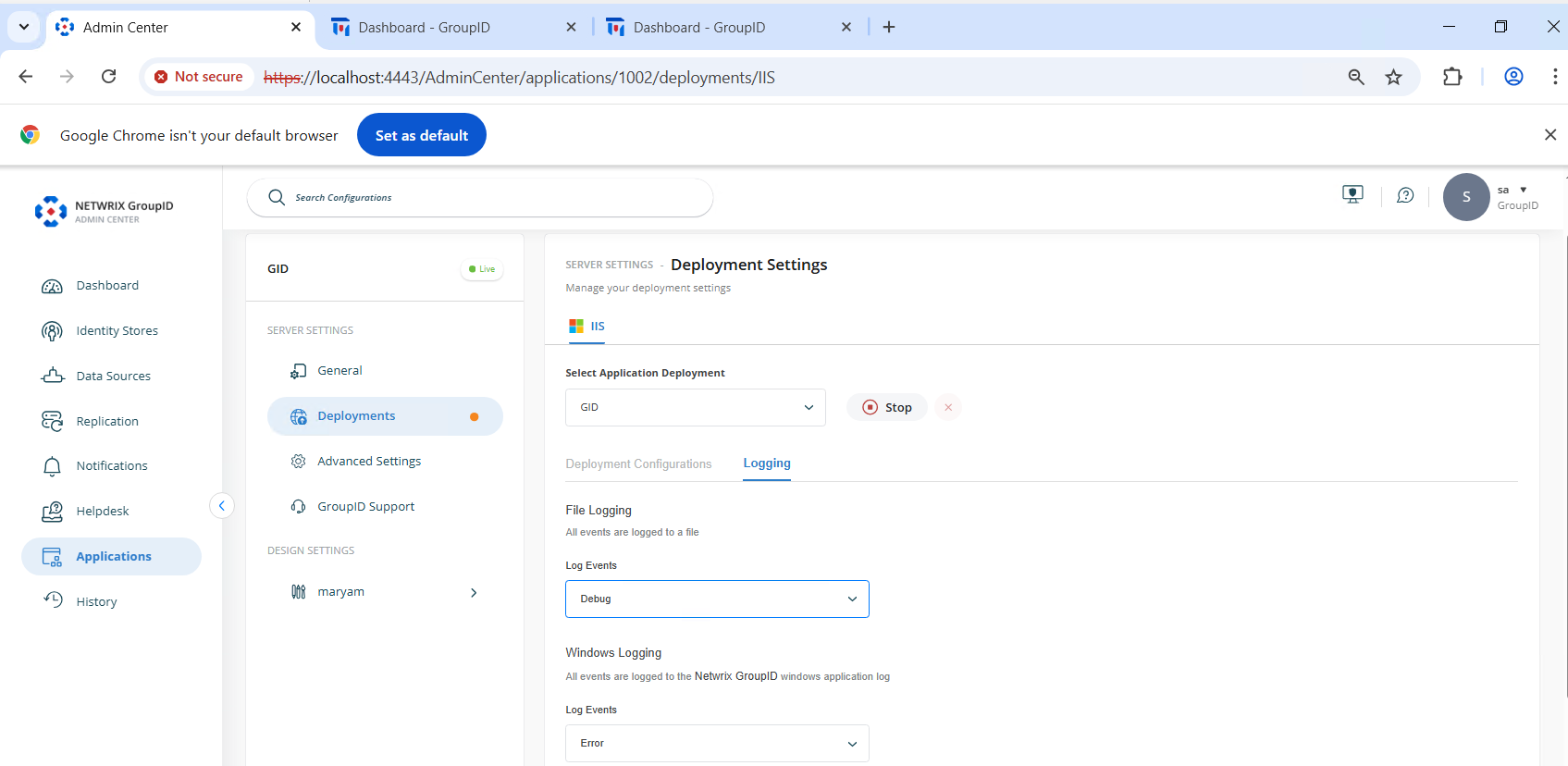
- Go to Deployments.
- Select Logging.
- Set both File Logging and Windows Logging to Debug using the dropdown lists.
- Click Save to apply the changes.
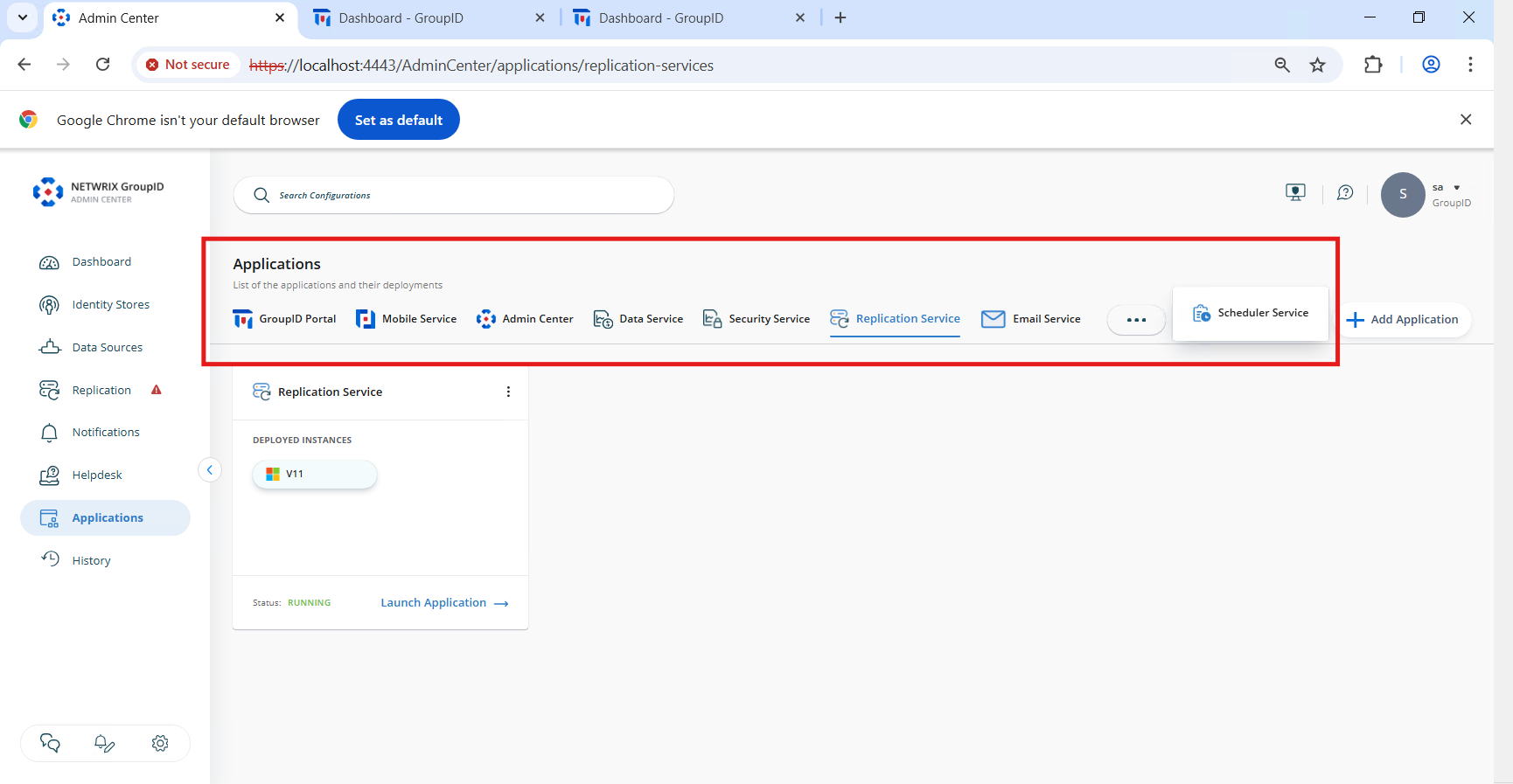
- Repeat these steps for each of the following applications:
- Replication Service
- Admin Center
- Data Service
- Security Service
- Email Service
- Mobile Service
- Scheduler Service
- Once complete, Netwrix Directory Manager will capture detailed logs for better system monitoring and troubleshooting.