Collecting All Log Files in v11
Applies To
Directory Manager 11
Overview
Netwrix Directory Manager (formerly GroupID) is a suite of applications that perform a wide range of identity and access management functions. To help track and troubleshoot anomalies, Directory Manager includes a comprehensive logging mechanism. If logging is enabled for the identity store, the application generates log files for its various modules and events and saves them in different locations on the file system.
Instructions
Follow the steps below to use the Logs Download feature to collect and save all Directory Manager log files to a specific location, rather than locating each log file individually.
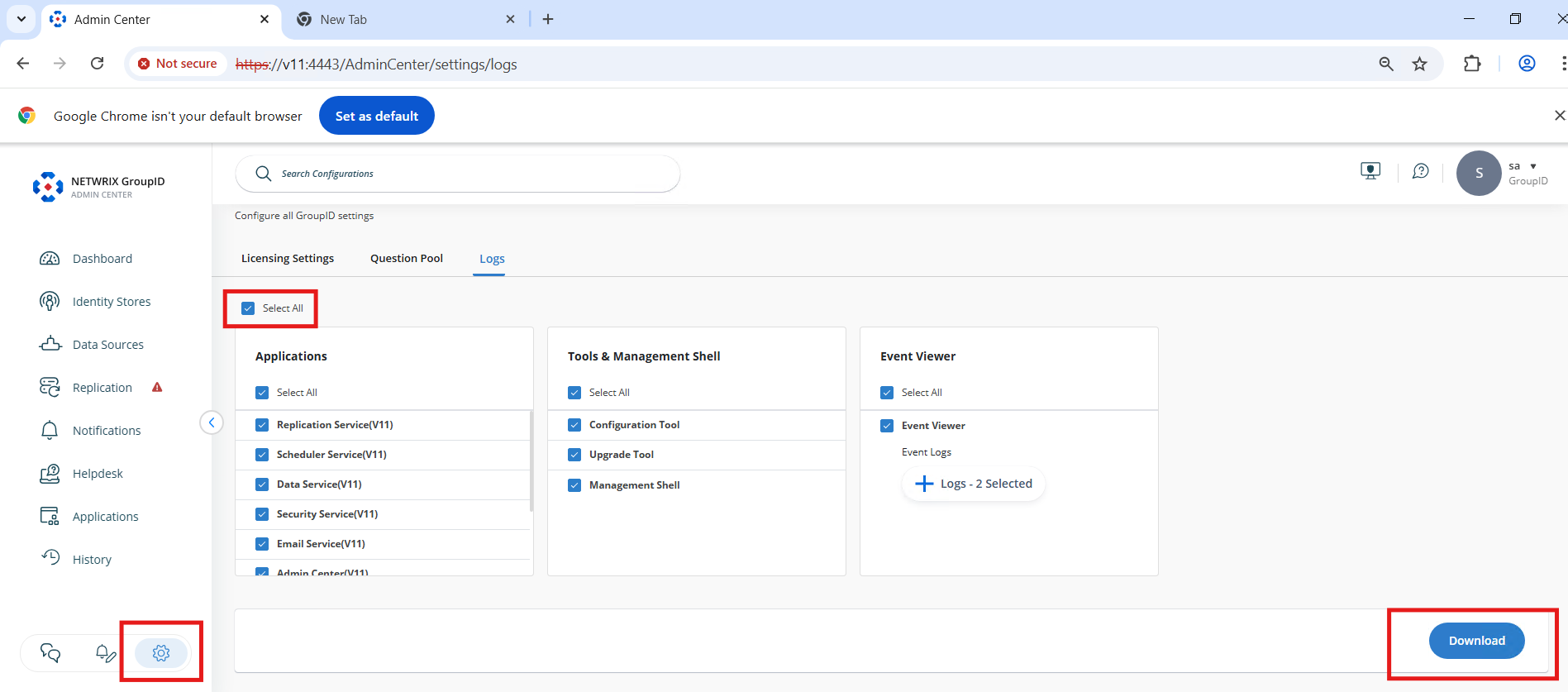
- From the Directory Manager v11 server, open the Admin Center.
- Navigate to Settings.
- Select the Logs option.
- On the Logs screen:
- Select the Select all checkbox. This will select all logs from:
- Applications
- Tools & Management Shell
- Event Viewer
- Select the Select all checkbox. This will select all logs from:
- Click Download.
- A zipped file containing the logs will be downloaded to your server's Downloads folder.