Unable to Sort Groups by DisplayName
Applies To
Netwrix Directory Manager 11
Symptom
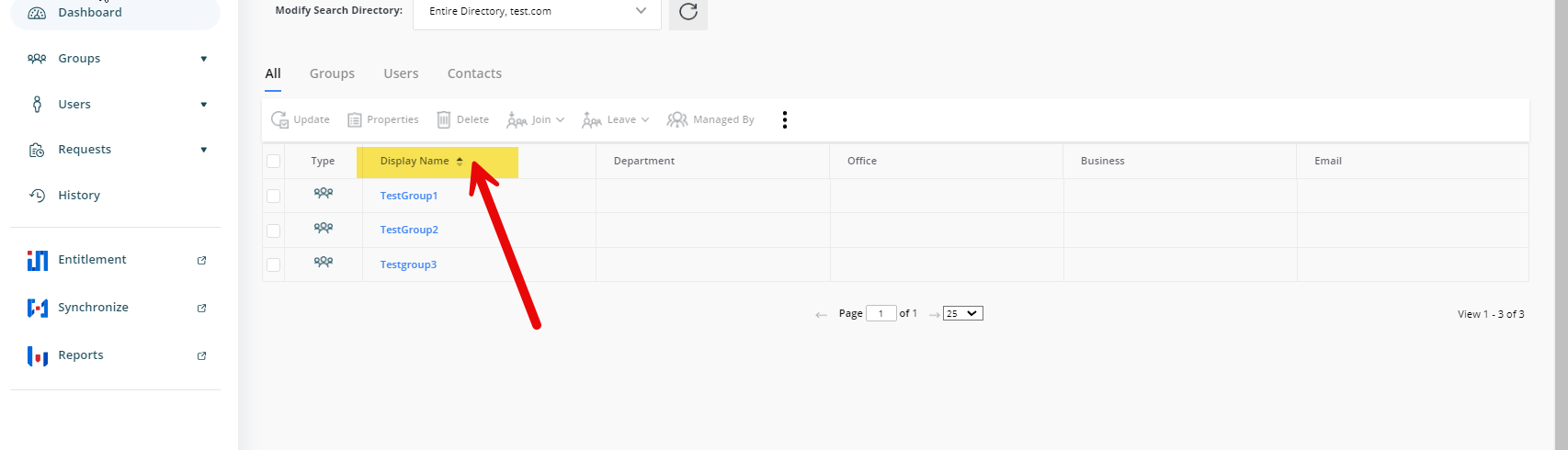
When you attempt to sort the My Groups listing in Netwrix Directory Manager (formerly GroupID) by the Display Name attribute, the groups do not sort in ascending (alphabetical) order as expected. The screen may display a “Loading” message, but the system fails to sort the listing.
Cause
- The Display Name attribute is not mandatory for groups created directly in Active Directory, so some groups may not have this attribute populated.
- When you sort by Display Name in Netwrix Directory Manager, the portal treats missing display names as null values and uses the Common Name instead. This can result in incorrect or failed sorting.
- Groups created using Netwrix Directory Manager always have a Display Name because it is a required attribute.
Resolution
- Verify which groups are missing the Display Name attribute by checking the attribute editor in Active Directory.
- Populate the Display Name attribute for all groups that are missing it.
- After all groups have a Display Name, the Netwrix Directory Manager portal will sort group listings correctly by this attribute.
NOTE: You may use bulk editing tools or scripts to update the Display Name attribute for multiple groups in Active Directory if needed.