Use Synchronize to Deprovision User Accounts in Active Directory
Related Queries
- "Use Directory Manager Synchronize to deprovision user accounts in Active Directory"
- "Is there any way to deprovision user accounts in Active Directory while stamping them with a time and date when they are disabled?"
Overview
This article explains how to use Netwrix Directory Manager (formerly GroupID) Synchronize to automatically deprovision user accounts in Active Directory when an employee's status is updated to Termed in the HR database. The process also stamps the account with the date and time of deprovisioning in the Description field for audit and tracking purposes.
Instructions
-
Open the Synchronize portal.
-
In the left pane, click the Create New button and select Job.
-
On the Job Template page, provide job details, select the Blank Job option, and click Next.
-
Select your source provider, then select Active Directory as the destination provider and click Next.
-
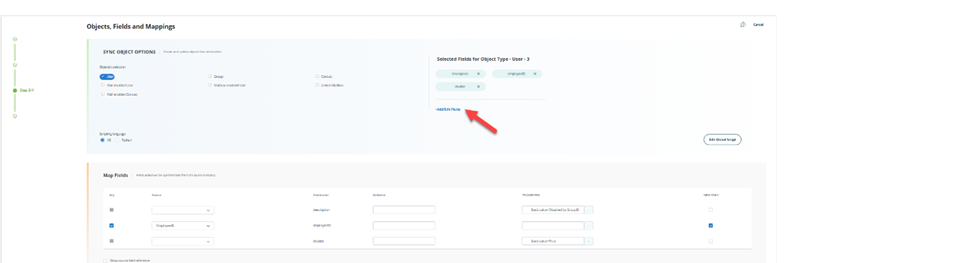
In the Sync Object Options section:
- Select the required object type (for example, User).
- Select the attribute that will serve as the primary key (for example, EmployeeID).
- Select Description and Disable Account (pseudo-attribute) as destination fields.
-
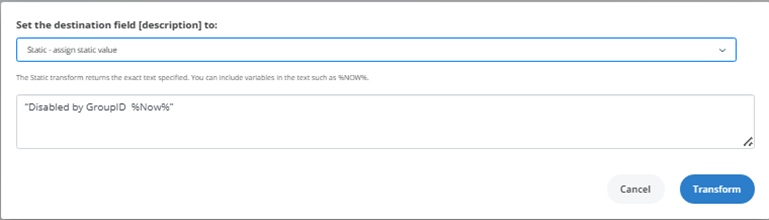
On the Map Fields page, apply the following transformations:
- Set the destination field for Description to Static and enter:
Disabled by GroupID %Now%
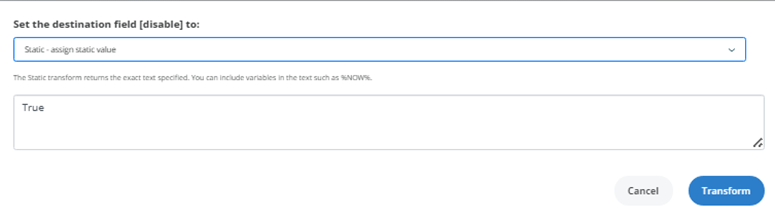
- Set the destination field for Disable Account to Static and enter:
True
- Set the destination field for Description to Static and enter:
-
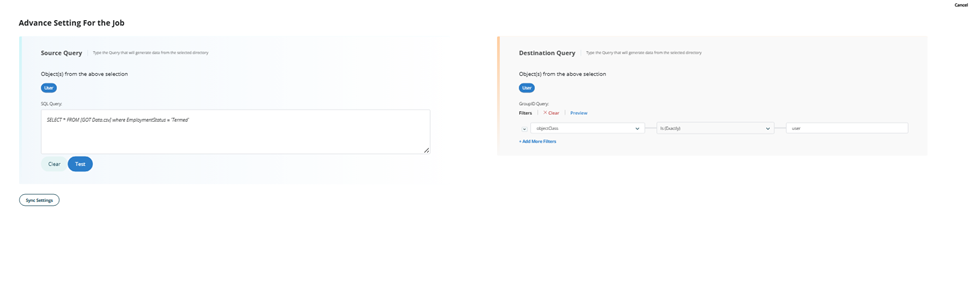
Click Next, then use the Advanced option to filter user accounts in the HR database where EmploymentStatus is
Termed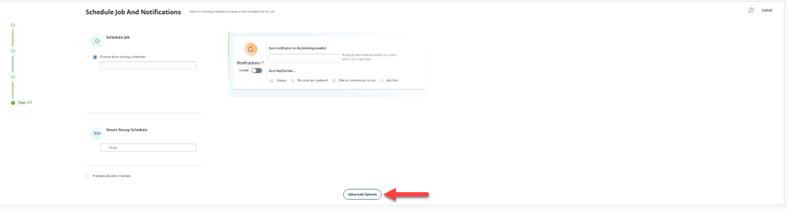
-
Complete the job wizard, then preview the job to verify the expected results.
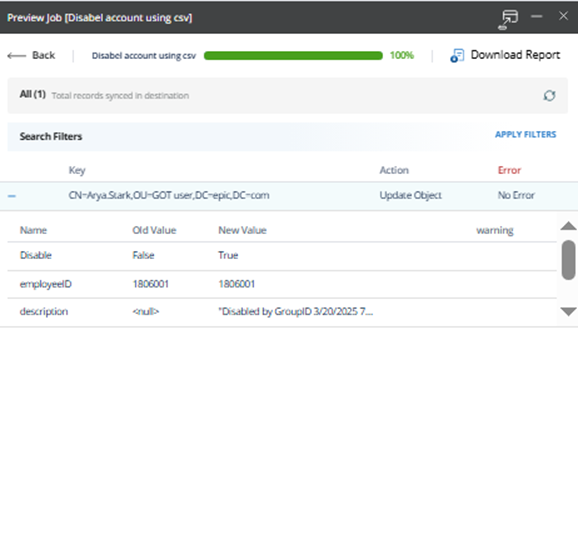
NOTE: The Disable Account pseudo-attribute is available in Synchronize and accepts
TrueorFalseas values. The%Now%variable in the Description field will insert the current date and time when the job runs.