How to Select Multiple Computers and Users Within Groups
Overview
This article explains how to select multiple computers and users within a group using the multi-selection feature. This method allows system administrators to select several computers or users at once, without scrolling and selecting each entity individually.
Instructions
-
In the Endpoint Protector console, navigate to Device Control > Groups.
-
Create a new group or open an existing group in Edit mode.
-
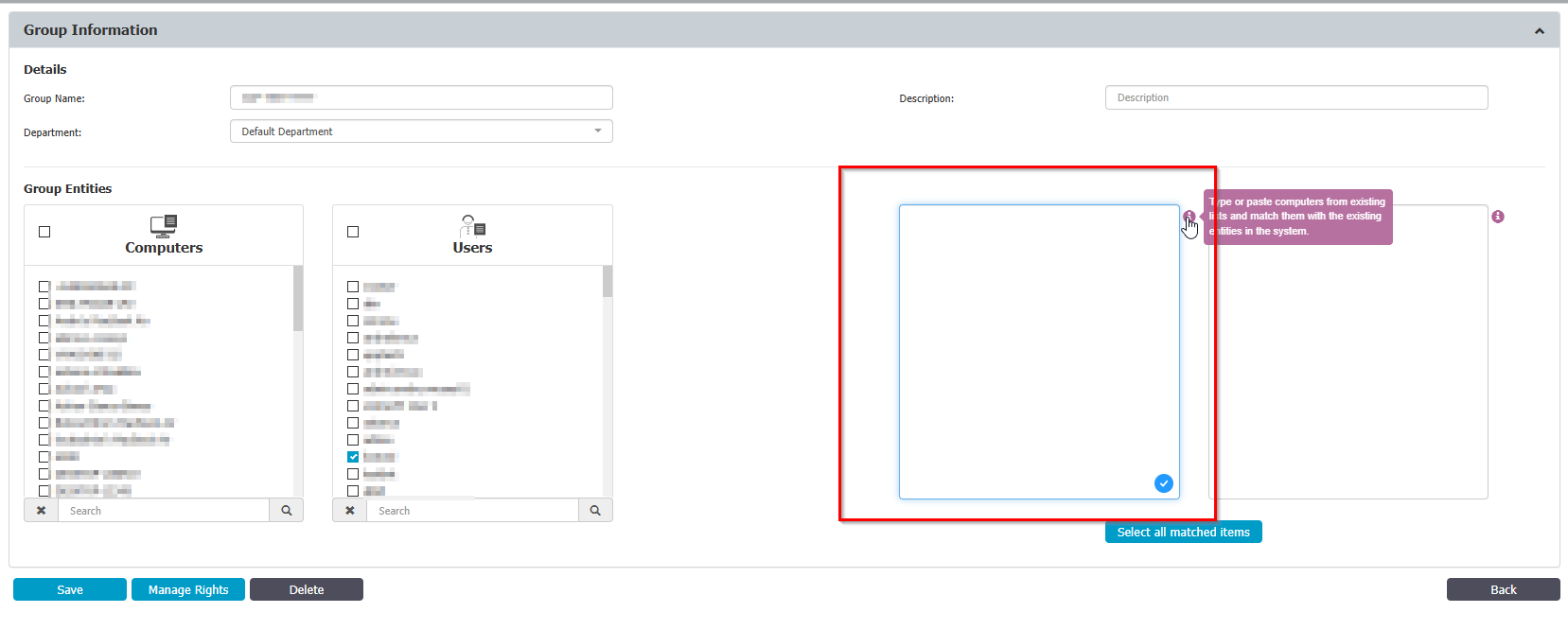
To select multiple computers/users, copy and paste the desired list of computers/users in the highlighted box on the right-hand side of the Group Information page.
-
Click Select all matched Items to select all computers listed in the left box.
-
Selected computers are highlighted with blue check marks, and a green notification on the right side of the page shows how many items were matched.