How to Monitor Webmail for Gmail, Outlook, and Yahoo
Overview
This article explains how you can enable the Monitor webmail setting in Netwrix Endpoint Protector, which allows subject and body scanning for Gmail, Outlook, and Yahoo webmail in browsers.
Instructions
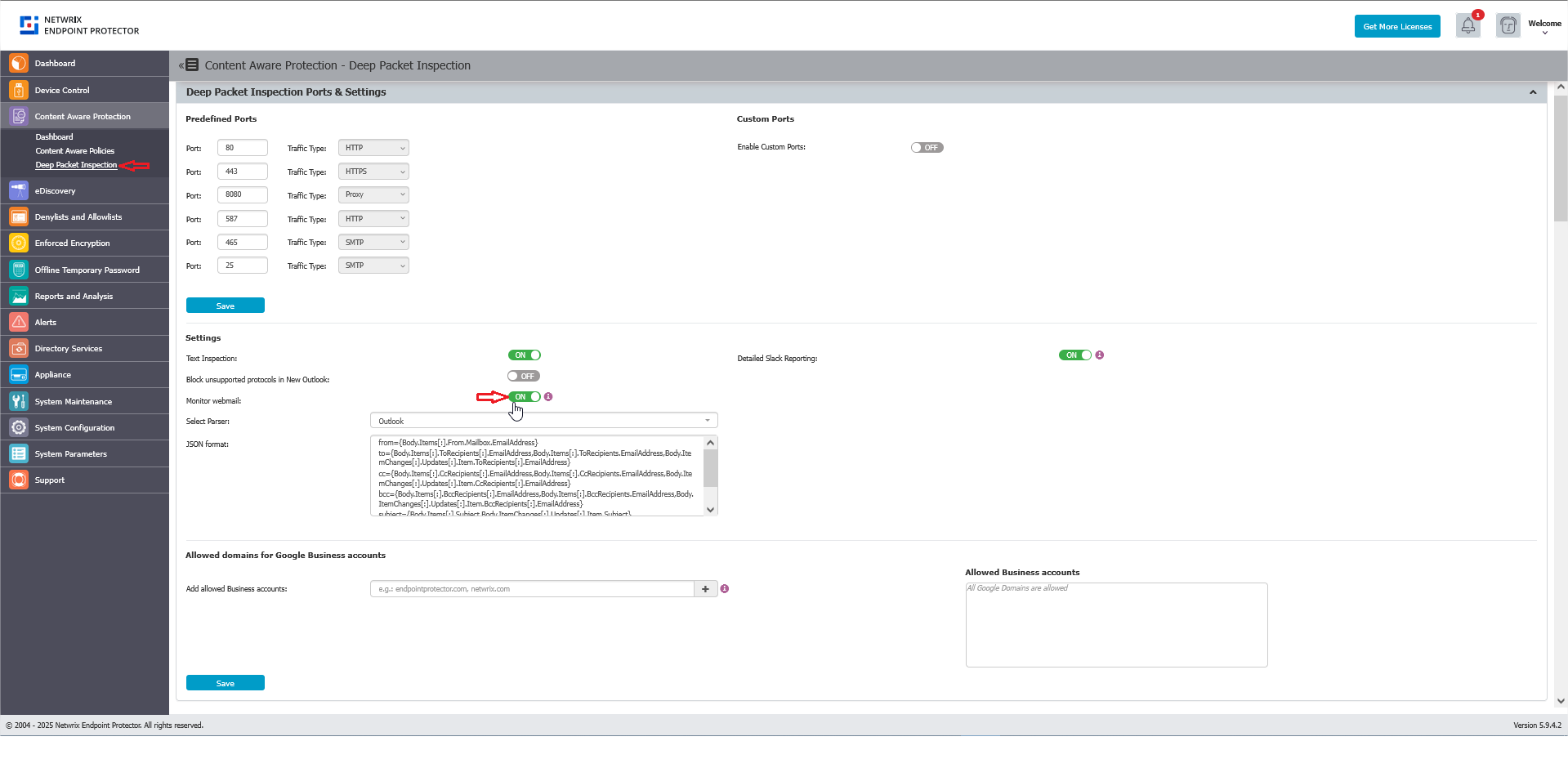
- Navigate to Content Aware Protection > Deep Packet Inspection.
- Toggle the switch to enable the Monitor webmail setting.
When you enable this setting, it allows monitoring of the subject and body fields for Gmail, Outlook, and Yahoo webmail accessed through browsers.
note
If a webmail provider changes its page structure and subject or body extraction stops working, Endpoint Protector uses a JSON parser to locate these fields. See Monitor Webmail JSON Format Parser Usage for the parser syntax and examples. Only adjust the parser if Monitor webmail stops working — don't change it otherwise.