How to Use the Content Detection Summary
Overview
This article explains how to use the Content Detection Summary section in Endpoint Protector (EPP). The Content Detection Summary displays all predefined content, custom content, regular expressions, and HIPAA items that were checked in the Content Aware Policy.
Customers with a Premium license can edit the policy and combine multiple criteria (predefined content, custom content, regular expressions, and HIPAA) using the AND operator in addition to the OR operator.
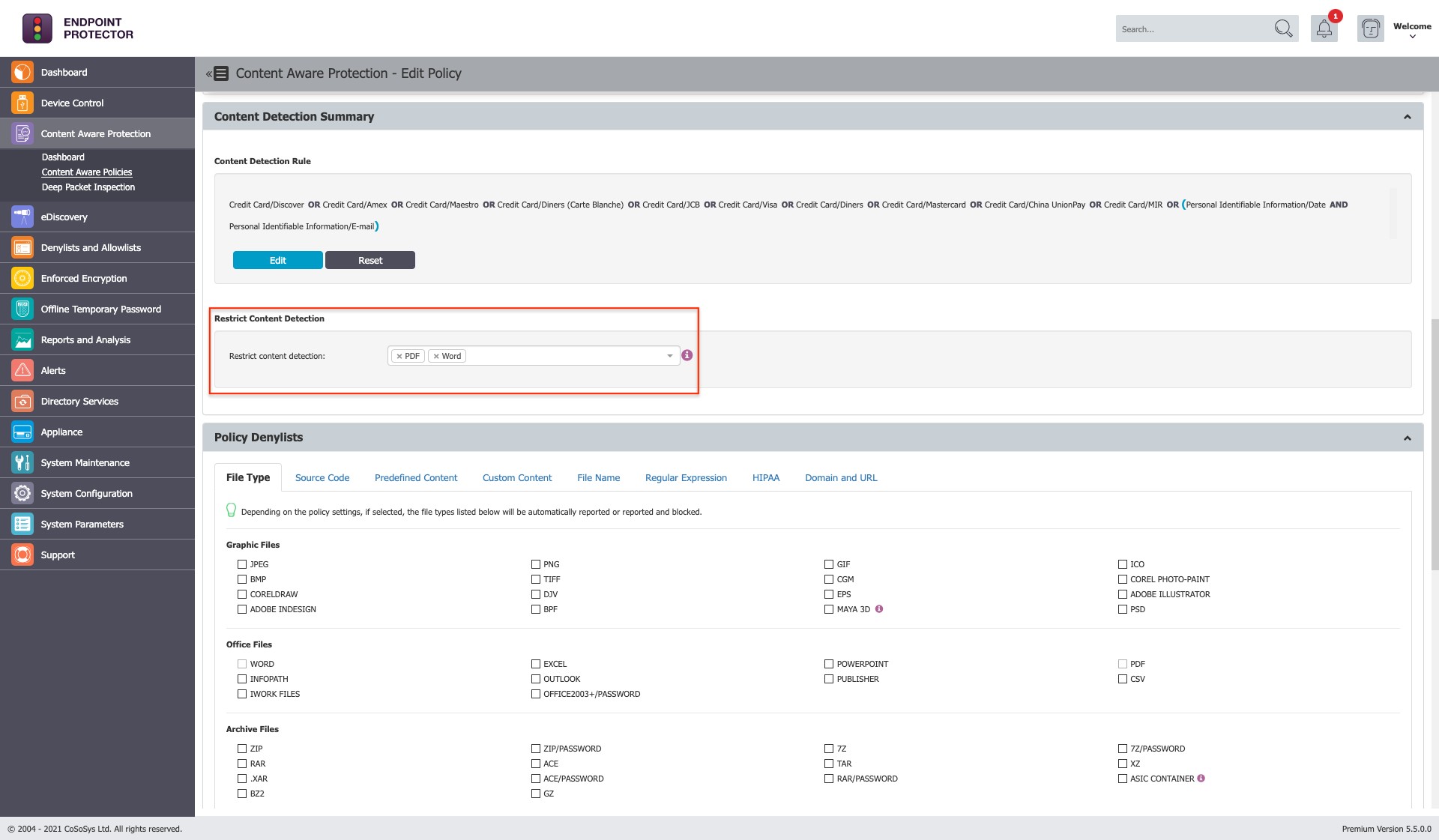
You can apply the content detection rule only to specific files. Files selected in the Restrict Content Detection section cannot be checked in the Policy Denylist > File Type section and vice versa.
Instructions
Follow the steps below to complete this process:
- Add a Premium license to your EPP Server.
- Create the Content Aware Policy by navigating to the Content Aware Policies section in the EPP Console.
- Select the content types: Predefined Content, Custom Content, Regular Expression, or HIPAA.
- Navigate to the Content Detection Summary section and click Edit.
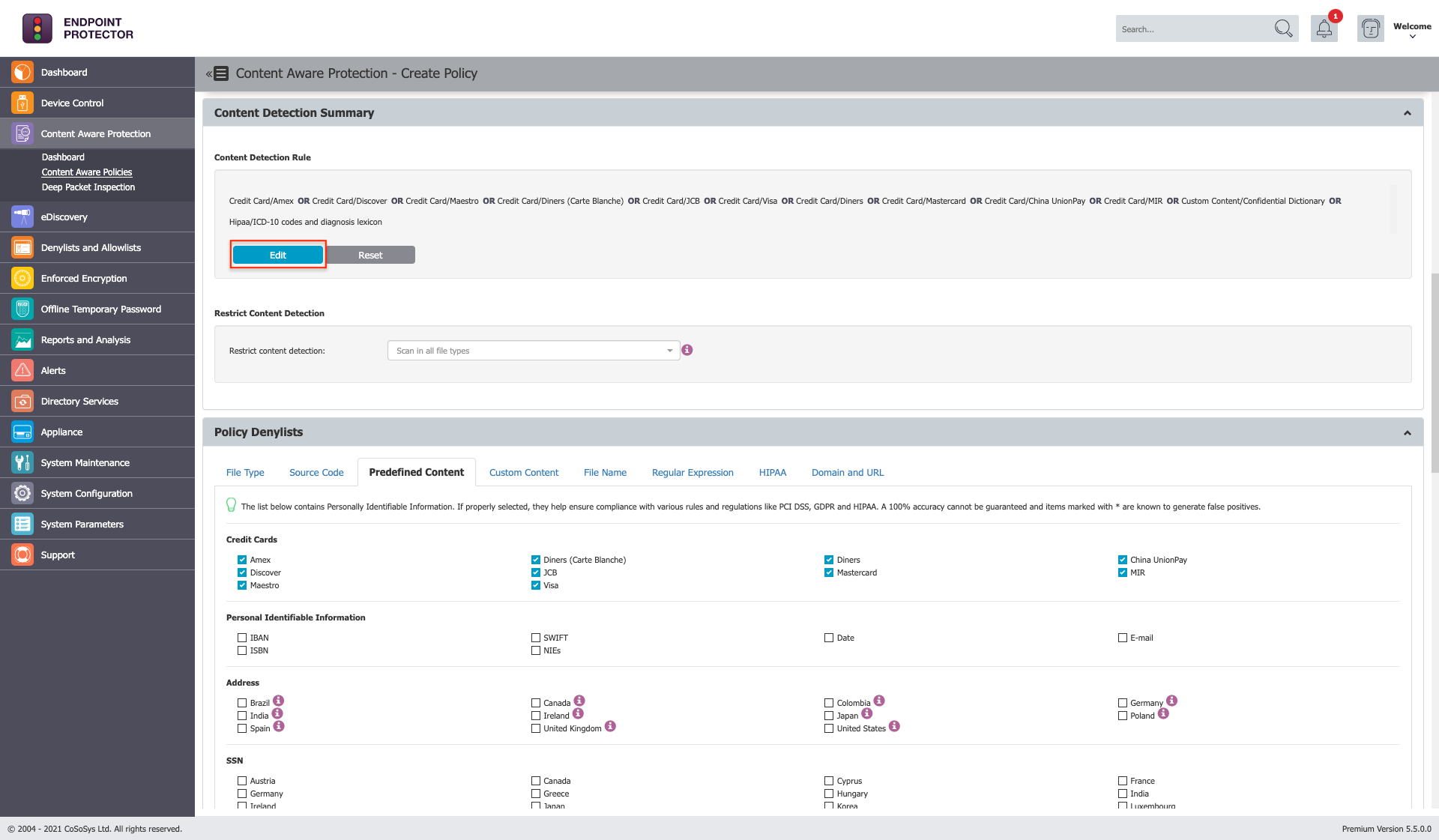
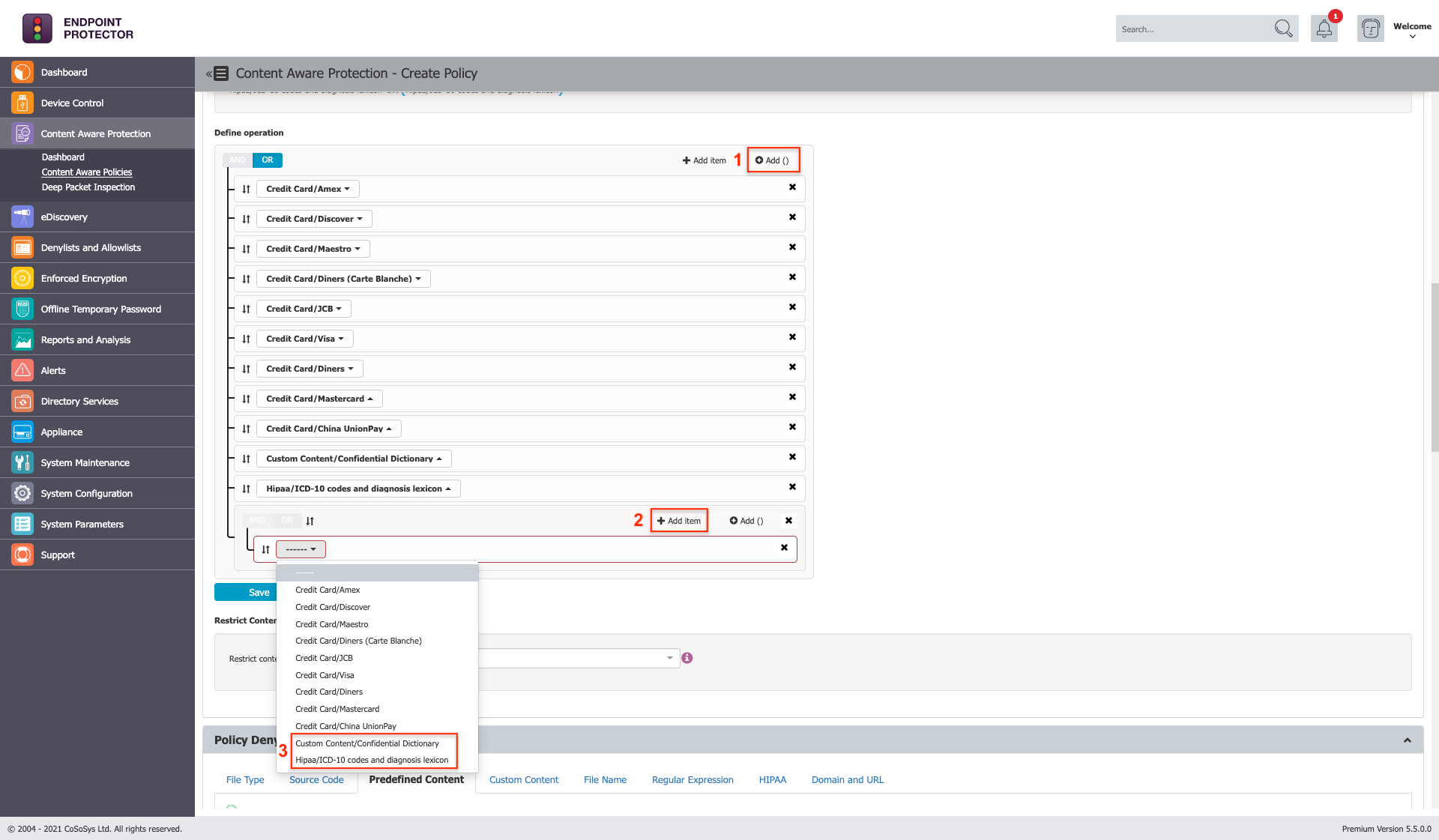
- Define the Content Detection Rule by using the Add () or Add item button.
- From the main OR defined operation, delete Confidential Dictionary and HIPAA.
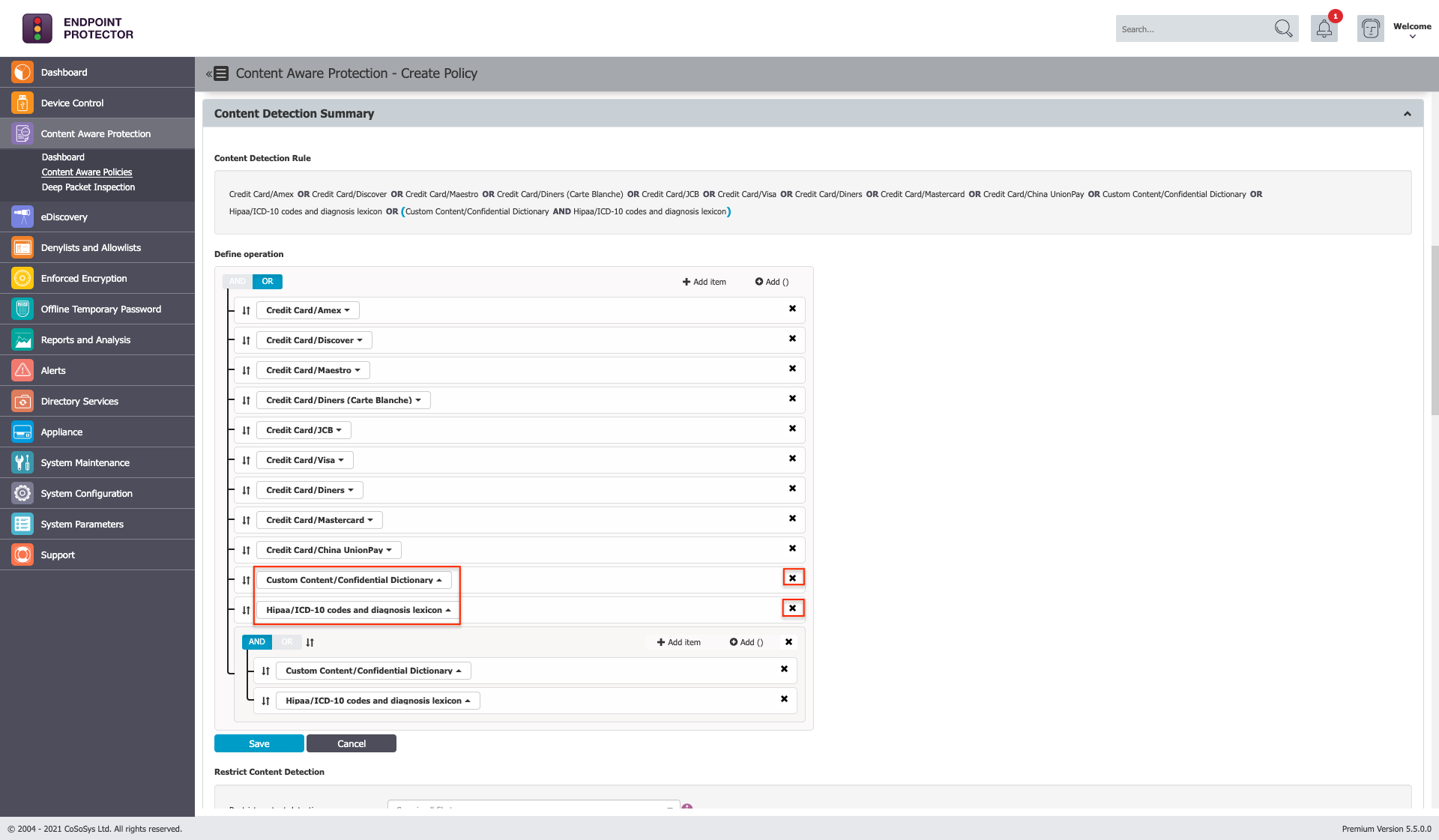
- Review the rule behavior; HIPAA items will be blocked only when combined with an item from the Confidential Dictionary or vice versa. For the rest of the Credit Cards checked in the policy, nothing changes; they will be blocked as usual.
- Save the changes in the Content Detection Summary section.
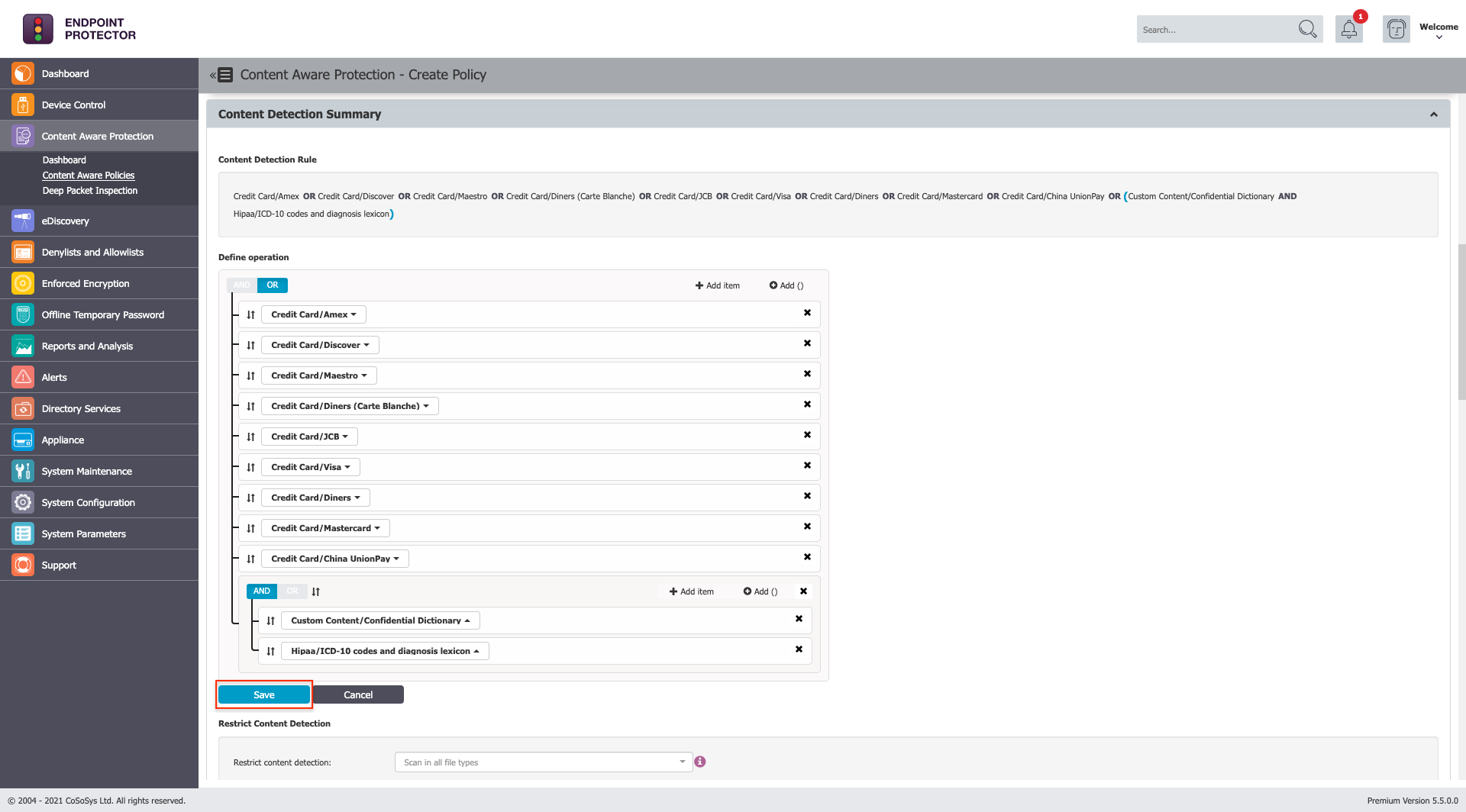
- Optional: Limit content detection to specific file types by selecting the desired file types from the Restrict Content Detection section.
- Save the Content Aware Policy.
Known Limitations When Using Content Detection Summary with AND Operator
- If a contextual detection rule is defined for a Predefined Content, Custom Content, Regular Expression, or HIPAA item that is included in an operation with at least one AND operator, the contextual detection rule will be ignored.
- For Content Aware Policies that include at least one AND operator, no Threat Threshold can be set.
- If the Content Aware Protection policy includes at least one AND operator and also has a File Size Threshold set, the policy will only apply if the size threshold is met.