Resolve Black Screen Issues During Remote Access
Overview
This article explains how to prevent a black screen from appearing when accessing a machine remotely. This issue can occur if a Content Aware Protection (CAP) policy has Print screen blocking enabled along with the Advanced Printer and MTP Scanning setting checked.
The Print screen blocking feature prevents capturing the content of windows on the screen when accessed remotely or during screen sharing in a meeting.
Instructions
Follow the steps below to resolve this issue:
-
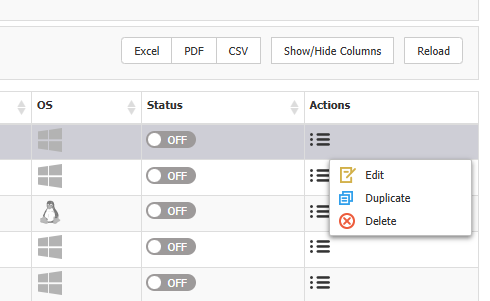
Open the CAP policy settings by navigating to Content Aware Policies and Edit the policy.
-
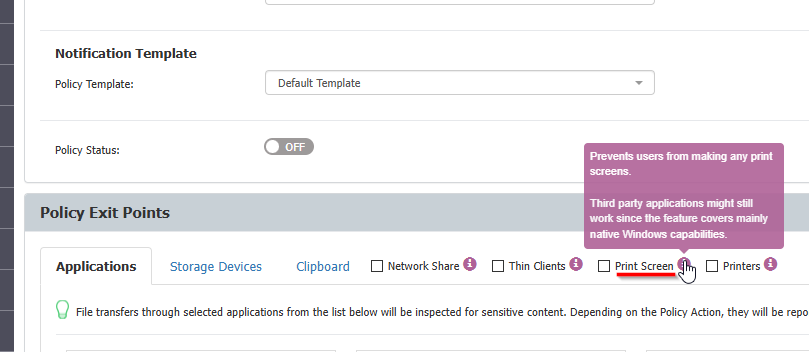
Disable the Print screen blocking option.
-
Save the changes to the policy.