Whitelisting Authentication Servers for Deep Packet Inspection
Overview
When Deep Packet Inspection (DPI) is enabled in environments using an authentication server, you must whitelist authentication resources to prevent authentication timeouts or failures. Without these allowances, the authentication service may detect DPI as a "man in the middle" and block or delay authentication attempts.
This article describes how to whitelist authentication servers in Netwrix Endpoint Protector to ensure successful authentication when DPI is enabled.
For the full reference, see Deep Packet Inspection and Deep Packet Inspection Allowlists.
Instructions
-
Log in to the Netwrix Endpoint Protector Console.
-
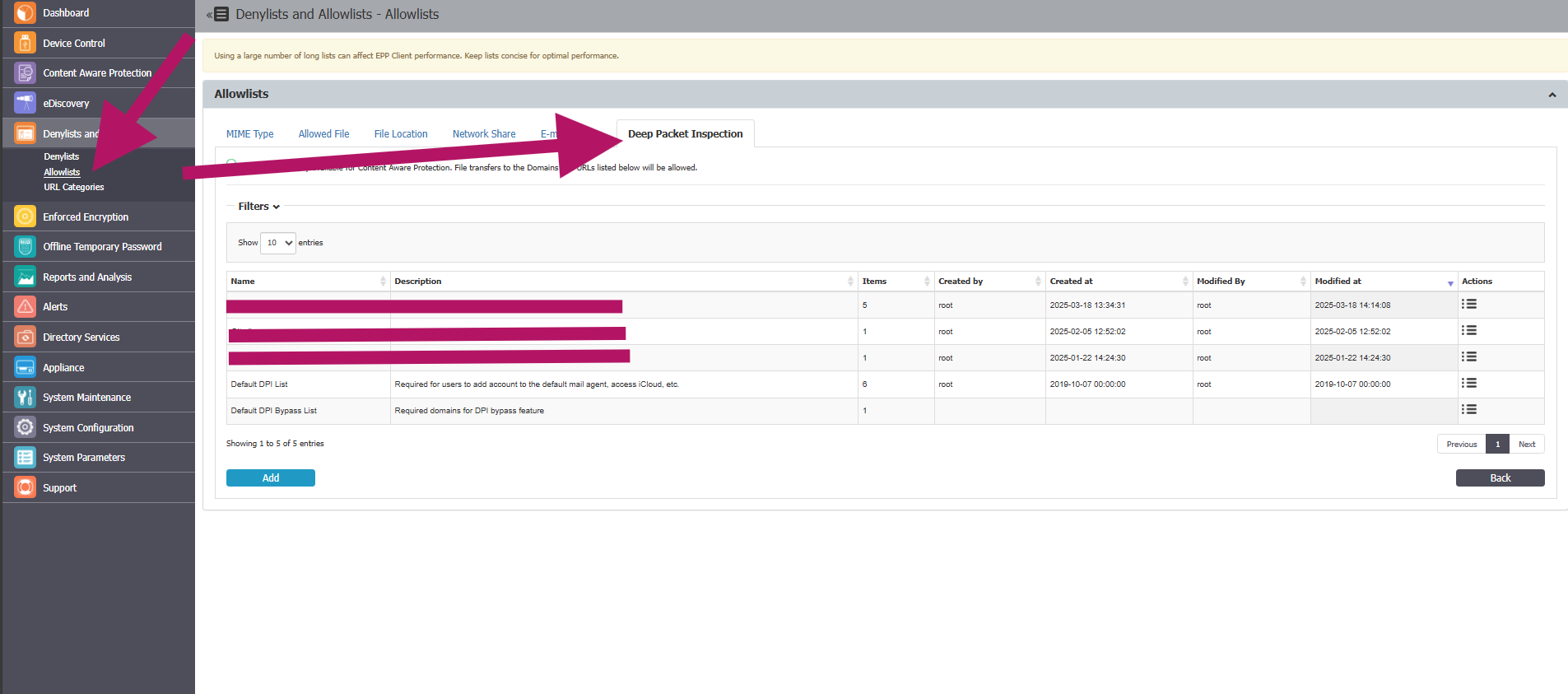
Go to Denylists and Allowlists and select Allowlists.
-
Select the Deep Packet Inspection tab and click Add.
-
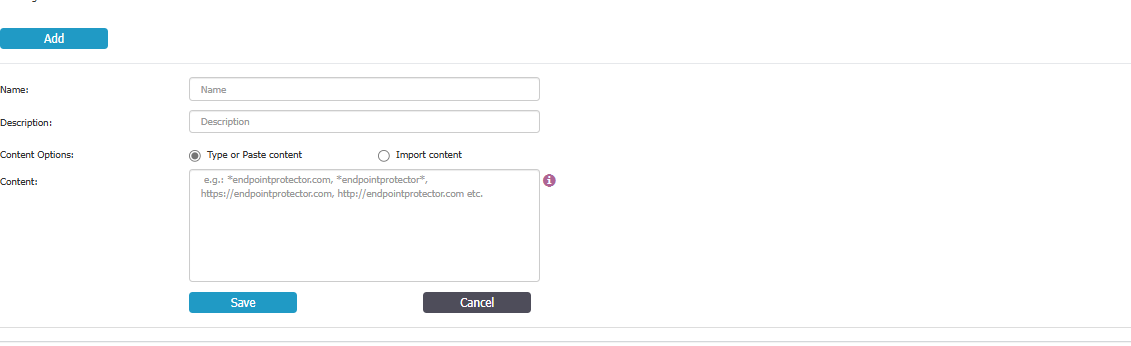
Fill in all required fields to define your authentication resource(s) (e.g., ADFS), then click Save.
 note
noteUse
*as a wildcard to match subdomains or partial matches — for example,*.yourcompany.comto cover an ADFS federation subdomain. The?character can't be used as a wildcard. You can create or import up to 100 allowlists, each with up to 50,000 web domains. -
Go to Content Aware Protection > Content Aware Policies and select your policy then click Edit.
-
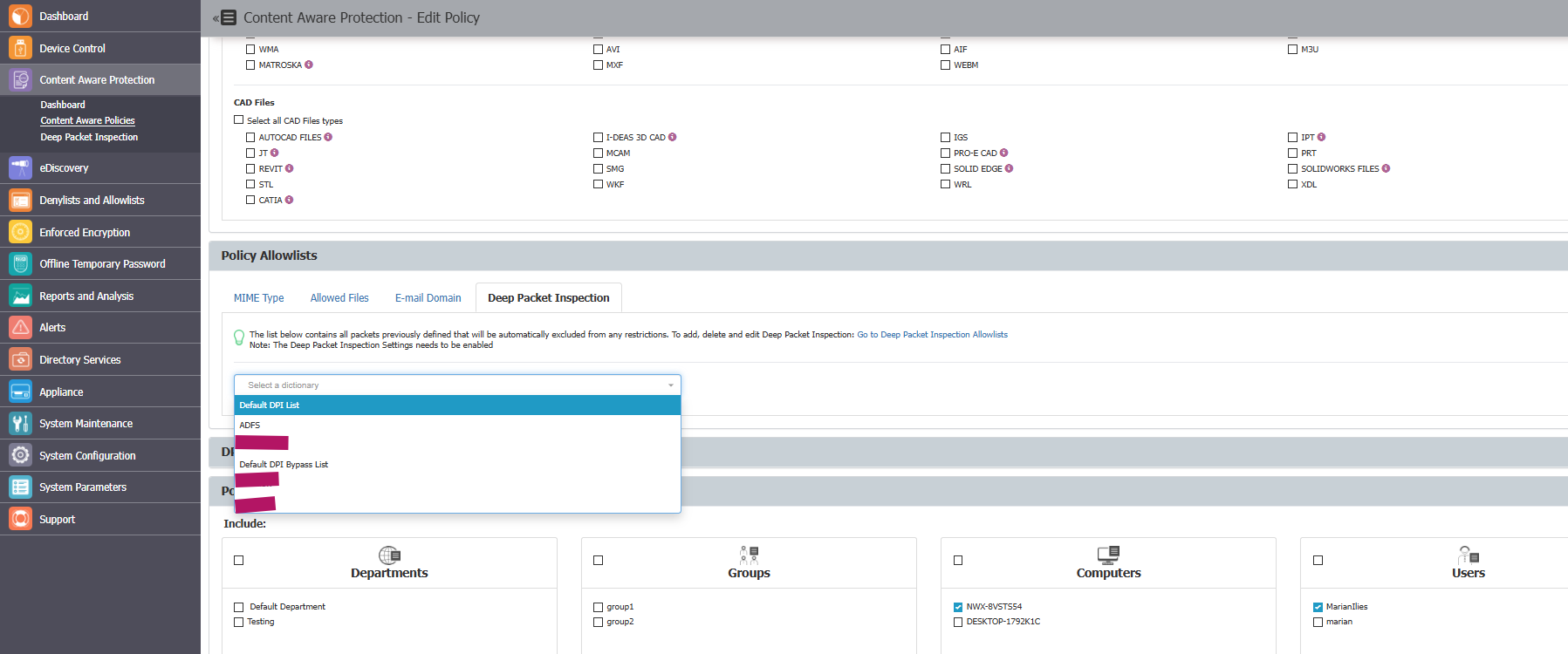
Navigate to the Policy Allowlists section and click the Deep Packet Inspection tab.
-
Select the entry defined in step 4 and verify the accuracy of your selected policy entities.
-
Click Save.
-
On the managed endpoint, right-click the System Tray or Menu Bar item for Netwrix Endpoint Protector and select Update policies now.

-
Verify that authentication succeeds when DPI is enabled.