Destination Details Tab Is Missing in the Reports and Analysis Section
Question
Why is the Destination Details tab missing in the Reports and Analysis section?
Answer
The Destination Details tab, which lists the website where a monitored file was uploaded, may be missing from the Reports and Analysis section in the Endpoint Protector Console.
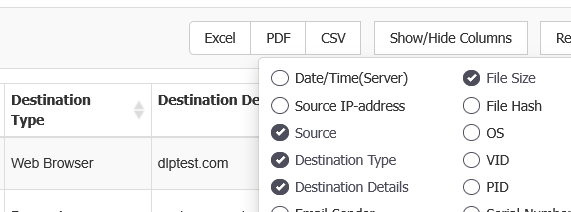
If the Destination Details tab is missing, enable the Reporting V2 setting in System Configuration > System Settings.
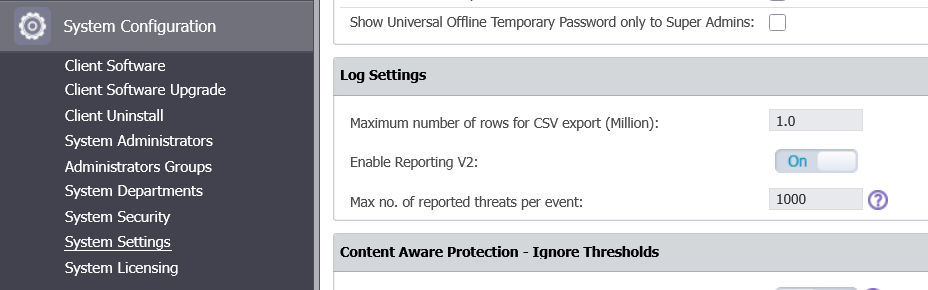
After enabling Reporting V2, the Destination Details field will be selectable and viewable in the Reports and Analysis section.
NOTE: The Reporting V2 setting should always be enabled, as it provides enhanced features compared to Reporting V1.