How to remove languages from the Self-Service Portal
How to remove certain languages from the list displayed on the Self-Service portal?
In order to remove languages from the webpage, perform the following steps:
- Open the
Web_SSLocalssubfolder of the Password Manager installation directory. - Change the file extension for all languages that should not be displayed on the web portal.
- Execute the
iisresetcommand on the web-server.
The following table lists the files and their corresponding languages:
| File | Language |
|---|---|
cn.asp | Chinese |
de.asp | German |
en.asp | English |
es.asp | Spanish |
fr.asp | French |
he.asp | Hebrew |
it.asp | Italian |
jp.asp | Japanese |
ko.asp | Korean |
pt.asp | Portuguese |
ru.asp | Russian |
sk.asp | Slovak |
zh.asp | Traditional Chinese |
EXAMPLE: to remove German, rename the de.asp file to de.asp.old
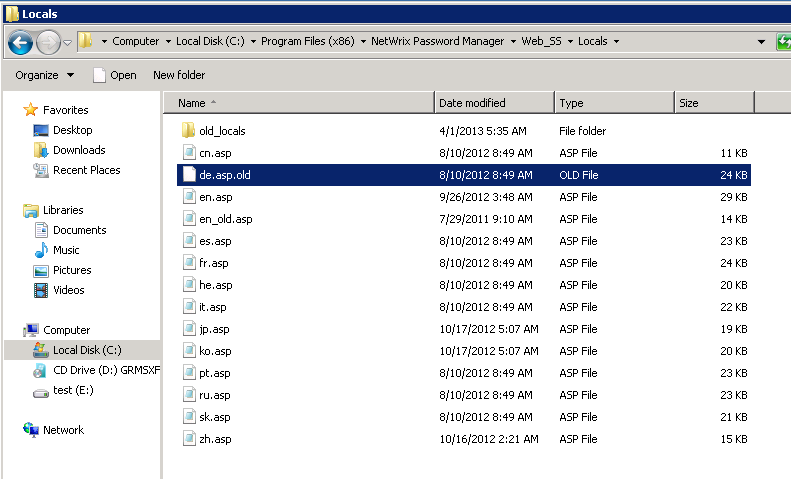
NOTE: English (en.asp) cannot be removed by design of the software