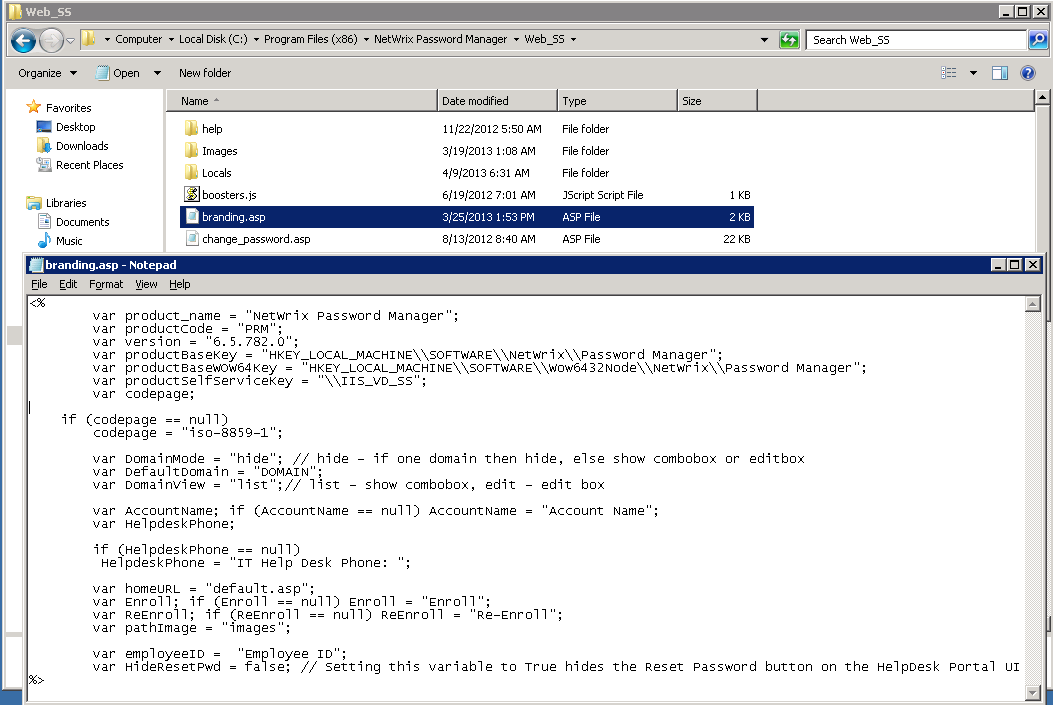
Remove the domain list from the Self-Service portal
To hide the domain list, do the following:
Procedure
- Navigate to the
Web_SSfolder of the Password Manager installation directory. - Locate the
branding.aspfile and edit it:- Locate the
DomainModeparameter and set it to'hide'. This will hide the domain list from the Self-Service portal. - Locate the
DefaultDomainand enter the predefined domain name.
- Locate the
- Save the changes to the file and refresh the Self-Service portal.