Recovery for Active Directory Web Console Only Available via HTTP
Related Query
- "I need steps to enable HTTPS and replace SSL certificates in NR."
Symptom
The Netwrix Recovery for Active Directory web console is accessible via HTTP, but the customer environment requires HTTPS.
Cause
Recovery for Active Directory was installed in HTTP mode with no SSL enabled.
Resolution
-
Open the
appsettings.jsonfile. By default, the configuration appears as shown below. You need to change the Scheme and CertName values.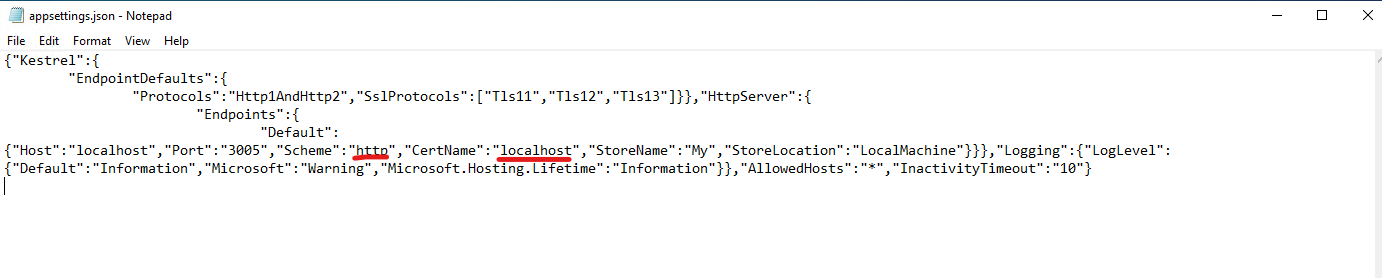
-
Ensure the certificate you select has an associated private key. This is indicated by the key icon in the Certificates Manager.
-
If you are only replacing a certificate, update the certificate name in the
appsettings.jsonfile. -
After making changes, restart the Netwrix Recovery Web Console service to apply the changes.