How to change Netwrix Threat Manager’s inactivity timer
Issue
It can be annoying for users when their Netwrix Threat Manager console times out due to inactivity.
Instructions
- Log into Netwrix Threat Manager with an admin account
- Click the settings wheel
- Click System Settings
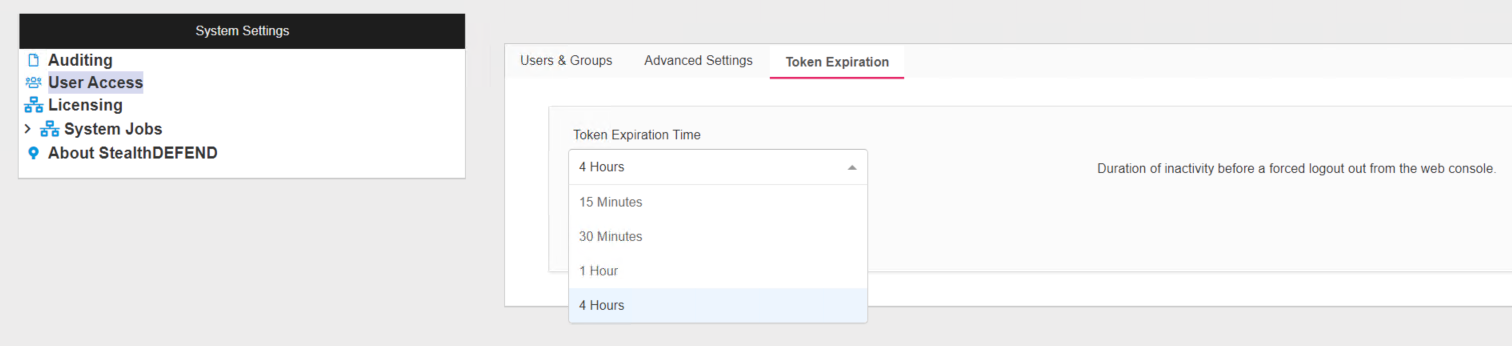
- Click into User Access then select the Token Expiration tab
- Adjust the timer from the dropdown