Policy Priorities
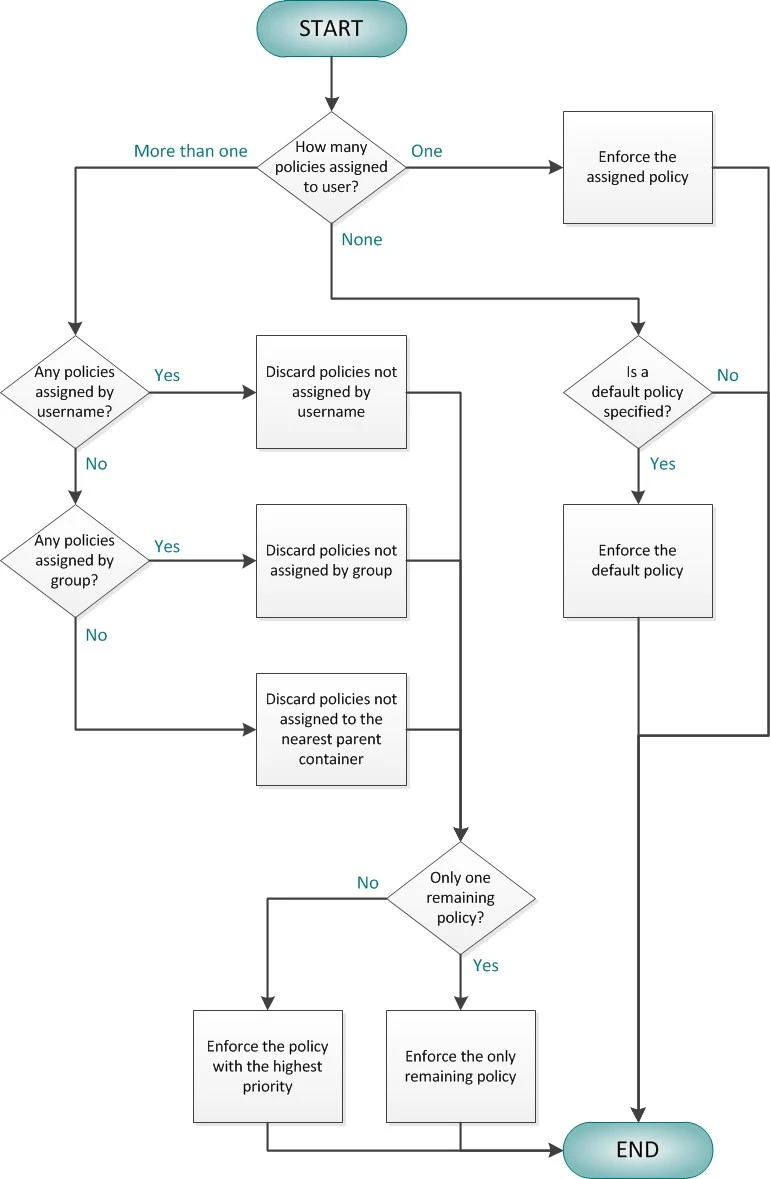
Policy priorities help Password Policy Enforcer to resolve policy assignment conflicts. If more than one policy is assigned to a user, and Password Policy Enforcer can't decide which policy to enforce using the other conflict resolution rules, then Password Policy Enforcer always enforces the policy with the highest priority.
Step 1 – Click the Policies item to display the Policies view.
Step 2 – Click Set Priorities in the right pane of the management console. This option is only visible when there is more than one password policy.
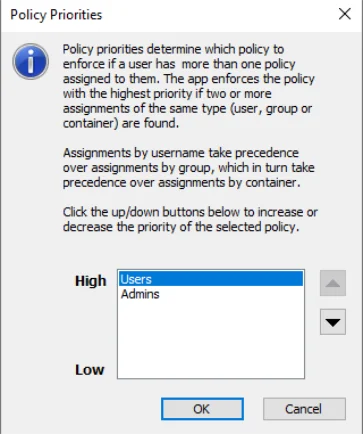
Step 3 – Select the policy you want.
Step 4 – Click the arrow buttons to increase or decrease the priority of the policy.
Step 5 – Click OK to close the Policy Priorities page.
Policy Selection Flowchart
This flowchart shows how Password Policy Enforcer chooses a policy for each user. Use the Test Policies page to quickly determine which policy Password Policy Enforcer enforces for a particular user.