Customizing Message Templates
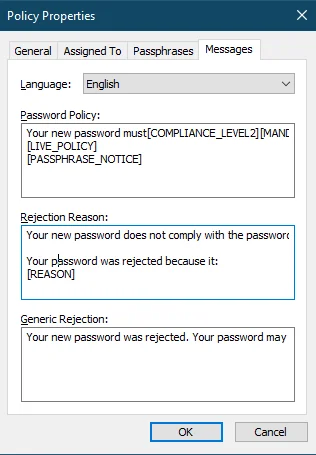
Each Password Policy Enforcer password policy has three message templates, one for each of the Password Policy Client messages.
- Password Policy — Displays the password policy guidelines on clients that have the Netwrix Password Policy Enforcer Client installed
- Rejection Reason — Displays why an intended password was rejected on clients that have the Netwrix Password Policy Enforcer Client installed
- Generic Rejection — Displays if Password Policy Enforcer doesn't have a specific reason for the rejection, generally because the password doesn't comply with the Windows password policy
Complete the following steps to edit a policy's message templates.
Step 1 – Click the Policies item to display the Policies view.
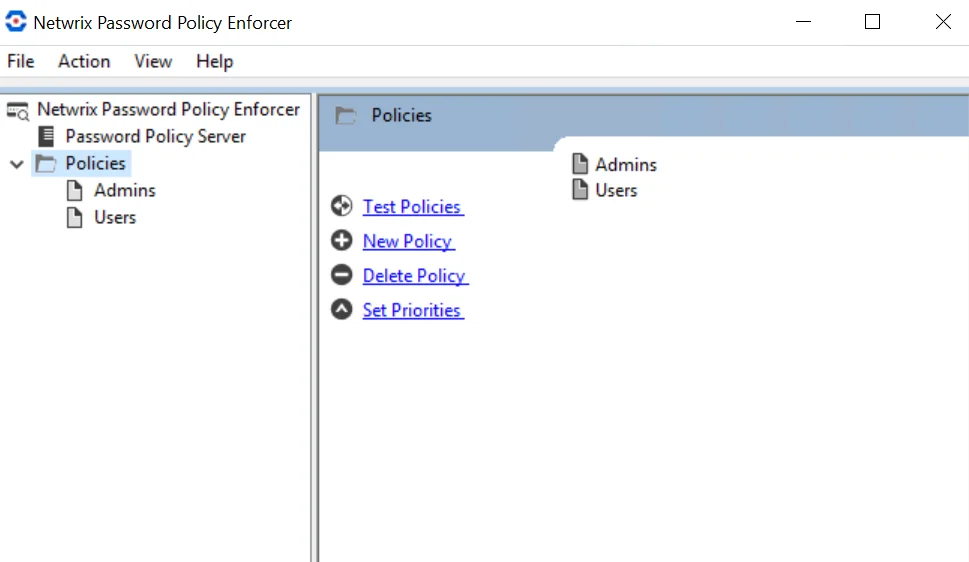
Step 2 – Click the policy you want in the right pane of the management console.
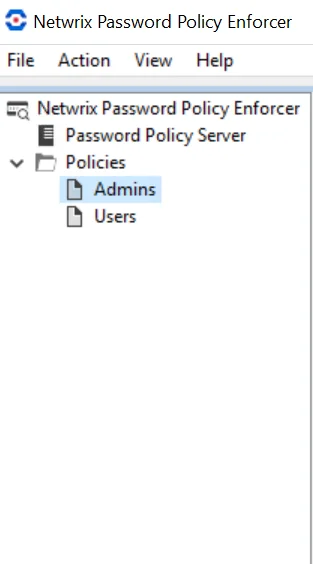
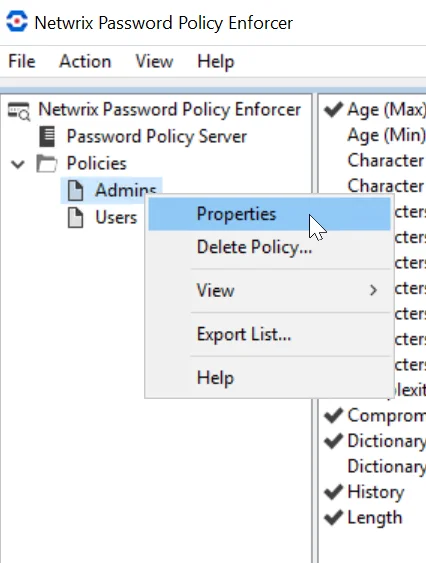
Step 3 – Right-click the policy you want to display the policy Settings page. Click Properties.
Step 4 – Click the Messages tab.
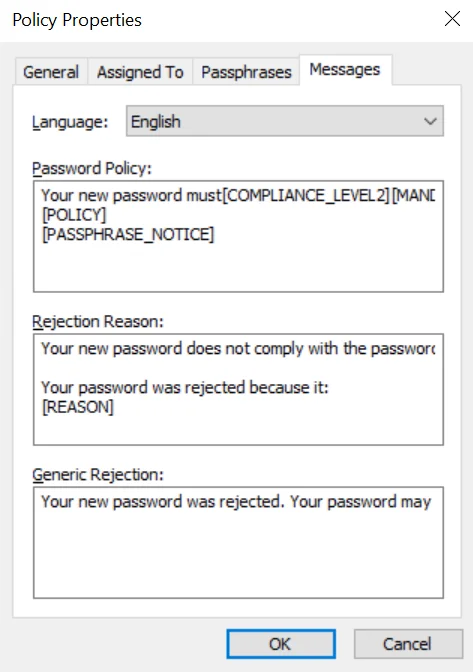
Step 5 – Choose a language from the Language dropdown list.
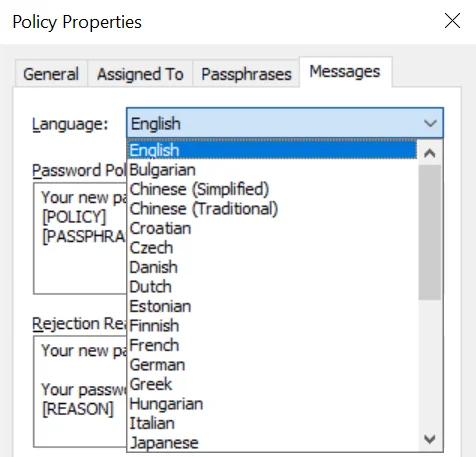
Step 6 – Edit the message templates in the Password Policy, Rejection Reason, and Generic Rejection text boxes, as needed.
Customizing Password Policy Client Messages
The Password Policy Client displays three messages to help users choose a password:
- The Password Policy message is shown as the user changes their password. This message explains the password policy to the user.
- The Rejection Reason message is shown if a password doesn't comply with the Password Policy Enforcer password policy. This message tells the user why their password was rejected.
- The Generic Rejection message is shown if Password Policy Enforcer doesn't have a specific reason for the rejection, generally because the password doesn't comply with the Windows password policy.
Password Policy Client Message Components
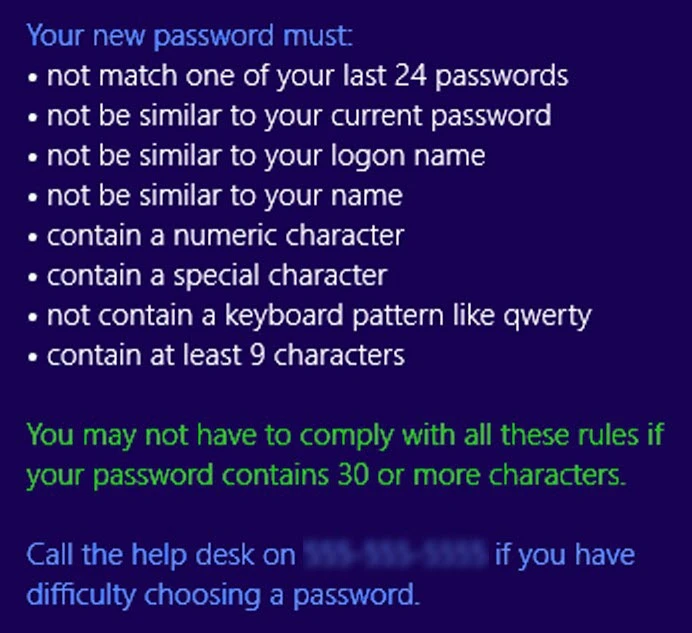
Password Policy Client messages are built using templates, macros, and inserts. The following image shows a sample policy message with the template in blue, a macro in green, and policy inserts in white.
Live Password Message
You can configure Password Policy Client messages to display live feedback to end users as they enter their passwords. With this feature, users can see whether their passwords meet the requirements of the policy set by the organization. The following image illustrates an example of a live policy message.
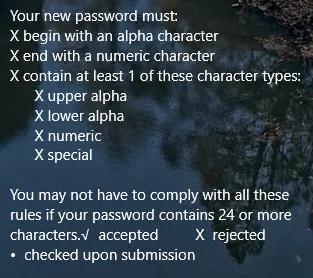
The password client needs to be at version 10.2+ to support this capability.
To support password live messages the password policy message must include the [Live_Policy] declaration in the Password Policy Message.