Multilingual Messages
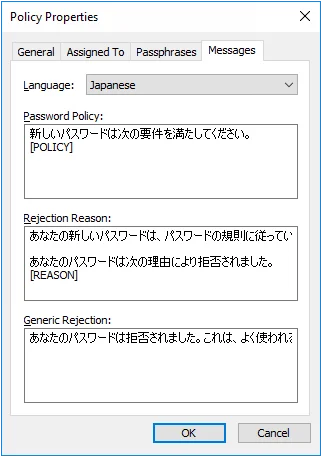
The Password Policy Client initially displays all messages in English, but you can configure it to display messages in 30 other languages.
Complete the following steps to configure Password Policy Client for another language.
Step 1 – Configure message templates for the new language (see Customizing Message Templates).
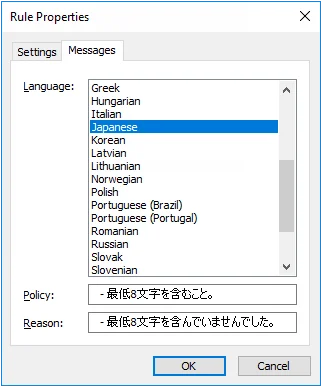
Step 2 – Configure rule inserts for each enabled rule (see Customizing Rule Inserts).
The Password Policy Client uses the Windows client language settings to determine which language to display.
note
You don't have to create a Password Policy Enforcer policy for each language. Each policy can have messages defined in multiple languages.