Compromised Rule
The Compromised rule rejects passwords from prior breaches. These passwords shouldn't be used as they are vulnerable to credential stuffing attacks.
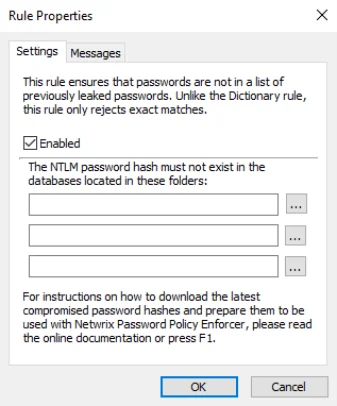
Select the Enabled checkbox to enable the Compromised rule.
Click the ... (ellipsis) button beside each text box to select a hash file. You can also enter a path into the text box. The path can contain environment variables like
warning
%SystemRoot%. hash files should only be read from a local disk. Using shared hash files degrades performance, and could jeopardize security.
Click the Messages tab to customize the Password Policy Client rule inserts.
For information about Have I Been Pwned (HIBP) database usage, see the HIBP Updater topic.