Minimum Age Rule
The Minimum Age rule stops users from quickly cycling through a series of passwords to evade the History and Similarity rules. This rule can only be enforced by domain policies.
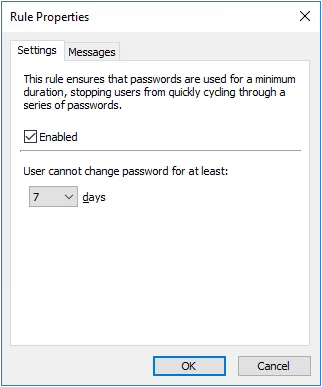
Select the Enabled checkbox to enable the Minimum Age rule.
Choose a value from the days dropdown list to specify how many days users must wait before changing their password.
Click the Messages tab to customize the Password Policy Client. Only the Reason insert is shown because minimum age requirements aren't included in the Password Policy message.
The Minimum Age rule is unique because users can't comply with it by choosing a different password; they must wait until the required number of days has elapsed. The Password Policy Client consequently handles rejections by this rule differently to other rules. Rather than displaying the usual message components, the Password Policy Client only displays the Minimum Age rule's Reason insert. See Password Policy Client topic for additional information. The Rejection Reason template, macros, and inserts from other rules aren't displayed when a password change is denied by the Minimum Age rule.
The Minimum Age rule isn't enforced during policy testing, but the test log does show the user's password age. A log entry is also added if the Minimum Age rule would have rejected the password change. See the Managing Policies topic for additional information.