Smart Card Reader As Default Logon Method After Client Installation
Symptom
After installing Netwrix Password Policy Enforcer, the logon method has changed to Smart Card instead of Username and Password for Windows.
Cause
When Password Policy Enforcer Client is installed, Microsoft Windows may set Smart Card as the default credential provider instead of Password Policy Enforcer Client. This is a Windows credential provider stack behavior that does not occur on every machine.
Resolution
Both options achieve the same result—they change the default credential provider from Smart Card to Password Policy Enforcer Client.
- Option 1: Use if your organization uses Group Policy.
- Option 2: Use if your organization does not use Group Policy — deploy the registry change using your organization's standard method for pushing registry values.
After applying either option, the default logon method on the Windows logon screen will change from Smart Card to Username and Password.
Option 1 — With Group Policy
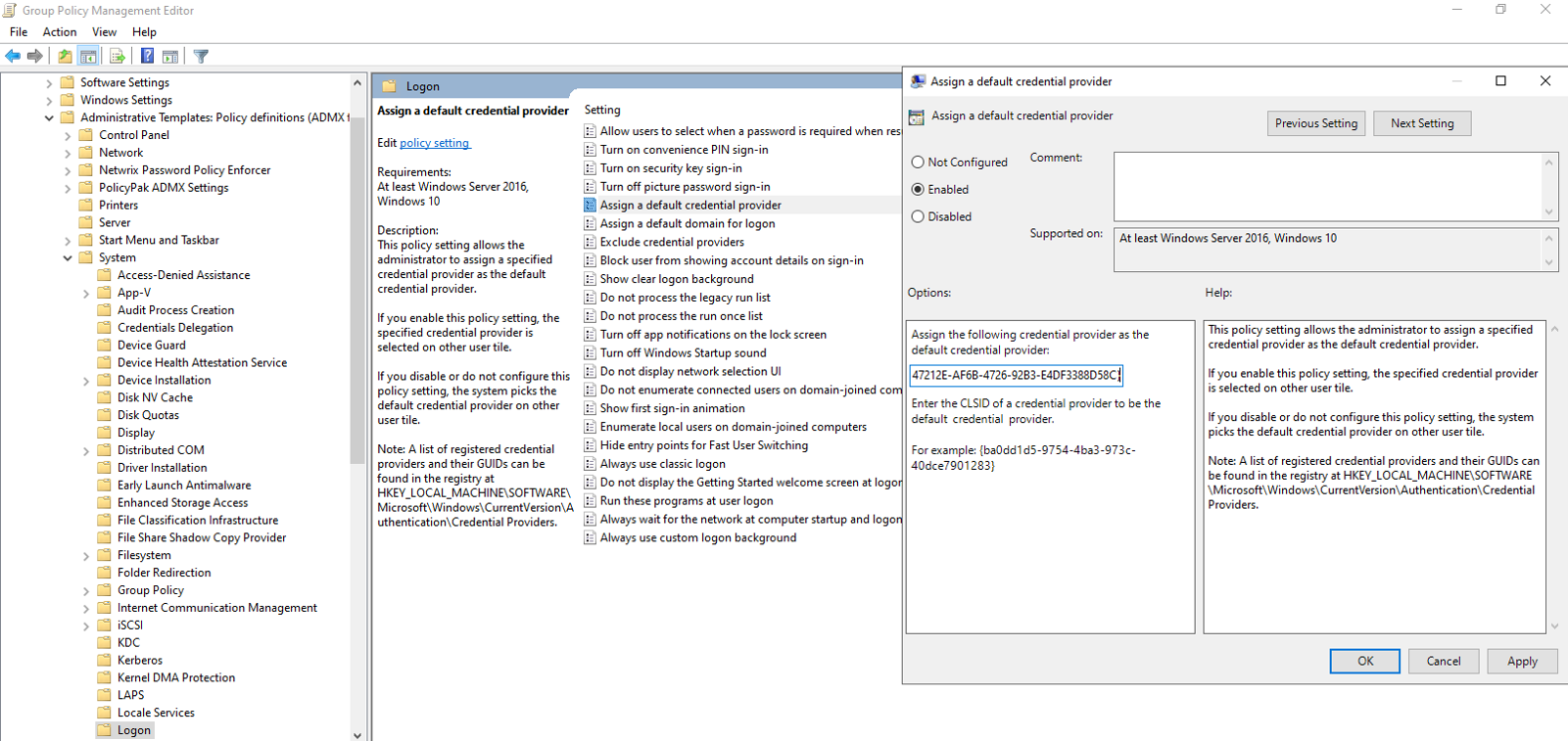
- Open Group Policy Management by running
gpmc.mscand select a GPO to edit that applies to the affected machines. - Set the
Assign a default credential providersetting inComputer Configuration >> Policies >> Administrative Templates >> System >> Logonto{F347212E-AF6B-4726-92B3-E4DF3388D58C}and save.
Option 2 — Without Group Policy
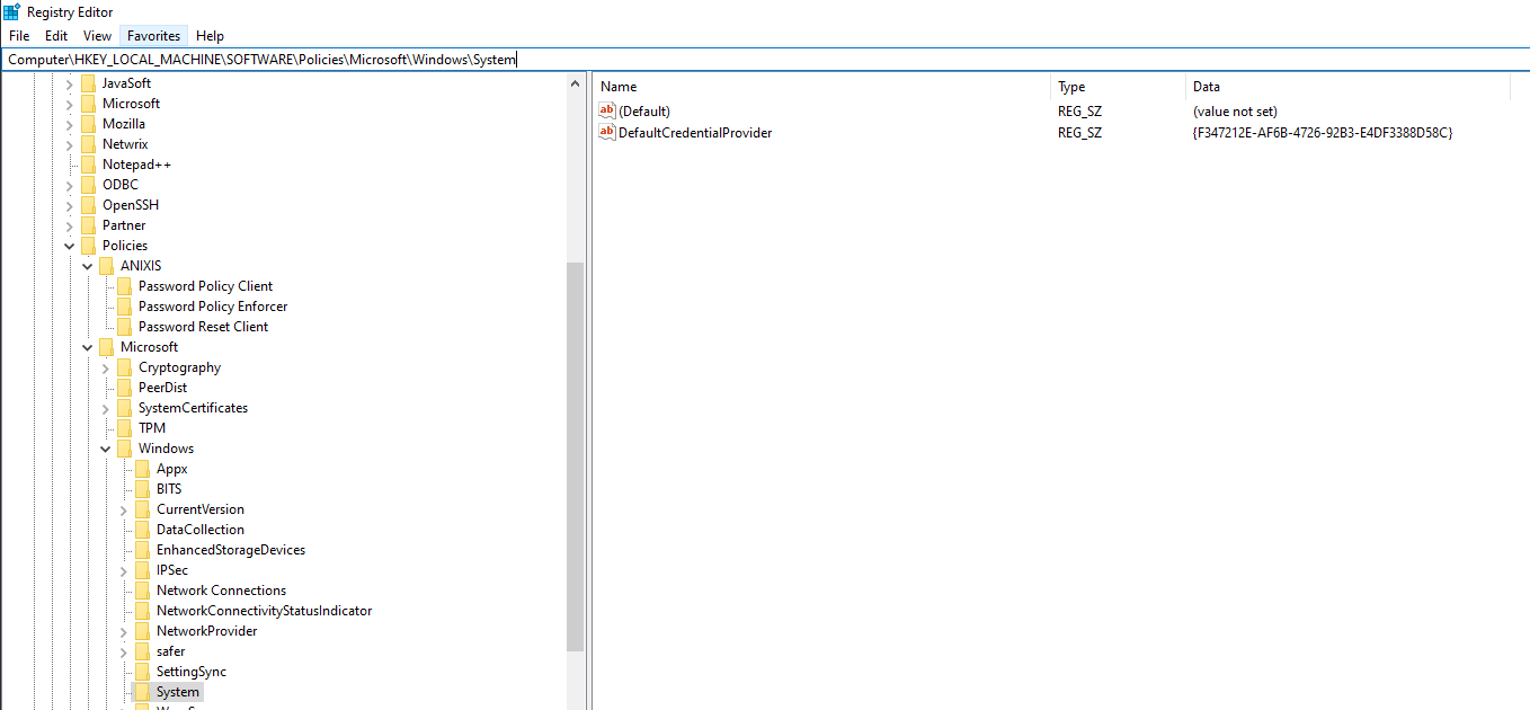
- Open Registry Editor (
regedit) on the affected machine. - Navigate to registry location
Computer\HKEY_LOCAL_MACHINE\SOFTWARE\Policies\Microsoft\Windows\System. - Edit or create a
Regular Stringvalue namedDefaultCredentialProviderand set it to{F347212E-AF6B-4726-92B3-E4DF3388D58C}.
This may require a reboot to take effect.
NOTE: You may also want to disable the Smart Card credential provider if it is not in use on the machine.
- With Group Policy: Set the
Exclude credential providerssetting inComputer Configuration >> Policies >> Administrative Templates >> System >> Logon. Use GUID{8FD7E19C-3BF7-489B-A72C-846AB3678C96}for Microsoft's Smart Card Credential Provider, or your third-party Smart Card credential provider's GUID if applicable.- Without Group Policy: Create a
Regular Stringvalue namedExcludedCredentialProvidersinComputer\HKEY_LOCAL_MACHINE\SOFTWARE\Policies\Microsoft\Windows\Systemand set it to the GUID to exclude.
