SAML application for Postman
SAML configuration example for Postman
This chapter explains how to configure the SAML application for Postman. It is assumed that Configuration of SAML has already been activated in the Server Manager.
- First, you register with Postman.
- After logging in, click the avatar and select "Settings".

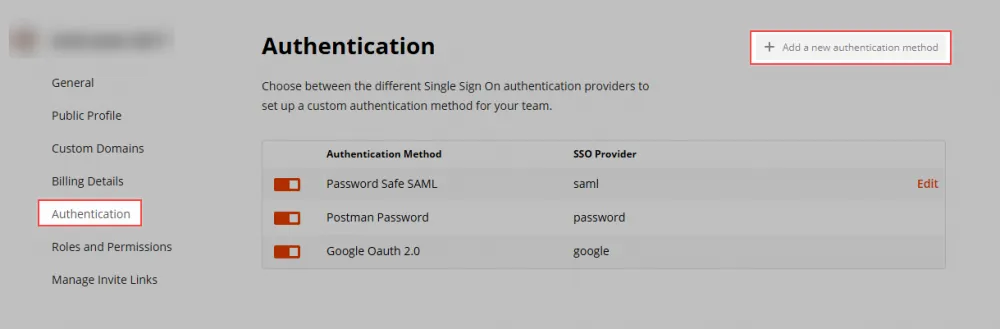
- Then click Authentication. Select a new method in the upper right corner.
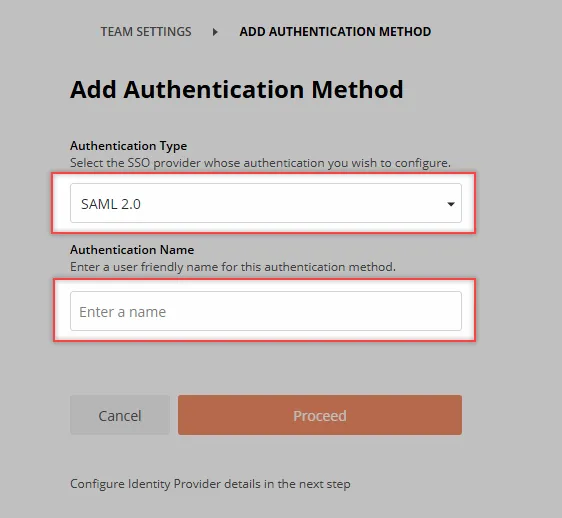
- Here the Authentication Type must be defined with SAML 2.0 and any useful Authentication Name.
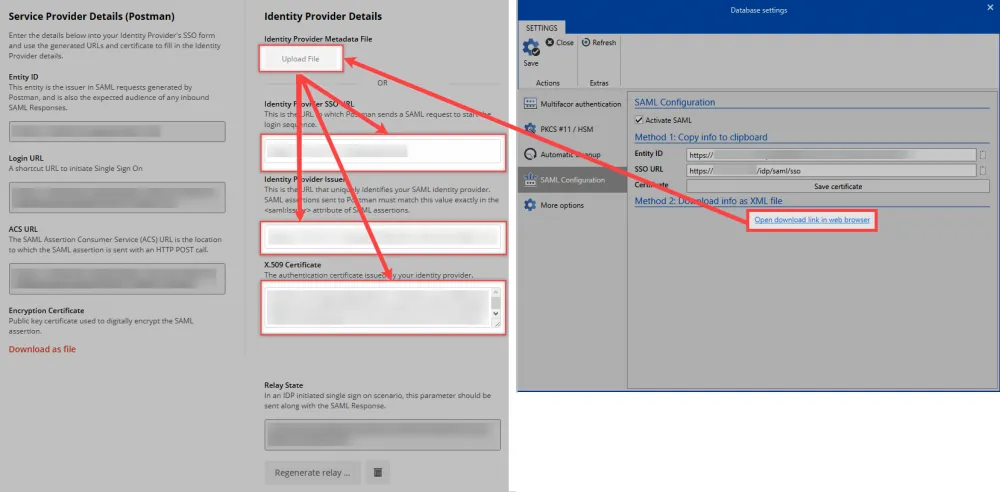
Then you come to the actual configuration.
- Store Provider Details
- Identity Provider Details The data from the Server Manager is uploaded as XML or stored manually.
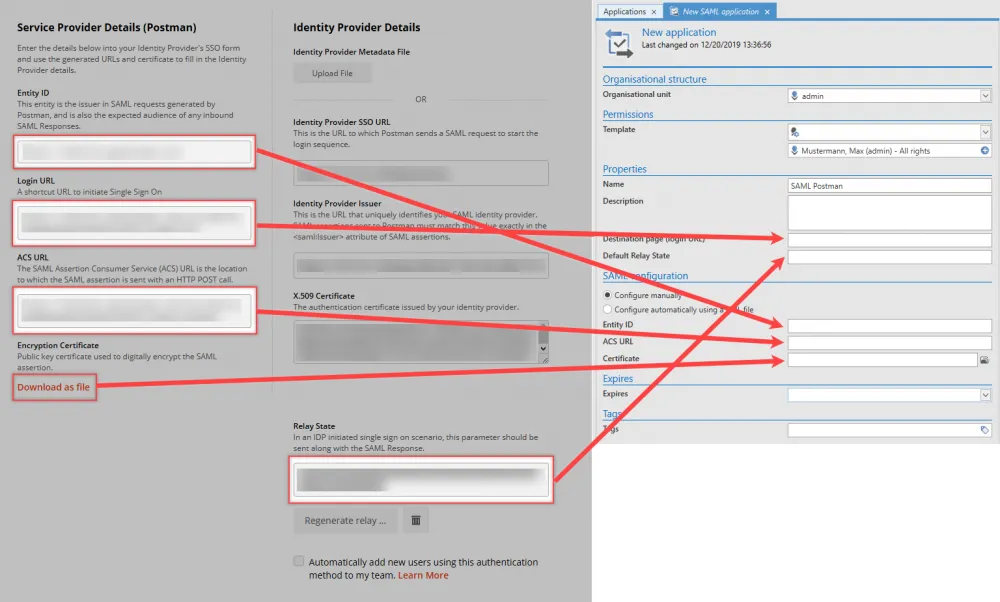
- Service Provider Details The service provider details are now copied to the application in the Netwrix Password Secure Client.
note
A Relay State is required. This value can be created in the Configure Identity Provider Details View.