Display mode
Available display modes
In addition to the already described Filter, you can switch to structure view. This alternative view lets you filter solely on the basis of the organisational structure. Although this type of filtering is also possible in standard filter view, you can directly see the complete organisational structure in structure view.
As there are no longer any folders in Netwrix Password Secure version 9, the structure view can't mirror all of the functionalities of the folder view in version 7. However, the structure view has been modelled on the folder view to make the changeover from the previous version easier.
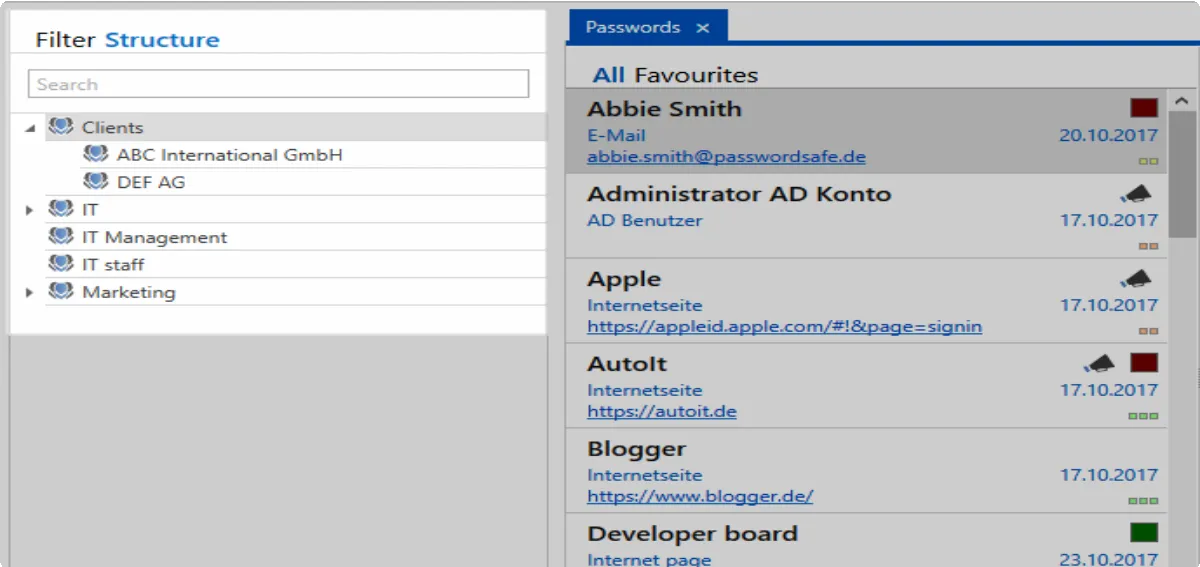
As you can see, only the organisational structure is visible in this view. This view is the ideal choice for users who want to work in a highly structural-based manner.
Relevant options
There are three relevant User settings associated with the display mode:

- Display mode: you can define whether the standard filter, structure filter or both are displayed. If the last option is selected, you can switch between both views.
- Jump to filter on quick search: If you are using structure view, you can define whether the system should automatically jump to the standard filter if you click the quick search (top right in the client)
- Display mode status when starting the program: This setting defines which display mode is displayed as default when starting the program.