Tags
Tags overview
The tag system is ubiquitous in Netwrix Password Secure. Use it to classify and describe almost every object. An object can have several such tags. These are always displayed in the header area of the data record. Optionally, tags can be provided with colours or a description. They determine the aesthetics of Netwrix Password Secure, and are optically a great help, in order not to loose the overview even in case of large amounts of data.
Tags have no permissions. Any user can use any tag.
Relevant rights
The following option is required for creating new tags.
User rights
- Can add new tags
Adding tags to records
Tags can be directly added when creating new records and also when editing records. The procedure is the same. In Edit mode, the tags are always at the bottom.
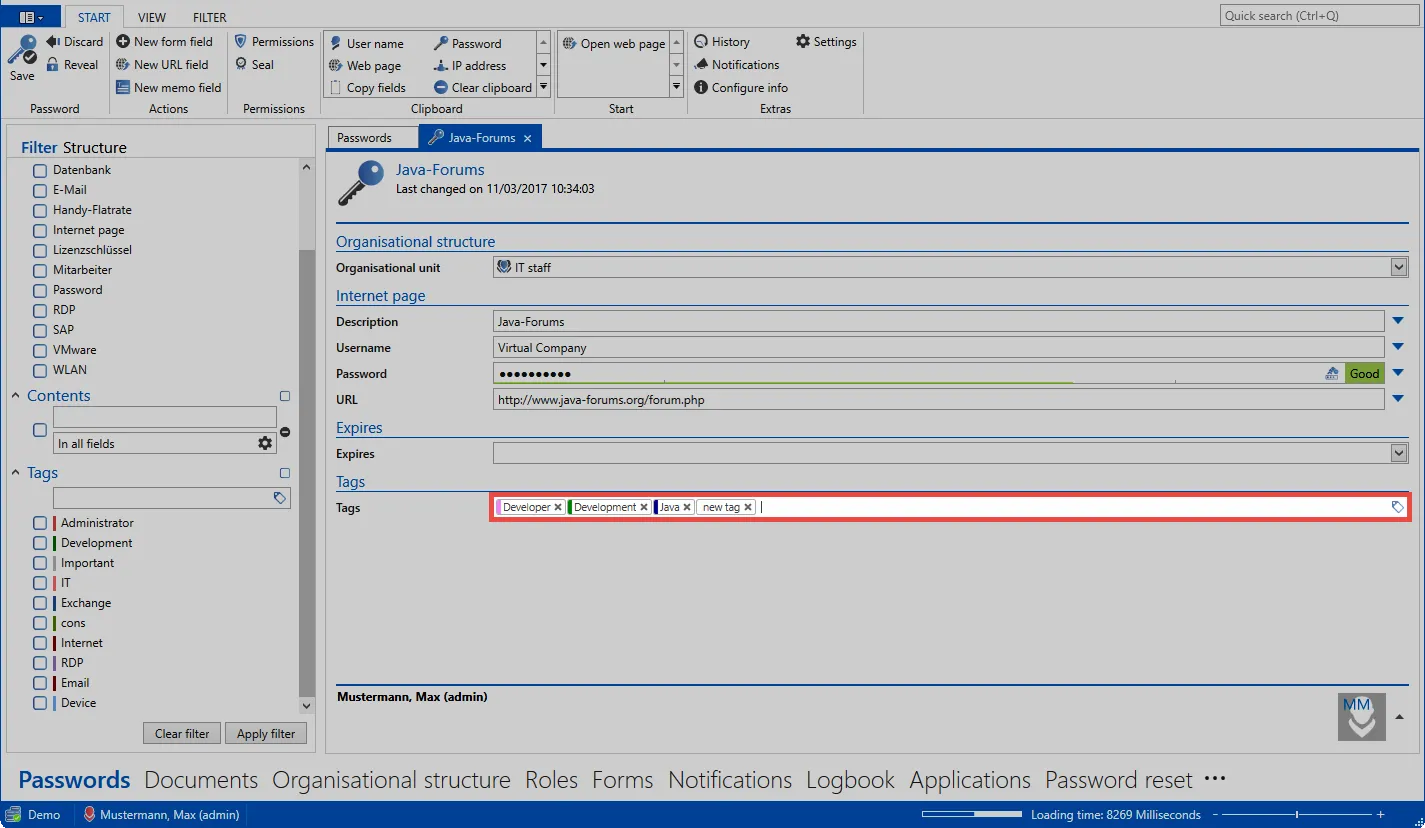
The operation is intuitive. From the third entered letter, existing tags are searched for full text. If the desired tag has been found, it can be added. Both the navigation with mouse, thus also with keyboard, is possible. If a new tag is to be created, this can be done directly with “Return”.

Tags in the ribbon
If you edit a record and mark an existing or new tag, a corresponding content tab appears in the ribbon. Here, the tag manager can be opened as well as the colour and description of the tag can be adapted directly.
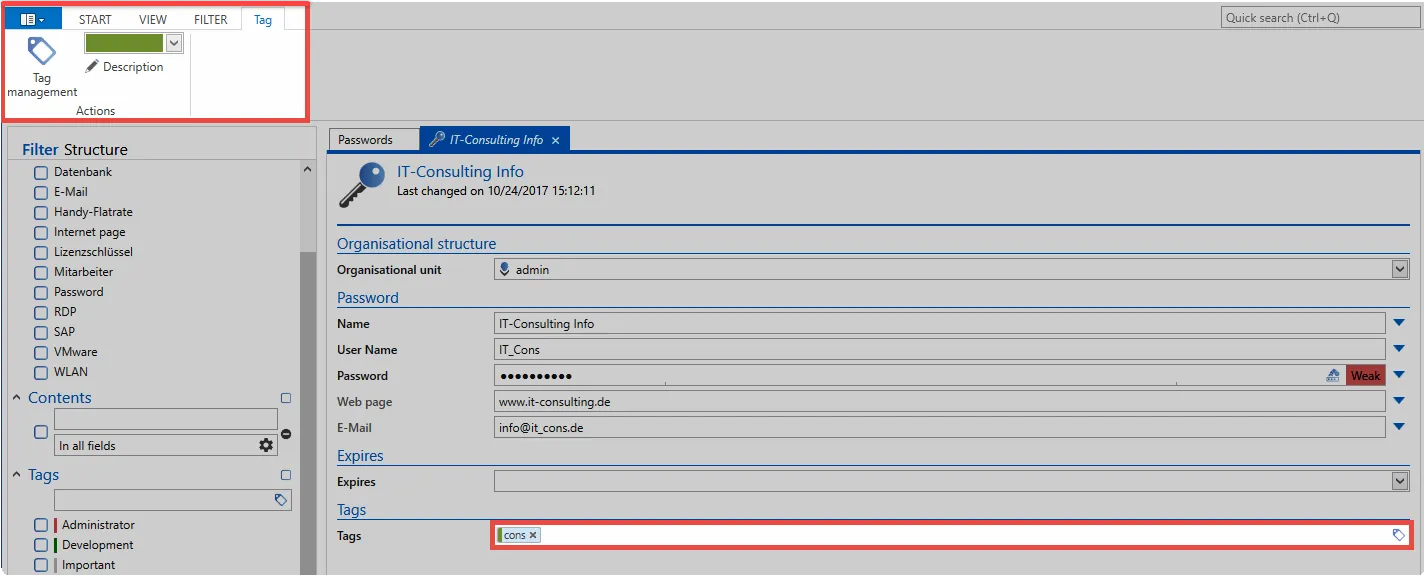
Management of tags
A separate section is available under Extras in the client for the tag manager. This is explained in a special section.