Audit Log
The audit log tracks every administrative change in PingCastle Enterprise. Use it to see who changed what and when, whether you're investigating an unexpected configuration change or confirming that a change you made took effect.
The audit log records administrative changes to objects such as domains, agents, credential profiles, and scheduled scans. It also records authentication-related changes, such as updates to login options or single sign-on (SSO) configuration. For example, if an administrator switches the login method from password authentication to SSO, that change appears in the audit log with the administrator's name, the timestamp, and the property that changed.
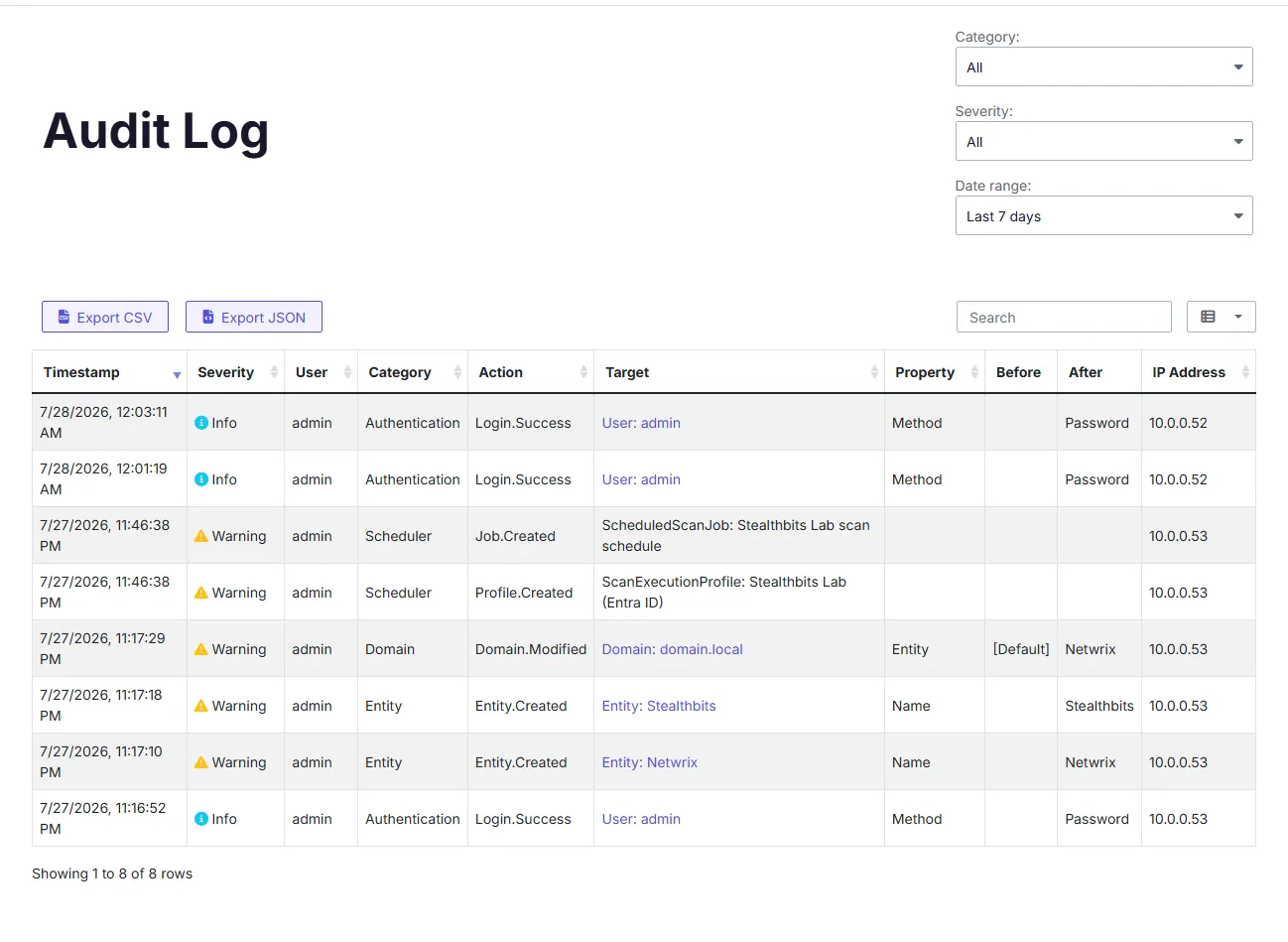
How the audit log structures rows
The audit log records one row per changed property, not one row per administrative action. If a single action changes multiple properties at once, the audit log produces multiple rows, one for each changed property. These rows share the same timestamp because they all result from the same action.
For example, if you open a scheduled scan's settings and update both its schedule and its target domain in one form submission, the audit log records two rows: one for the schedule change and one for the domain change. Both rows share the same timestamp, but each shows only the single property that changed, along with its previous and new value.
This row-per-property structure means you can filter or scan the log for a specific property change without parsing a single row that bundles several unrelated changes together.
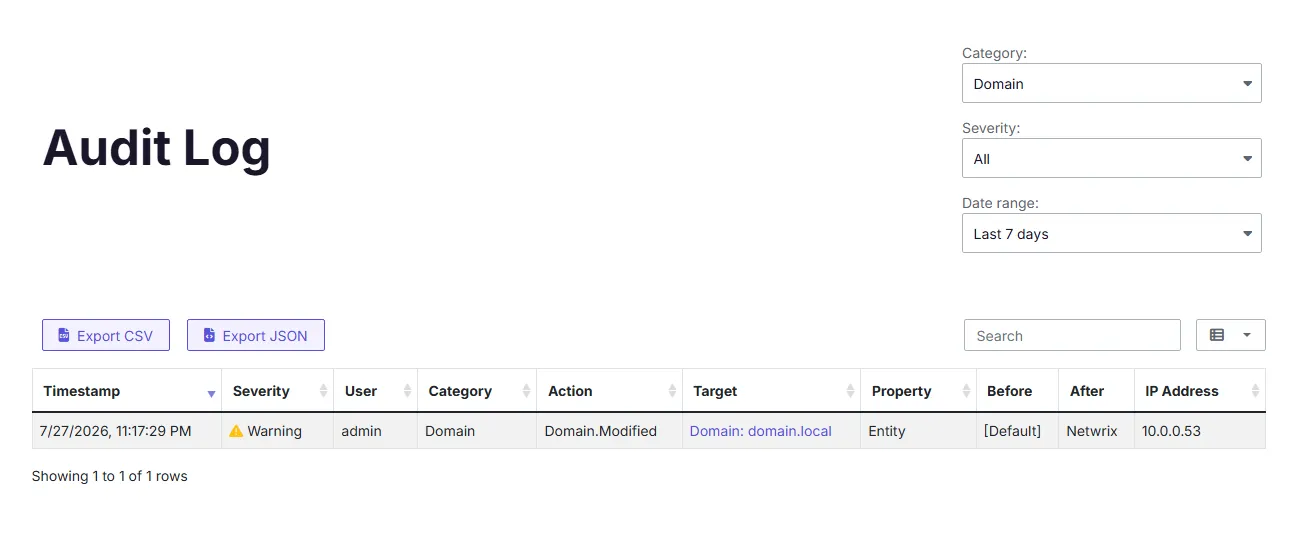
Linked targets
Where applicable, an audit log entry links directly to the object it describes. For example:
- A change to a domain links to that domain's detail page.
- A change to a user account links to that account.
Not every audit log entry has a linkable target. Entries for deleted objects appear without a link, since the object no longer exists.
Audit log settings
The Data retention screen on the Settings page exposes two audit-log-related settings:
- Audit log retention (days) — How long audit log entries stay in the log before PingCastle Enterprise deletes them.
- Audit log export row limit — The maximum number of rows PingCastle Enterprise includes when you export the log.
See Data Retention for how to configure these settings.