Migrating scheduled scans from PingCastle Enterprise 3.5.1
If you're upgrading from PingCastle Enterprise 3.5.1, migrate your existing Task Scheduler-based scheduled tasks to PingCastleSchedulerService.
To migrate your scheduled scans:
-
Go to Configuration > Scheduler in PingCastle Enterprise.
-
Click Migrate from Task Scheduler.
-
Review the verification table. It matches the Agents and Domains from your 3.5.1 scheduled tasks against the Agents and Domains you've configured in PingCastle Enterprise 4.0.
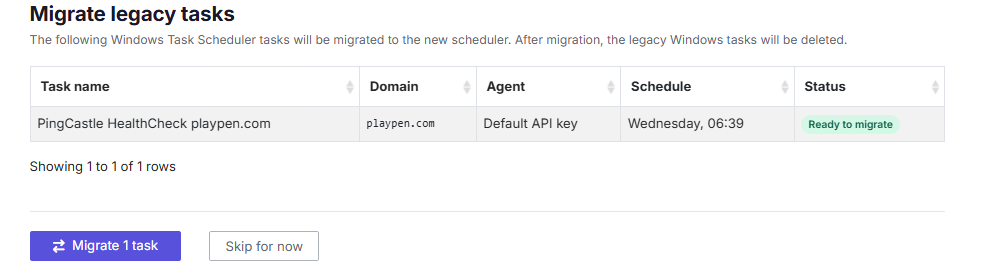
-
Confirm the migration. PingCastle Enterprise creates a scheduled scan job and credential profile for each matched task and stops managing the old Task Scheduler tasks.
Review the verification table carefully before you confirm. Any Agent or Domain that PingCastle Enterprise can't match won't migrate, and you'll need to create a scheduled scan for it manually.