Technical view
The technical view, named Audit data in the application, shows the PingCastle report for a domain you imported.
PingCastle Pro supports a maximum of five different domains. See License.
Select a domain
If you imported reports for more than one domain, Audit data first shows a table of those domains. Select the domain you want to view.
Report tabs
After you select a domain, the page displays its data on several tabs.
Last report
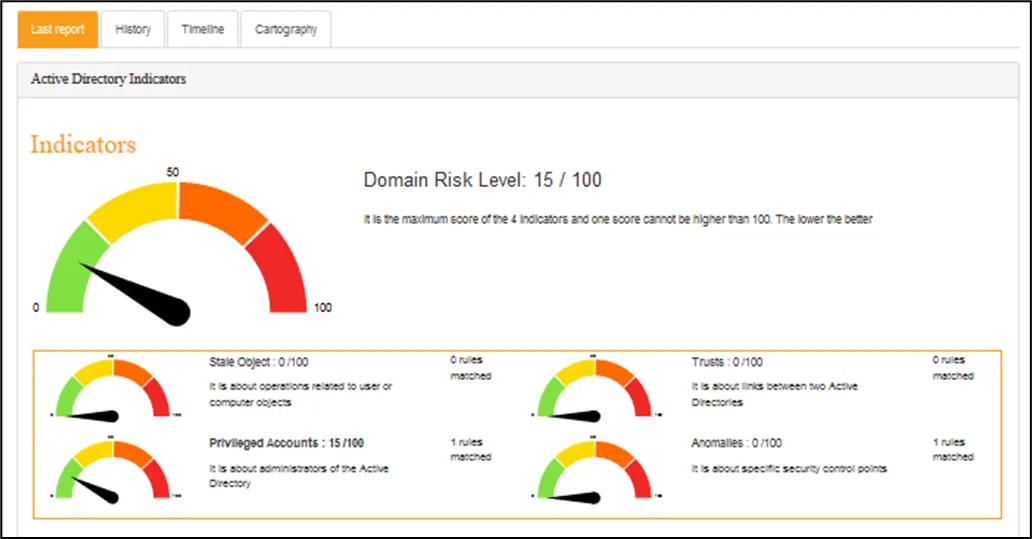
This tab gives access to the full detail of the last report, though the page doesn't show it.
History
Timeline
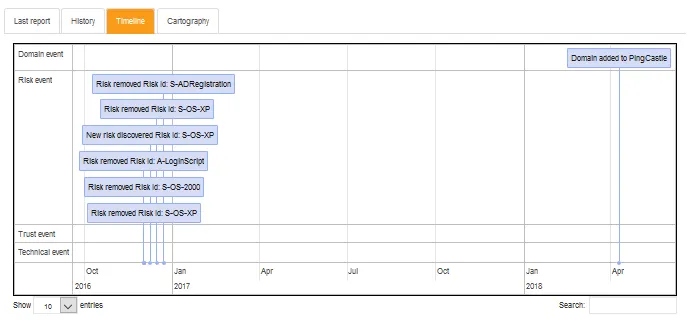
The timeline shows the following events.
Domain event:
A domain changed within a specific perimeter in PingCastle Pro. It can be a domain that a user added, a domain discovered after importing a report, a status change, and so on.
Risk event:
The risks PingCastle Pro follows changed. It either means that the solution discovered a new risk that the user should follow, or that a risk has cleared and that the overall level of security improved. It can also mean that someone set a risk to an exception status.
Trust event:
The trust between several monitored domains changed. It implies that someone established a new trust between two domains, deleted an existing trust between two domains, or modified an existing trust.
Technical event:
A significant technical change modified the global level of security, but the existing rules don't yet cover it. This is a very rare event, and you're unlikely to see it.
Cartography
