Change and Approval Policy
The Advanced Change Management system uses a set of policy records called Change and Approval Policies.
Change and Approval Policies define:
- The level of change management required for a given change (for example, ApexClass modification vs. a report).
- The level of approval required and the participants in that approval process.
When you create a Change Request, Strongpoint analyzes the impacted customizations and processes. It identifies the Change Policy that applies based on the IT risk from the Customization Record and the process risk from the Process Records.
The Change and Approval Policy also determines the change level required for any detected changes to be compliant. This ensures that Strongpoint analyzes changes against the policy for compliance even when they don't go through the planned change management process.
For example, a company may have multiple policies:
- Default Policy that applies to any customization or process without a specific policy. This generally requires that scripted changes go through a relatively high level of review compared to non-scripted changes.
- Controls Policy that specifically applies to key reports and controls listed on the policy that need very specific approval to modify and ensures there are no changes without a proper audit review.
- Custom Object Policy to manage Custom fields and object.
After policies are in place, they remind users of the level of change management required and monitor the changes that occur, raising alerts to IT through custom reports if there are any change violations.
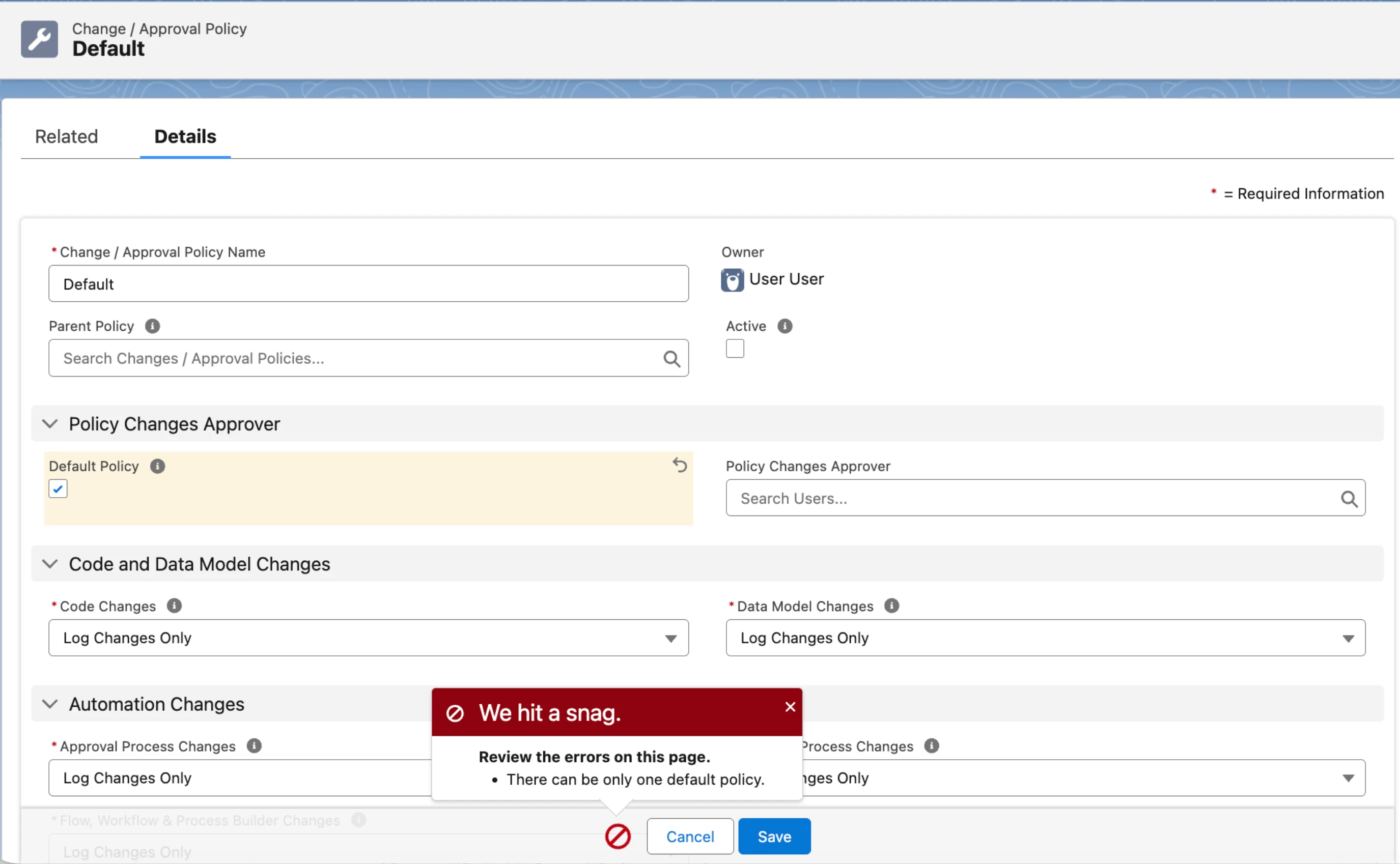
You can set only one Change and Approval Policy as the Default Policy at a time. If you select Default Policy on a policy while another policy already has it enabled, Strongpoint blocks the save and displays an error.
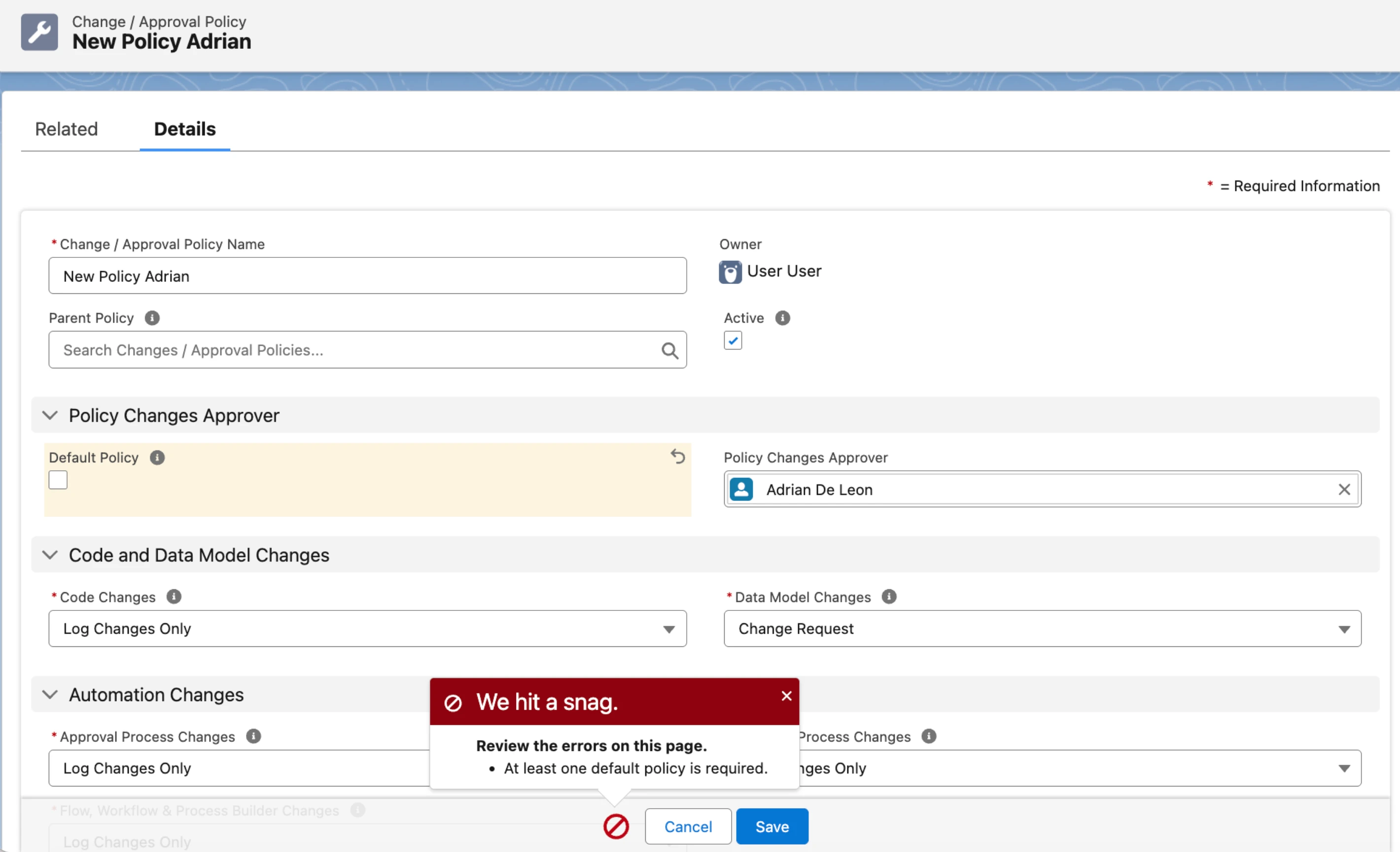
Strongpoint also requires at least one active Default Policy at all times. If you try to remove the Default Policy setting without another policy already set as default, Strongpoint blocks the save and displays an error.
Change Process Overview
Strongpoint automatically detects any changes to the customizations in your system and logs them. The system finds the relevant Change/Approval Policy and determines the change level required for compliance. It then looks for the relevant change record. For example, if it determines that a script changed and that compliance requires a Full Software Development Lifecycle, it looks for an approved Deployment Record. If it doesn't find one, it flags the change as non-compliant. Strongpoint sends an alert to the Object owners notifying them of the non-compliant change.
-
Detect the Change: you must enable the Automated Scanner for Strongpoint to detect a change.
-
Log the Change: creates a Change Log.
-
Locate the Relevant Policy: locates the correct policy for the object.
-
Locate the Relevant Change Record: determines if the change needs a Change Request.
-
Determine if the Change is Compliant:
- If Strongpoint finds the appropriate Change Request or if the change is Log Only, it marks the change as compliant and attaches the Change Log to the Change Record.
- If Strongpoint determines the change is non-compliant (doesn't fall under the relevant policy) it sends an alert to IT and Object Owners to investigate the change and document the steps required to make the change compliant.
-
Change Reporting and Resolution: Strongpoint provides predefined reports you can review as part of your regular Change Management Process.